Negative Prompts: How to Tell Suno What NOT to Do
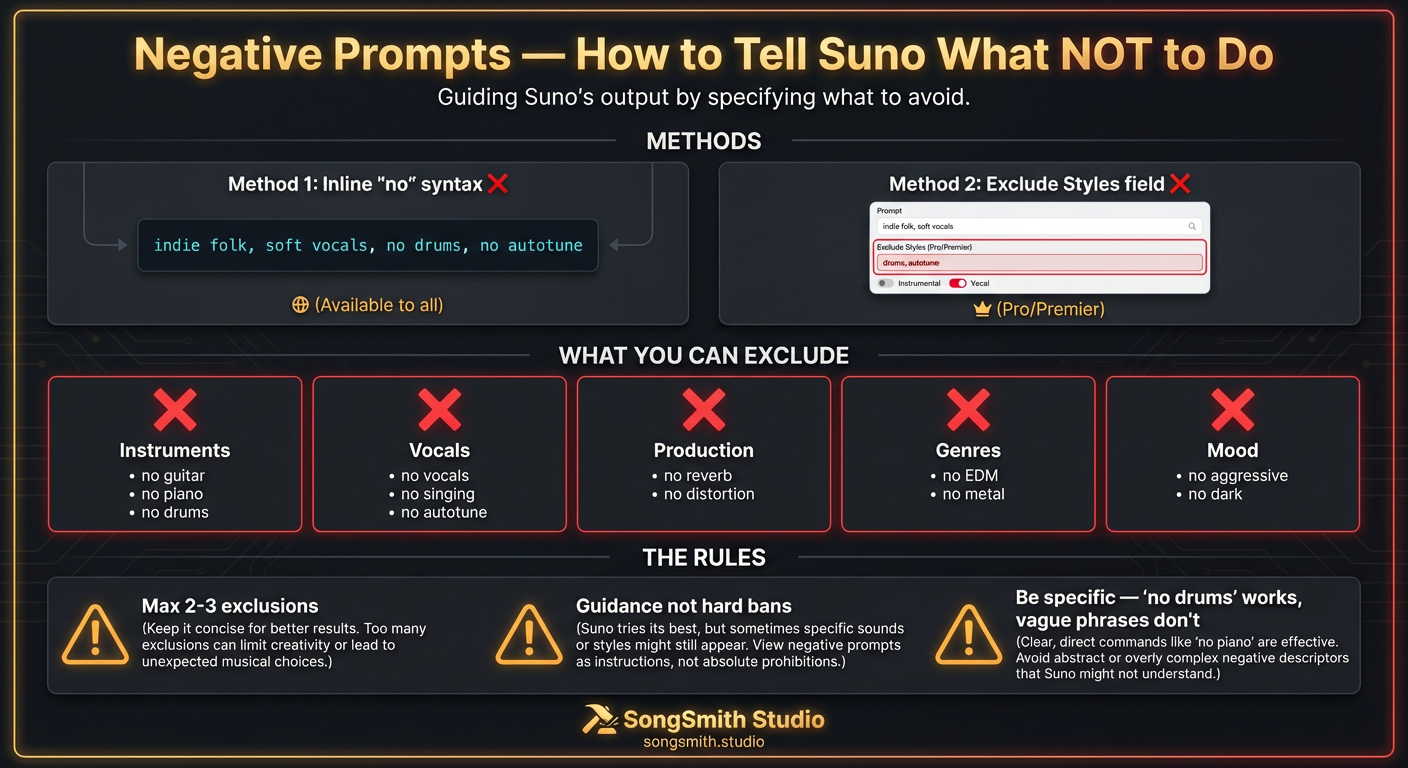
You've perfected your style prompt but Suno keeps adding unwanted elements. A piano in your punk track. Autotune on your folk ballad. Drums in your ambient piece. The fix: negative prompts. This is a feature most people don't know exists. Our users who started using them saw immediate improvements in output accuracy, fewer surprise instruments, no unwanted vocal styles. Here's the complete guide.
Method 1: The "no" Syntax (Available to Everyone)
Add exclusions directly in your style prompt using no [element]:
Indie folk, acoustic guitar, soft male vocals, warm, 95 BPM, no drums, no electric guitar, no autotuneOther syntax that works:
- `no [element]`: Most reliable and shortest
- `without [element]`: Works but longer
- `exclude [element]`: Also works
Method 2: Dedicated Exclude Field (Pro/Premier Tiers)
In Custom Mode, click "Advanced Options". There's a dedicated Exclude field at the top. Type instruments, styles, or vocal types you don't want. These show with a - prefix in the song preview. This method is more reliable than inline syntax.
What You Can Exclude
Instruments
no electric guitar, no piano, no drums, no bass, no synthesizers, no strings, no 808s, no hi-hatsVocals
no vocals, no singing, no backing vocals, no humming, no rapping, no falsetto, no autotuneProduction
no reverb, no distortion, no heavy compression, no autotuneGenres & Styles
no EDM, no hip-hop, no metal, no jazzMood & Energy
no aggressive, no dark, no chaoticCritical Rules for Negative Prompts
- Max 2–3 exclusions. More than that confuses the model. Prioritize your most critical ones.
- Negatives are guidance, not hard bans. Excluded elements may still appear occasionally: they're not absolute.
- Be specific. "No guitar" works. "Avoid anything rock-like" is too vague.
- Don't use conversational phrasing. "No drums" works. "I don't want drums" is weaker.
- Suno doesn't understand "don't." "Don't add drums" is less reliable than "no drums."
Common Exclusion Combos That Work Well
For Pure Instrumentals
no vocals, no singing, no hummingFor Acoustic Intimacy
no drums, no electric guitar, no synthFor Clean Vocals
no autotune, no vocal effects, no distortionFor Minimal Beats
no 808s, no hi-hats, no heavy percussionFor Organic Sound
no electronic elements, no synthesizers, no drum machinePro Tips
- Put positive descriptors first, exclusions last: "warm acoustic folk, fingerpicked guitar, soft vocals, 90 BPM, no drums, no electric guitar."
- Use exclusions to refine, not to define. Your positive tags do the heavy lifting.
- The dedicated Exclude field (Pro/Premier) is more reliable than inline
nosyntax. - If an excluded element keeps appearing, try stronger positive alternatives instead. "Acoustic only" beats "no electric."
- v5/v5.5 handles negatives more reliably than older versions.
Conclusion
Negative prompts are a precision tool for refining your output without starting from scratch. Use them to exclude unwanted elements, but remember: they're guidance, not absolute bans. Combine them with strong positive tags, keep your exclusions to 2–3 maximum, and be specific. Master this technique and you'll spend far less time regenerating songs with surprise elements.
Create your first Suno album on SongSmith
From a single idea to a complete, YouTube-ready album. AI lyrics, Suno automation, album art, and video rendering — all in one workflow.
Get started freeKeep reading
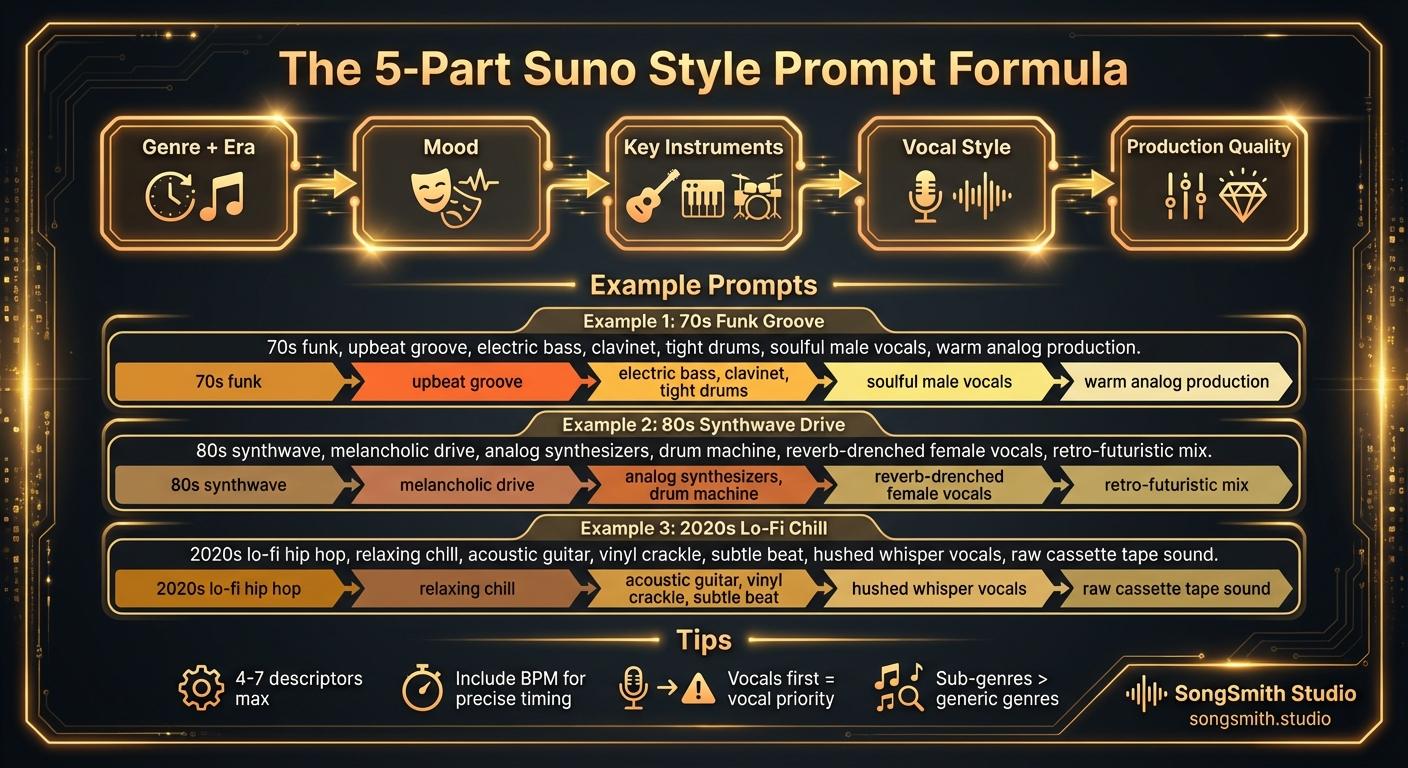
Craft Precise Style Prompts Using This Battle-Tested Formula
Master the 5-part formula for Suno style prompts: Genre + Era, Mood, Instruments, Vocal Style, Production. Learn tips for better results and example prompts that work.
2 min read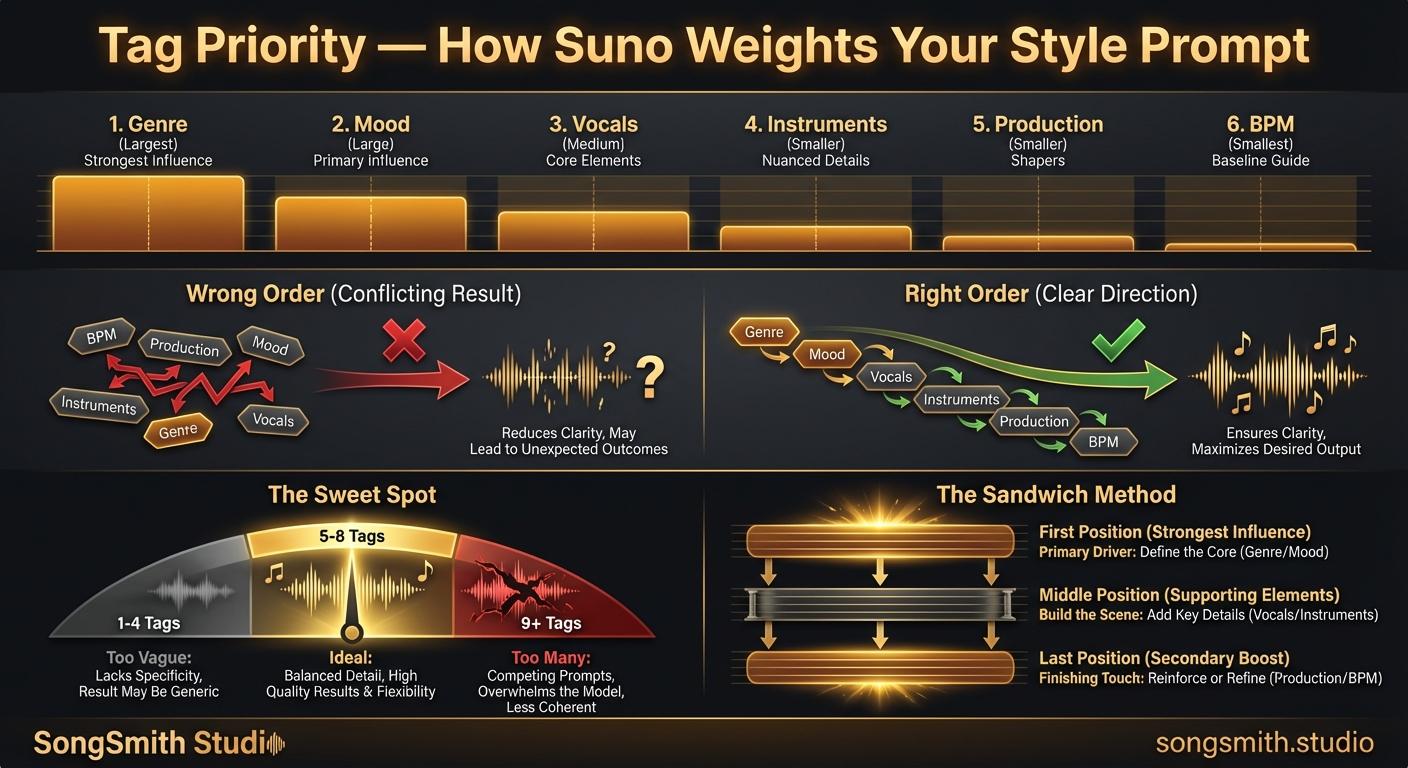
Tag Priority: How Suno Weights Your Style Prompt
Learn how Suno weights style prompt positions. First tag = 30% influence. Optimal order: genre, mood, vocals, instruments, production, BPM.
3 min read