Master Every Suno Structure Tag for Professional Song Organization
![Three-column cheat sheet showing all Suno structure tags: Structure column with [Intro], [Verse], [Chorus], [Bridge], [Outro], [Break], [Interlude]. Vocal Delivery column with [Whispered], [Spoken Word], [Belted], [Falsetto], [Harmonized], [Ad-lib]. Instrumental column with [Instrumental], [Guitar Solo], [Piano Solo], [Drop]. Bottom shows a perfect song template flowchart.](/_next/image?url=%2Fblog%2F03-suno-structure-tags-cheat-sheet.jpeg&w=3840&q=75)
If your Suno songs sound like one long blob of sound without any real structure, you're probably not using structure tags. These are the hidden organization tool that separates amateur-sounding tracks from professional ones. Tags go directly in your lyrics and tell Suno exactly how to organize the song.
Basic Structure Tags
These are the foundation of song organization. Use them to create the classic verse-chorus structure:
[Intro]
[Verse]
[Chorus]
[Bridge]
[Outro]
[Break]
[Interlude]- [Intro]: The opening section before any vocals or main content. Sets the mood and gives the song breathing room.
- [Verse]: Main storytelling section with the primary melody. Can label as [Verse 1], [Verse 2], etc.
- [Chorus]: The repeating hook with the main hook or message. The most memorable part of the song.
- [Bridge]: A contrasting section that breaks up repetition, usually in the middle-to-late portion of the song.
- [Outro]: The closing section. Without it, songs often cut off abruptly or fade randomly.
- [Break]: A brief instrumental or silent section that adds dramatic tension before building back up.
- [Interlude]: An instrumental or transitional section that doesn't follow the main verse-chorus pattern.
Vocal Delivery Tags
Control how the vocal performance sounds with these delivery tags:
[Whispered]
[Spoken Word]
[Belted]
[Falsetto]
[Harmonized]
[Ad-lib]- [Whispered]: Quiet, intimate vocal delivery. Creates contrast before a louder section.
- [Spoken Word]: Rhythmic speech rather than singing. Great for intro narration or spoken sections.
- [Belted]: Powerful, projected vocal delivery with full volume and emotion.
- [Falsetto]: High vocal register often used for contrast or ethereal effects.
- [Harmonized]: Multi-voice harmonies stacked together.
- [Ad-lib]: Vocal ad-libs, riffs, and improvisations that happen under or after the main line.
Instrumental Tags
Tell Suno when to emphasize or spotlight instruments:
[Instrumental]
[Guitar Solo]
[Piano Solo]
[Drop]- [Instrumental]: A section with no vocals, focused on instruments only.
- [Guitar Solo]: A featured guitar moment. Suno understands this means let the guitar shine.
- [Piano Solo]: A featured piano moment. Works for ballads and cinematic pieces.
- [Drop]: A sudden bass-heavy moment, usually used in electronic or hip-hop tracks.
Pro Tips for Using Tags
- Start with [Intro], Even a short one gives your song breathing room and a proper beginning instead of diving straight into vocals.
- Use [Break] before the final chorus: A brief break creates a dramatic build that makes the final chorus hit harder.
- Pair [Whispered] with [Belted] for contrast: Put [Whispered] on its own line right before a verse, then use [Belted] for the chorus. The contrast is incredibly effective.
- Always end with [Outro]: Without it, Suno doesn't know when to finish and either cuts off abruptly or fades awkwardly.
- Combine tags on the same line: You can put
[Whispered]right before verse lyrics on the same section to modify just that part.
The Perfect Song Structure Template
Here's a structure that works almost every time. Copy this and fill in your own lyrics:
[Intro]

[Verse 1]
Your first verse lyrics here

[Chorus]
Your chorus lyrics here

[Verse 2]
Your second verse lyrics here

[Chorus]

[Bridge]
Your bridge lyrics here

[Break]

[Chorus]

[Outro]
This template gives your song a professional arc: introduction → first impact → repetition with variation → contrast → dramatic rebuild → final hook → satisfying ending.
Why Tags Matter So Much
Without structure tags, Suno treats your entire lyric block as undifferentiated content. It doesn't know where to create tension, where to release it, or when to end. Tags are the language that tells Suno how to arrange your song, not just what notes to play. They're the difference between a meandering track and a professional-sounding composition.
Create your first Suno album on SongSmith
From a single idea to a complete, YouTube-ready album. AI lyrics, Suno automation, album art, and video rendering — all in one workflow.
Get started freeKeep reading
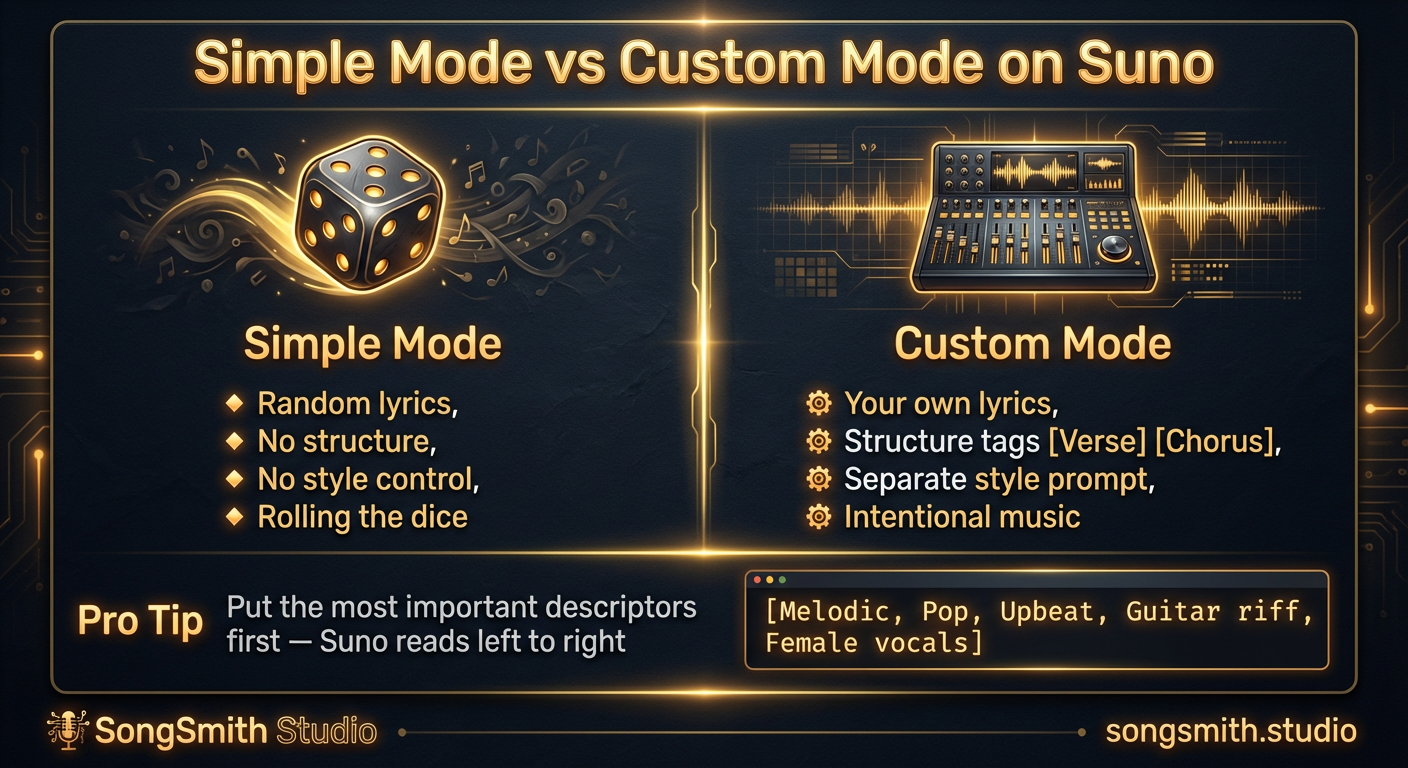
Why Custom Mode Gives You Total Control Over Your Suno Songs
Learn why Simple Mode limits your Suno songs. Switch to Custom Mode to write your own lyrics, control structure, and get intentional music instead of random results.
2 min read![Vertical layout showing 4 numbered methods with icons: Repeat icon for Continue feature, Document icon for Longer lyrics, Flag icon for [Outro] tag, Speedometer icon for BPM control. Each shows a brief explanation and benefit. Bottom includes a pro tip about fixing style drift during extensions.](/_next/image?url=%2Fblog%2F04-how-to-make-full-length-songs-on-suno.jpeg&w=3840&q=75)
Four Methods to Extend Your Suno Tracks to 3–5 Minutes
Stop getting 1-minute clips. Learn 4 proven methods to make full-length Suno songs: Continue feature, longer lyrics, [Outro] tags, and BPM control. Plus a bonus tip for style drift.
3 min read