Why Custom Mode Gives You Total Control Over Your Suno Songs
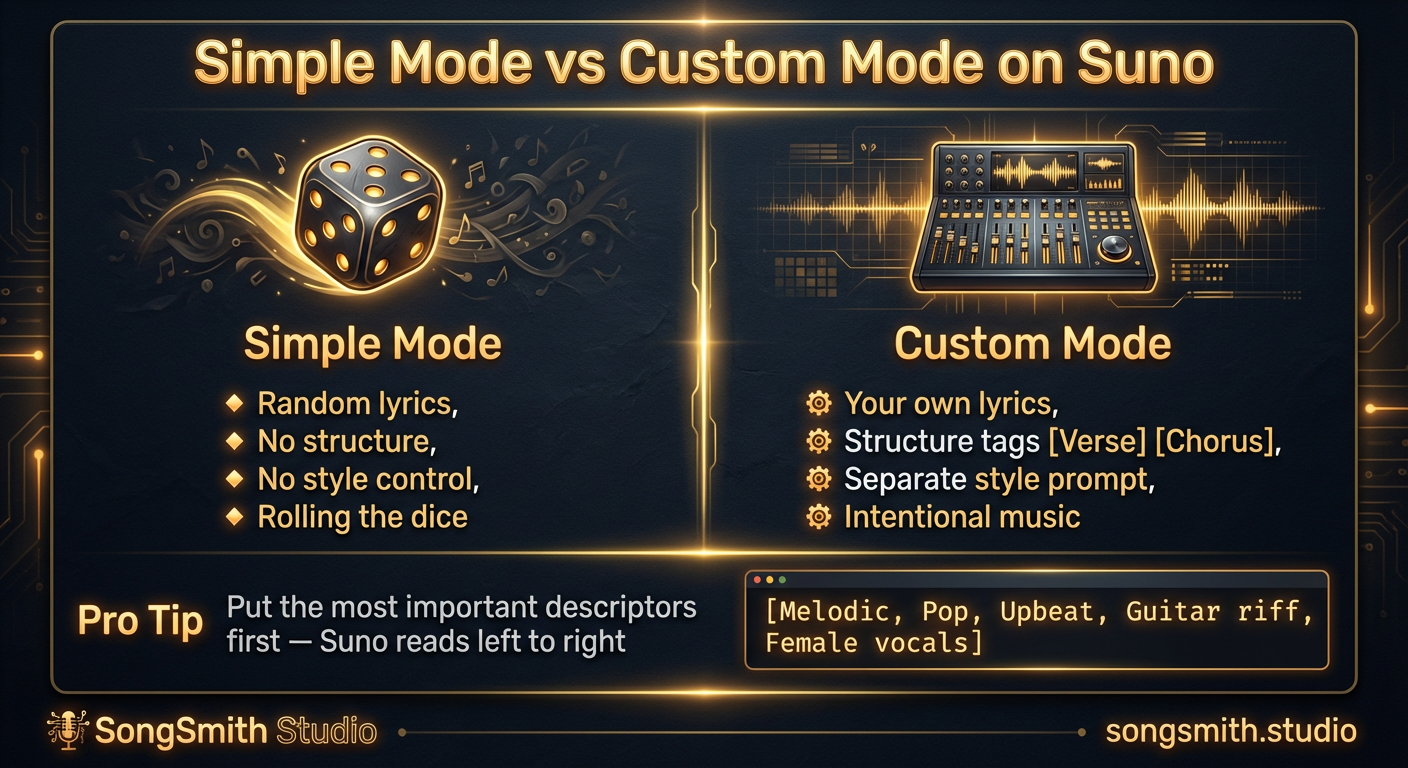
If you're still using Simple Mode on Suno, you're giving up most of your control. Custom Mode is a game-changer, and it's not as hard as you might think. The biggest difference between Simple Mode results and Custom Mode results is night and day, and all it takes is switching one setting and writing basic lyrics.
Why Custom Mode Matters
Simple Mode lets Suno generate everything: the lyrics, the melody, the vocal style. It's convenient for quick experiments, but you have almost no control. Custom Mode flips that around.
- You write your own lyrics: no more random AI gibberish that doesn't match your vision
- You control the structure with tags like
[Verse],[Chorus],[Bridge],[Outro]: Suno knows exactly where to build and release tension - You set the style separately from the lyrics: the style prompt becomes a pure instrument control tool
- You get intentional music instead of rolling the dice and hoping for the best
The Single Biggest Upgrade
The most powerful change most people can make is switching to Custom Mode and writing even basic lyrics. You don't need to be a poet. Write like a human speaks, not like Shakespeare. Conversational, natural lyrics get clearer vocals instantly and feel more authentic.
Structure Tags: Your Secret Weapon
Structure tags are how you tell Suno where sections begin and end. Put them on their own line in your lyrics:
[Intro]

[Verse 1]
Your first verse lyrics here

[Chorus]
Your chorus lyrics here

[Verse 2]
Your second verse lyrics here

[Chorus]

[Bridge]
Your bridge lyrics here

[Outro]
Your outro lyrics here
Without these tags, everything sounds like one long blob of sound. With them, Suno builds a real song structure with dynamics.
Your Style Prompt Matters Too
Here's a style prompt that works reliably:
Dreamy shoegaze, female vocals, reverb-heavy guitars, 90 BPM, etherealPro tip: Put the most important descriptors first. Suno reads left to right and prioritizes what comes first. If you care about the vocal style, put it near the beginning.
Keep It Simple to Start
You don't need a complex style prompt. A solid prompt has 4–7 descriptors and covers genre, mood, key instruments, vocal style, and production quality. More than that and Suno gets confused about what you actually want.
- Include BPM if tempo matters to your song
- Use specific sub-genres like "dream pop" or "midwest emo" instead of just "rock" or "pop"
- Mention vocal qualities if the voice is critical to your vision
The Real Difference
Custom Mode takes a few extra minutes, but you get a song that actually matches your vision instead of a randomized guess. Your lyrics stay your lyrics. Your structure is intentional. Your style is consistent. That's the power of switching from Simple Mode to Custom.
Create your first Suno album on SongSmith
From a single idea to a complete, YouTube-ready album. AI lyrics, Suno automation, album art, and video rendering — all in one workflow.
Get started freeKeep reading
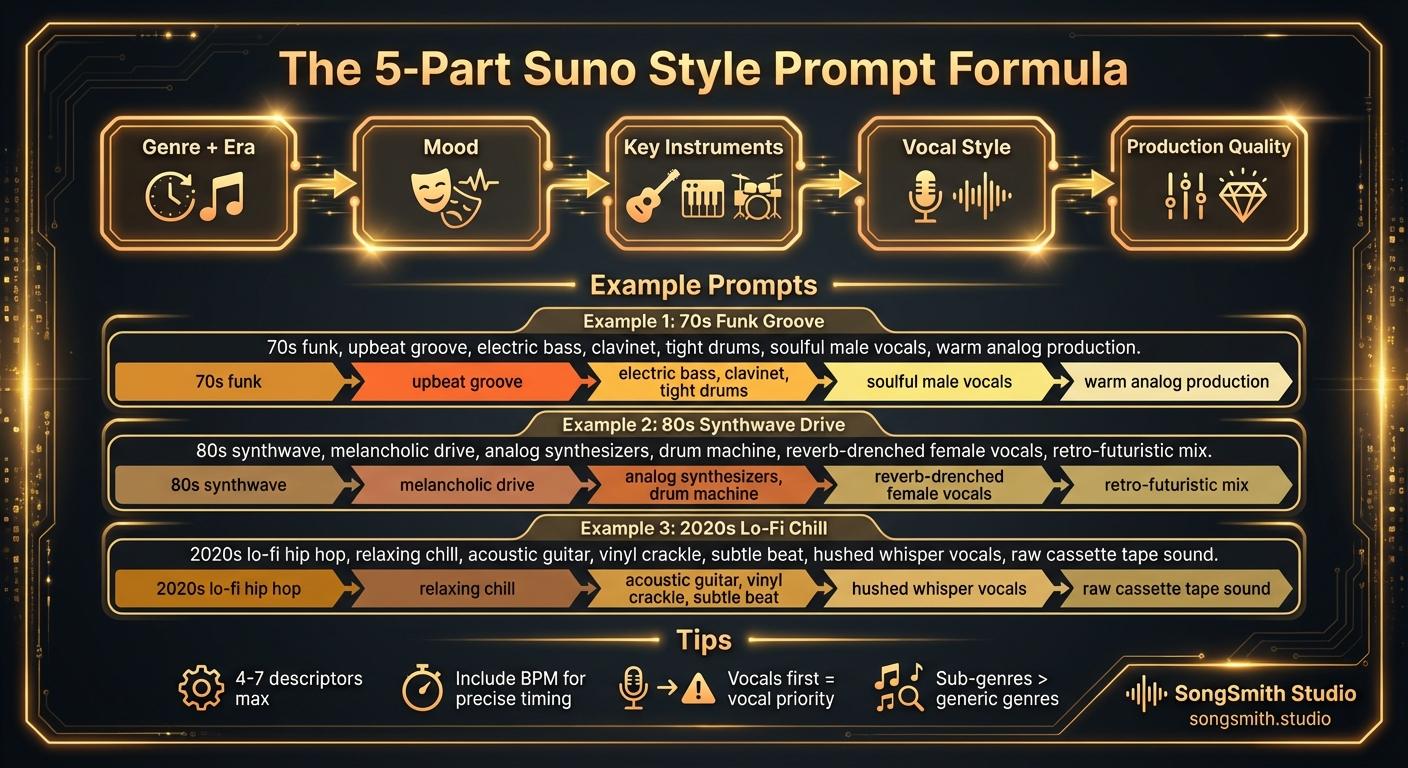
Craft Precise Style Prompts Using This Battle-Tested Formula
Master the 5-part formula for Suno style prompts: Genre + Era, Mood, Instruments, Vocal Style, Production. Learn tips for better results and example prompts that work.
2 min read![Three-column cheat sheet showing all Suno structure tags: Structure column with [Intro], [Verse], [Chorus], [Bridge], [Outro], [Break], [Interlude]. Vocal Delivery column with [Whispered], [Spoken Word], [Belted], [Falsetto], [Harmonized], [Ad-lib]. Instrumental column with [Instrumental], [Guitar Solo], [Piano Solo], [Drop]. Bottom shows a perfect song template flowchart.](/_next/image?url=%2Fblog%2F03-suno-structure-tags-cheat-sheet.jpeg&w=3840&q=75)
Master Every Suno Structure Tag for Professional Song Organization
Complete reference of Suno structure tags: [Verse], [Chorus], [Bridge], [Intro], [Outro], vocal delivery tags, and instrumental tags. Save this cheat sheet for every session.
3 min read