Avoid These 5 Mistakes That Most Suno Users Make Repeatedly
![Dark-themed infographic with 5 error/fix rows. Left side has red X icon and mistake. Right side has green checkmark and fix: 1. X Vague prompts → Check Use 4-7 specific descriptors, 2. X No structure tags → Check Use [Verse], [Chorus], [Bridge], 3. X Too many words in style prompt → Check Comma-separated descriptors only, 4. X Regenerating from scratch → Check Use Continue from this song, 5. X Settling on first generation → Check Generate 2-3 versions pick best. Bonus: Ignoring Personas → Use them for consistent vocals.](/_next/image?url=%2Fblog%2F10-five-common-suno-mistakes.jpeg&w=3840&q=75)
After seeing thousands of songs generated through Suno, the same five mistakes keep appearing. Most of them are easy to fix once you know what to look for. If your songs aren't coming out the way you want, chances are you're making at least one of these.
Mistake 1: Vague Style Prompts
Vague prompts produce vague results. "Make a cool song" gives you randomness. A specific prompt gives you control.
Wrong:
Cool song, good vibes, nice melodyRight:
Indie folk, fingerpicked acoustic guitar, soft male vocals, campfire warmth, 95 BPMThe second prompt tells Suno exactly what you want. Genre, instruments, vocal style, mood, and tempo, all specified. You get intentional music instead of a guess.
Mistake 2: Missing Structure Tags in Lyrics
Without [Verse], [Chorus], [Bridge] tags, Suno doesn't know where sections should build or release. Your song ends up as a monotone wall of sound with no dynamics.
Wrong:
Here's my first verse
Now my chorus
Now my verse again
Right:
[Verse 1]
Here's my first verse

[Chorus]
Now my chorus

[Verse 2]
Now my verse again
The tags signal structure. Suno builds energy toward the chorus, pulls back for verses, and uses bridges as dynamic breaks. Without tags, everything sounds the same.
Mistake 3: Too Many Words in the Style Prompt
The style prompt has a character limit. If you write a paragraph, Suno ignores everything after a certain point. Quality over quantity always wins.
Wrong:
This is a really energetic indie rock song with powerful guitars and a strong beat. The vocals should be emotional and the drums should drive the whole thing. Maybe add some strings in the chorus?Right:
Energetic indie rock, powerful guitars, emotional vocals, driving drums, string arrangementStick to 4–7 comma-separated descriptors. Suno processes this efficiently. Longer prompts get cut off or cause confusion.
Mistake 4: Regenerating From Scratch Instead of Using Continue
If your track cuts off at 1–2 minutes and you just regenerate from the beginning, you're wasting credits and losing the good parts. Use the "Continue from this song" feature instead.
Wrong workflow:
- Generate song → cuts off at 1:30 → regenerate entire song from scratch
- Result: completely different melody, lost the good parts, wasted a credit
Right workflow:
- Generate song → cuts off at 1:30 → use Continue to extend from where it ended
- Result: same melody preserved, smooth extension, only cost one continuation credit
Continue is the most underrated feature in Suno. It preserves the vibe while extending the track.
Mistake 5: Settling on the First Generation
Suno has high variance. The same prompt can produce a masterpiece or something mediocre. Don't settle on the first attempt.
Always generate at least 2–3 versions of the same song and pick the best one. The quality gap between attempt #1 and attempt #3 can be enormous. I've had cases where attempt #3 was 10x better than #1.
Pro tip: If you notice one generation is almost perfect but has one weak section, use Continue to extend from a strong point rather than regenerating. This preserves the parts that work.
Bonus Mistake: Ignoring Personas
If you generate 10 songs and each one has a different voice, your output sounds random and disjointed. Use Personas to lock in a vocal identity, especially for albums.
A consistent voice across multiple tracks creates cohesion. The listener should hear the same artist throughout your project, not random voices.
Quick Mistake Checklist
Before hitting generate, run through this checklist:
- Is my style prompt 4–7 specific descriptors (not a paragraph)?
- Do my lyrics have
[Verse],[Chorus],[Bridge]tags? - Am I planning to generate 2–3 versions and pick the best?
- If my track cuts off, will I use Continue instead of regenerating?
- Am I using the same Persona for consistency?
Conclusion
These five mistakes are easy to fix once you're aware of them. Specific prompts, structure tags, reasonable prompt length, smart continuation, and strategic regeneration are the difference between mediocre output and great songs. Fix these habits, and your Suno songs will improve immediately.
Create your first Suno album on SongSmith
From a single idea to a complete, YouTube-ready album. AI lyrics, Suno automation, album art, and video rendering — all in one workflow.
Get started freeKeep reading
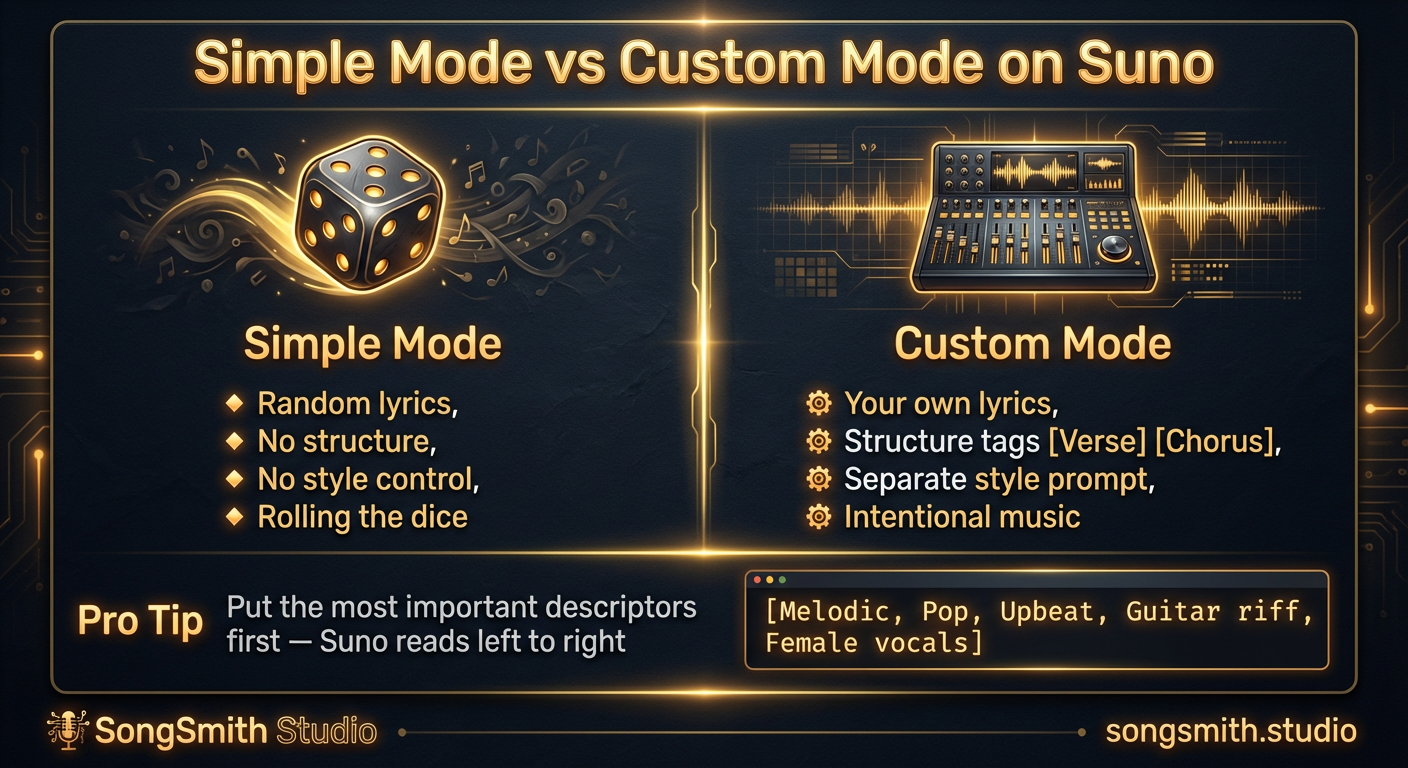
Why Custom Mode Gives You Total Control Over Your Suno Songs
Learn why Simple Mode limits your Suno songs. Switch to Custom Mode to write your own lyrics, control structure, and get intentional music instead of random results.
2 min read![Three-column cheat sheet showing all Suno structure tags: Structure column with [Intro], [Verse], [Chorus], [Bridge], [Outro], [Break], [Interlude]. Vocal Delivery column with [Whispered], [Spoken Word], [Belted], [Falsetto], [Harmonized], [Ad-lib]. Instrumental column with [Instrumental], [Guitar Solo], [Piano Solo], [Drop]. Bottom shows a perfect song template flowchart.](/_next/image?url=%2Fblog%2F03-suno-structure-tags-cheat-sheet.jpeg&w=3840&q=75)
Master Every Suno Structure Tag for Professional Song Organization
Complete reference of Suno structure tags: [Verse], [Chorus], [Bridge], [Intro], [Outro], vocal delivery tags, and instrumental tags. Save this cheat sheet for every session.
3 min read