Suno Tips & Guides
Expert tips, cheat sheets, and tutorials to help you create better AI music with Suno.
![Vertical layout showing 4 numbered methods with icons: Repeat icon for Continue feature, Document icon for Longer lyrics, Flag icon for [Outro] tag, Speedometer icon for BPM control. Each shows a brief explanation and benefit. Bottom includes a pro tip about fixing style drift during extensions.](/_next/image?url=%2Fblog%2F04-how-to-make-full-length-songs-on-suno.jpeg&w=3840&q=75)
Four Methods to Extend Your Suno Tracks to 3–5 Minutes
Stop getting 1-minute clips. Learn 4 proven methods to make full-length Suno songs: Continue feature, longer lyrics, [Outro] tags, and BPM control. Plus a bonus tip for style drift.
3 min read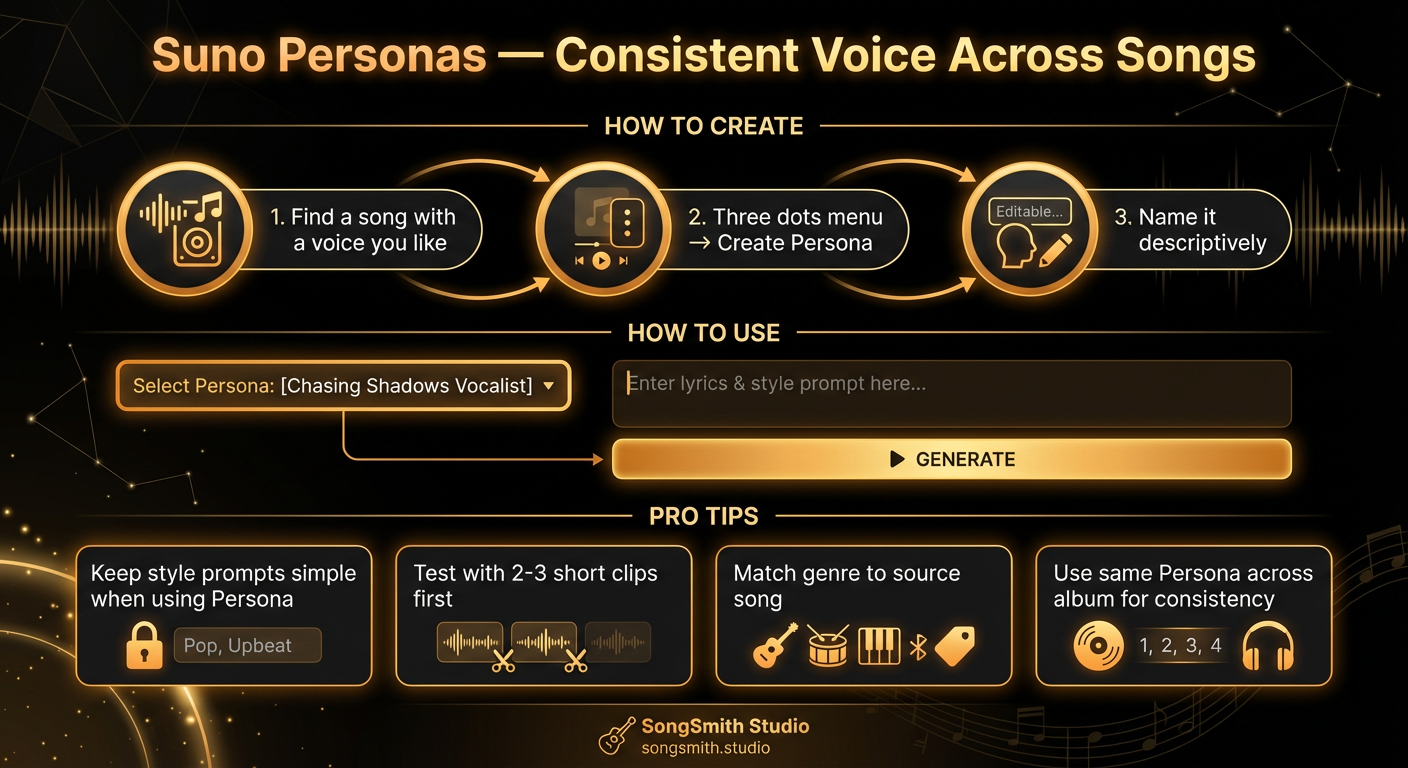
Use Suno Personas to Lock In a Consistent Vocal Identity
Master Suno Personas to get the same voice across all your songs. Learn how to create, use, and combine Personas for albums with consistent vocal identity.
4 min read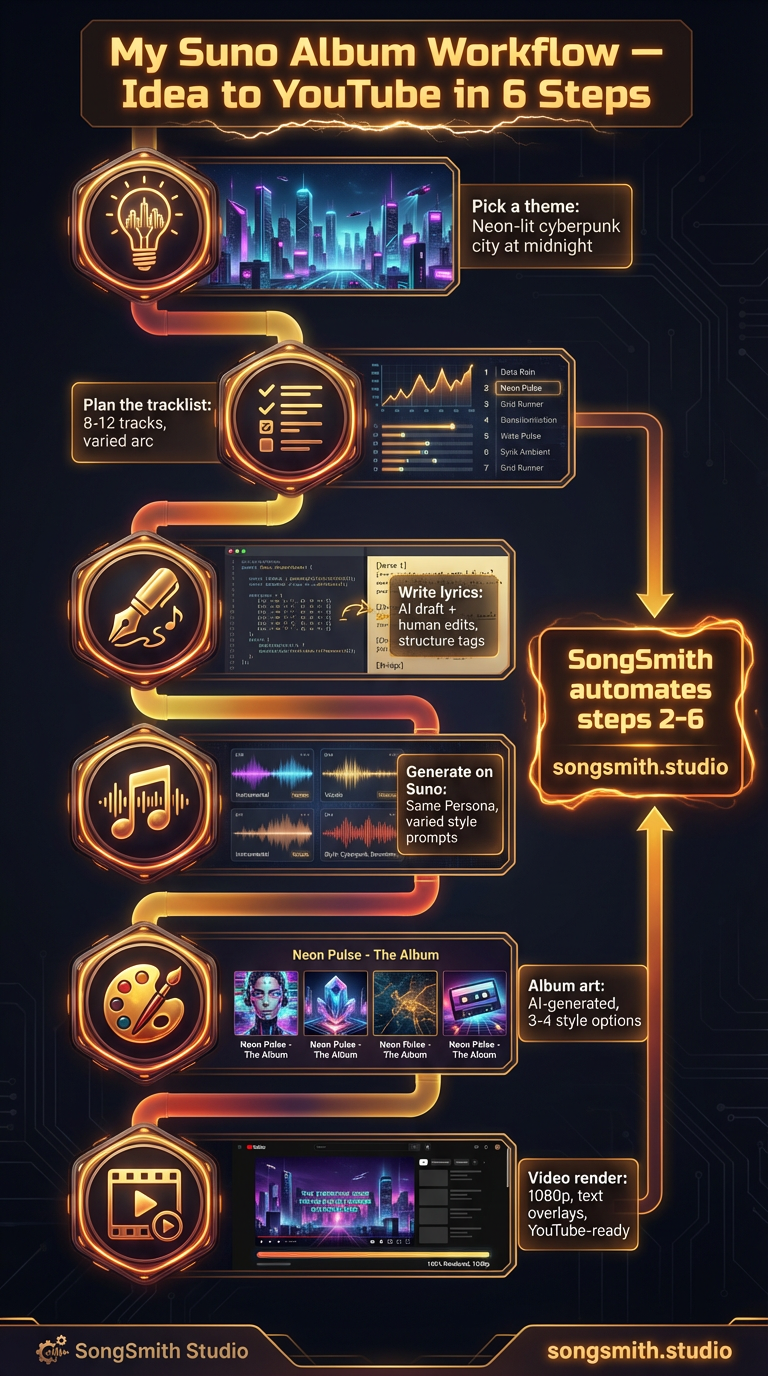
How to Create Full Albums on Suno and Publish Them to YouTube
Learn the complete album workflow for creating and publishing AI music on YouTube. Plan, generate, render, and upload albums efficiently with Suno in under an hour.
3 min read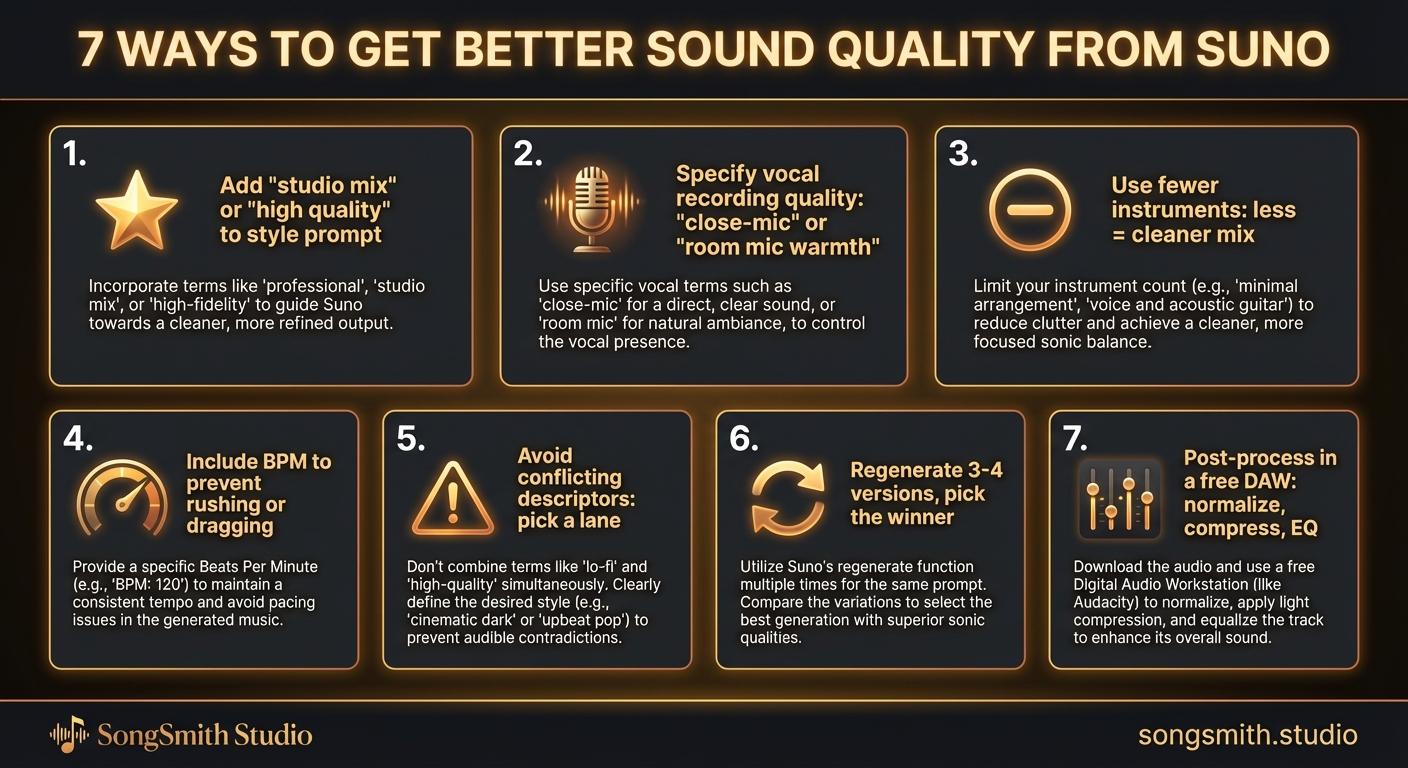
Proven Techniques for Professional-Sounding Suno Audio Output
Improve Suno sound quality with 7 proven tips: studio mix descriptors, fewer instruments, specific BPM, vocal control, regeneration, post-processing. Get cleaner, more professional tracks.
3 min read![Dark-themed infographic with 5 error/fix rows. Left side has red X icon and mistake. Right side has green checkmark and fix: 1. X Vague prompts → Check Use 4-7 specific descriptors, 2. X No structure tags → Check Use [Verse], [Chorus], [Bridge], 3. X Too many words in style prompt → Check Comma-separated descriptors only, 4. X Regenerating from scratch → Check Use Continue from this song, 5. X Settling on first generation → Check Generate 2-3 versions pick best. Bonus: Ignoring Personas → Use them for consistent vocals.](/_next/image?url=%2Fblog%2F10-five-common-suno-mistakes.jpeg&w=3840&q=75)
Avoid These 5 Mistakes That Most Suno Users Make Repeatedly
Stop making common Suno mistakes: vague prompts, missing structure tags, bloated style prompts, regenerating from scratch, settling on first attempts. Learn the fixes.
3 min read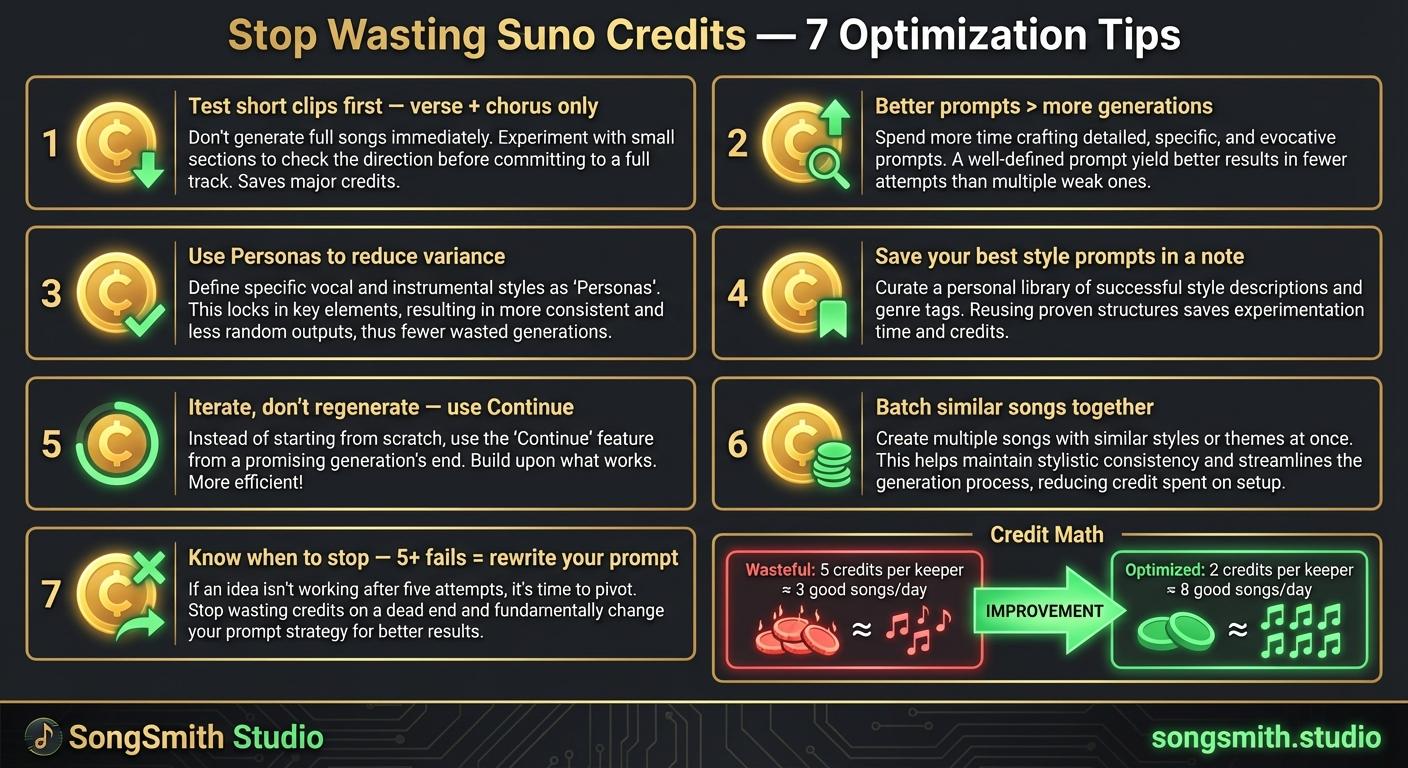
Maximize Your Suno Credits: 7 Proven Ways to Get More Music Per Dollar
7 practical tips to stop wasting Suno credits. Optimize prompts, use personas, iterate instead of regenerate, and double your output per credit.
4 min read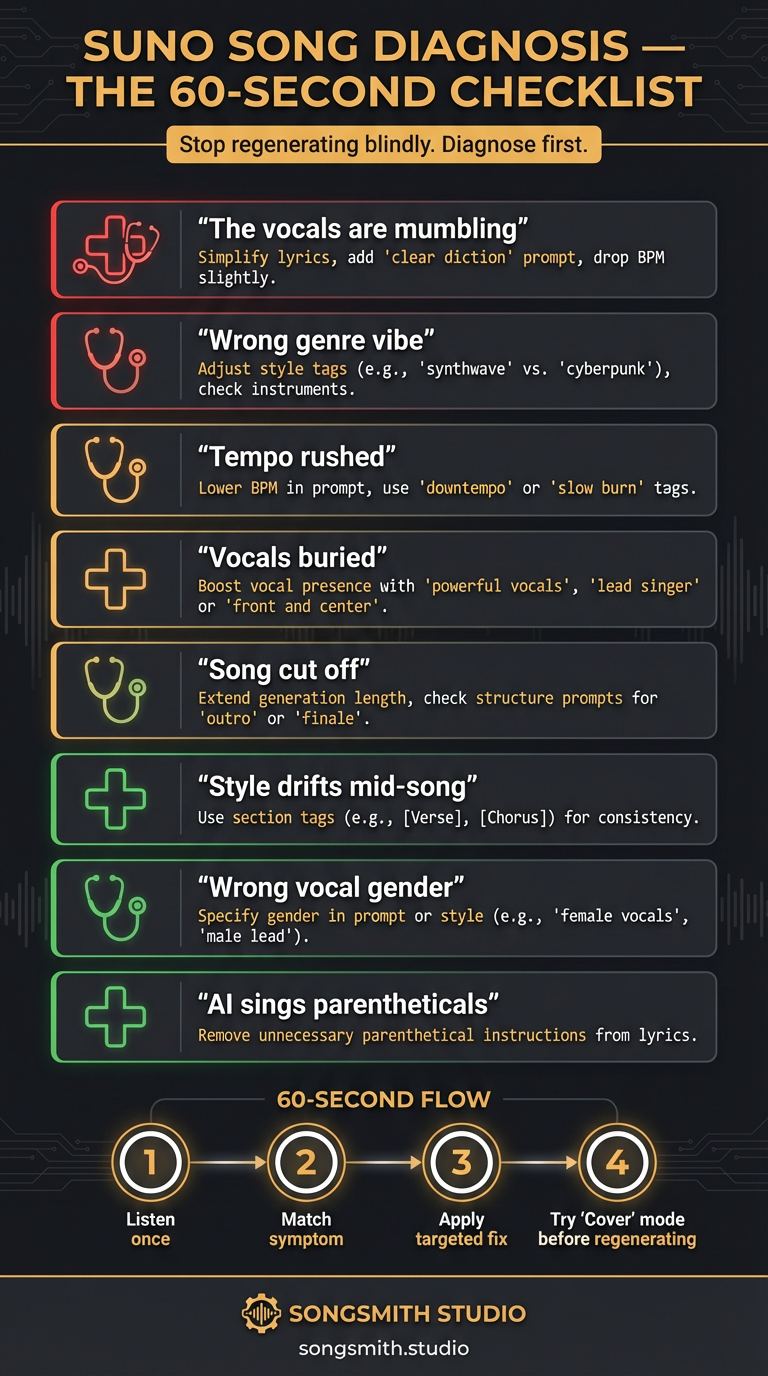
Your Suno Song Sounds Off: The 60-Second Diagnosis Checklist
Stop regenerating blindly. Use this 8-symptom diagnosis flow to identify and fix Suno generation problems: mumbling vocals, style drift, cut-offs, in under a minute.
3 min read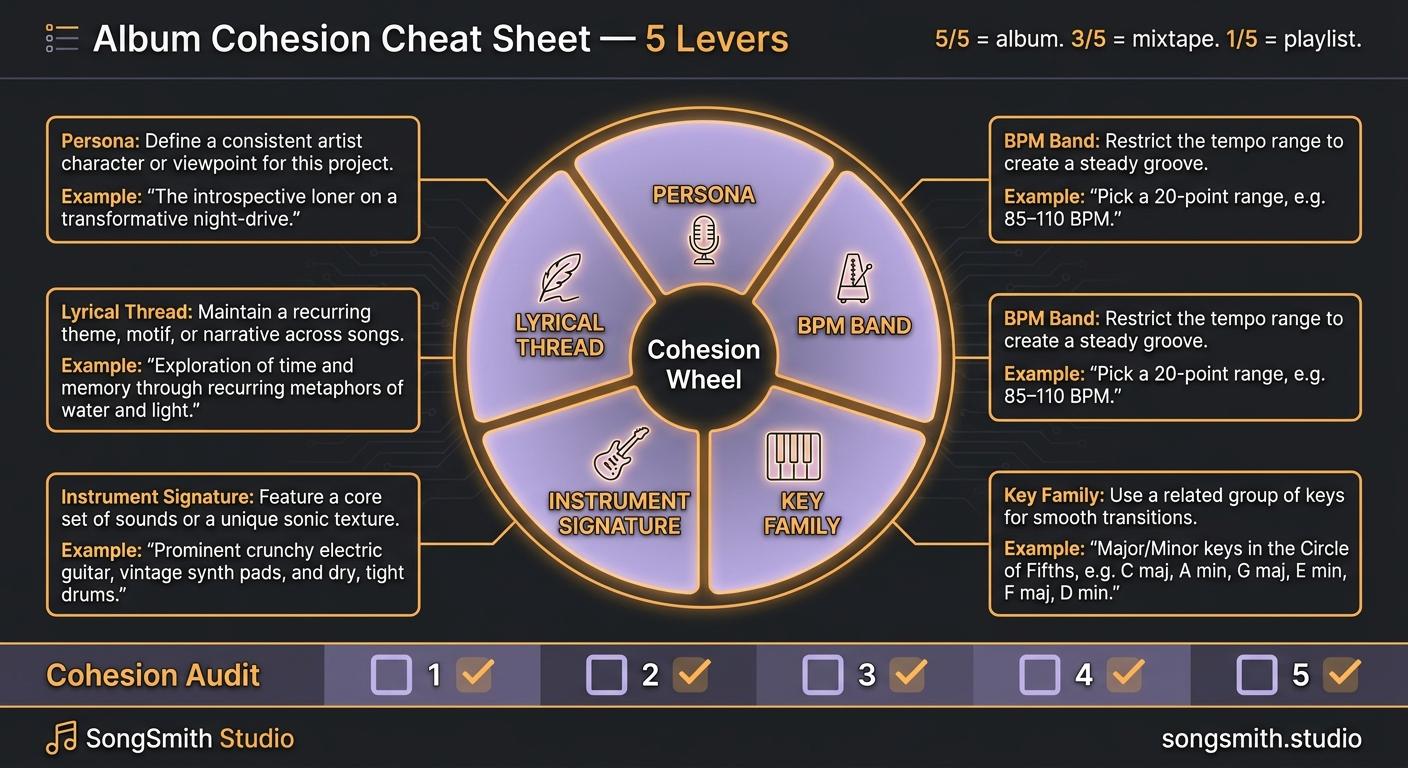
Album Cohesion Cheat Sheet: Make 10 Songs Feel Like One Album on Suno
Stop building playlists, start building albums. 5 cohesion levers (persona, BPM band, key family, instrument signature, lyrical thread) with a 6-track album skeleton.
4 min read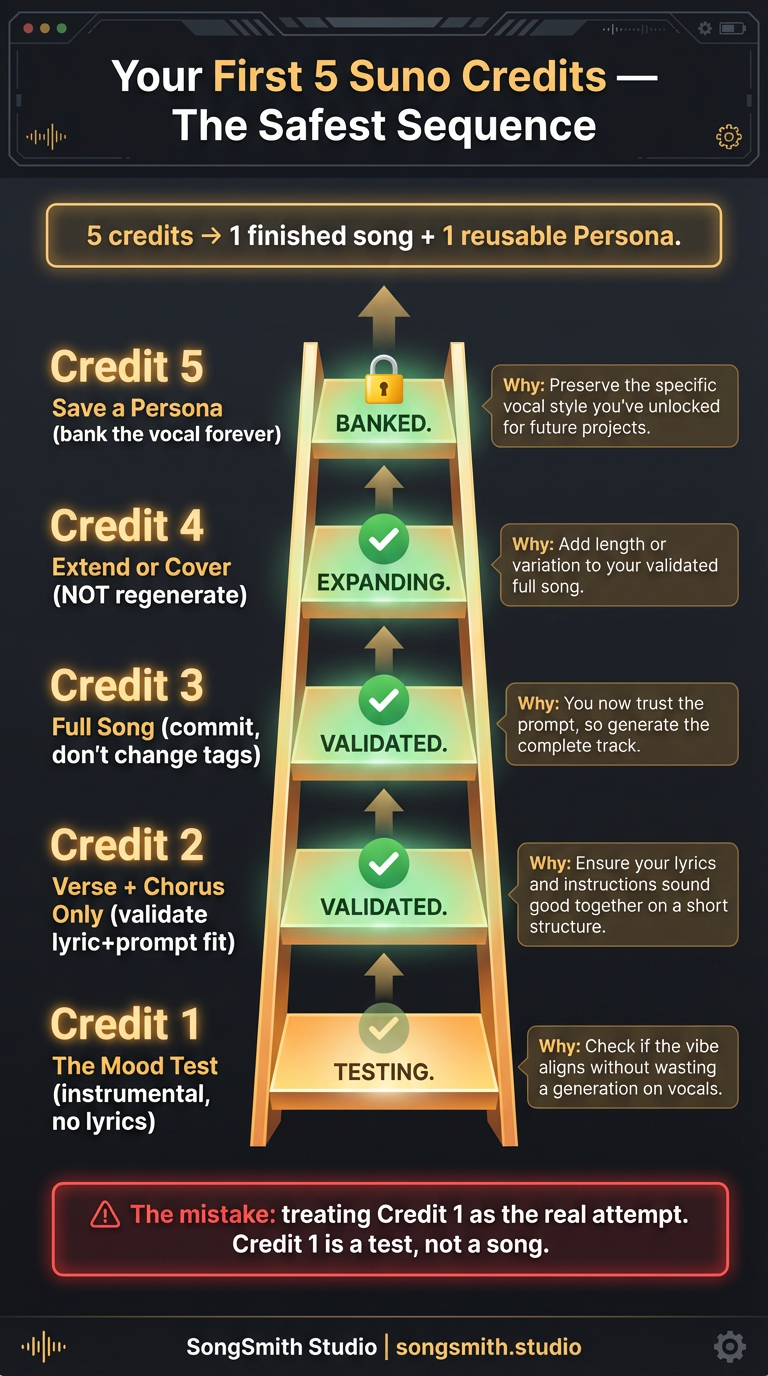
Your First 5 Suno Credits: A Beginner's Quickstart (Don't Waste Them)
New to Suno? Don't blow your free credits on full songs. The exact 5-credit sequence to learn Suno without burning credits. Test → Validate → Commit → Fix → Save Persona.
5 min read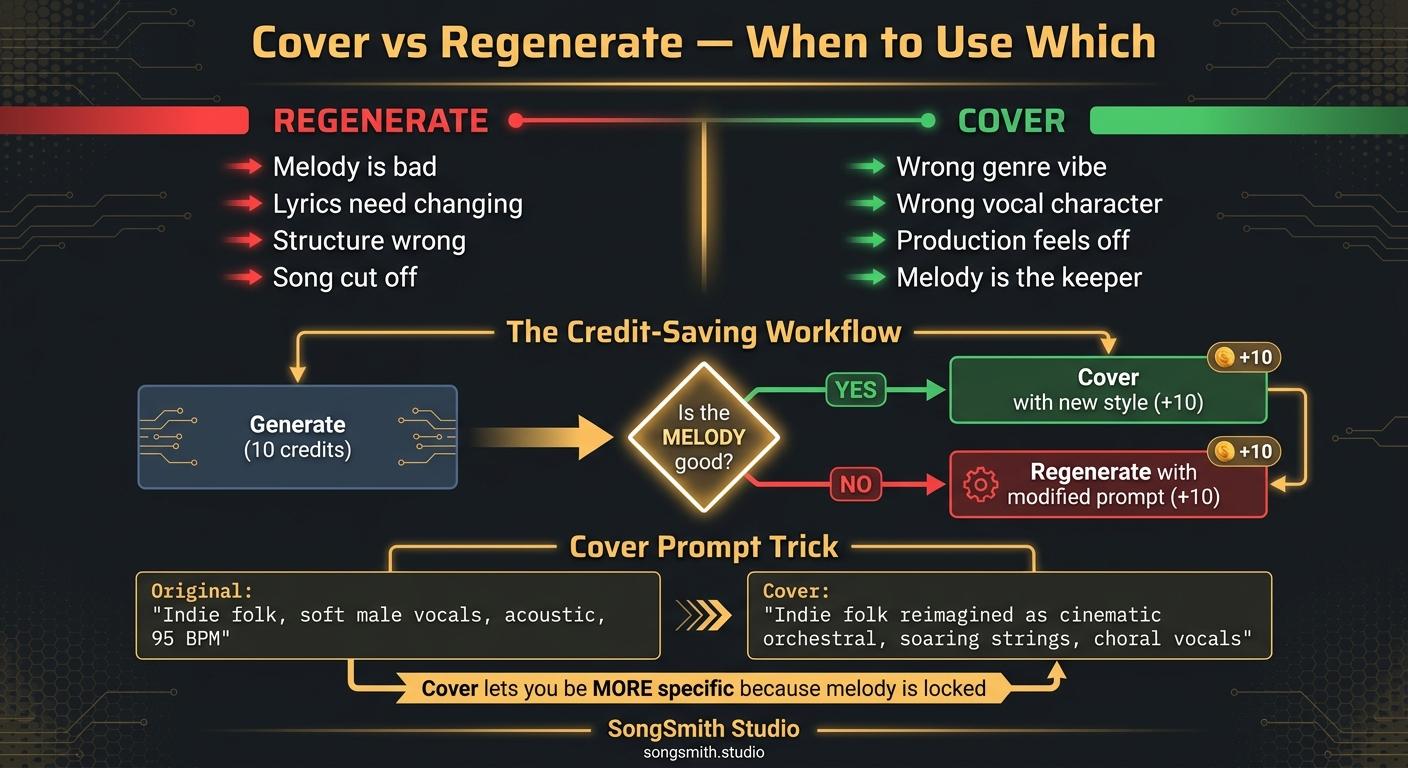
Stop Regenerating: When to Use Suno's Cover Feature Instead (Saves Credits)
Cover is the most underrated button on Suno. The decision tree for when to Cover vs. regenerate, plus the credit-saving workflow that gets a perfect song in 20-30 credits, not 100+.
2 min read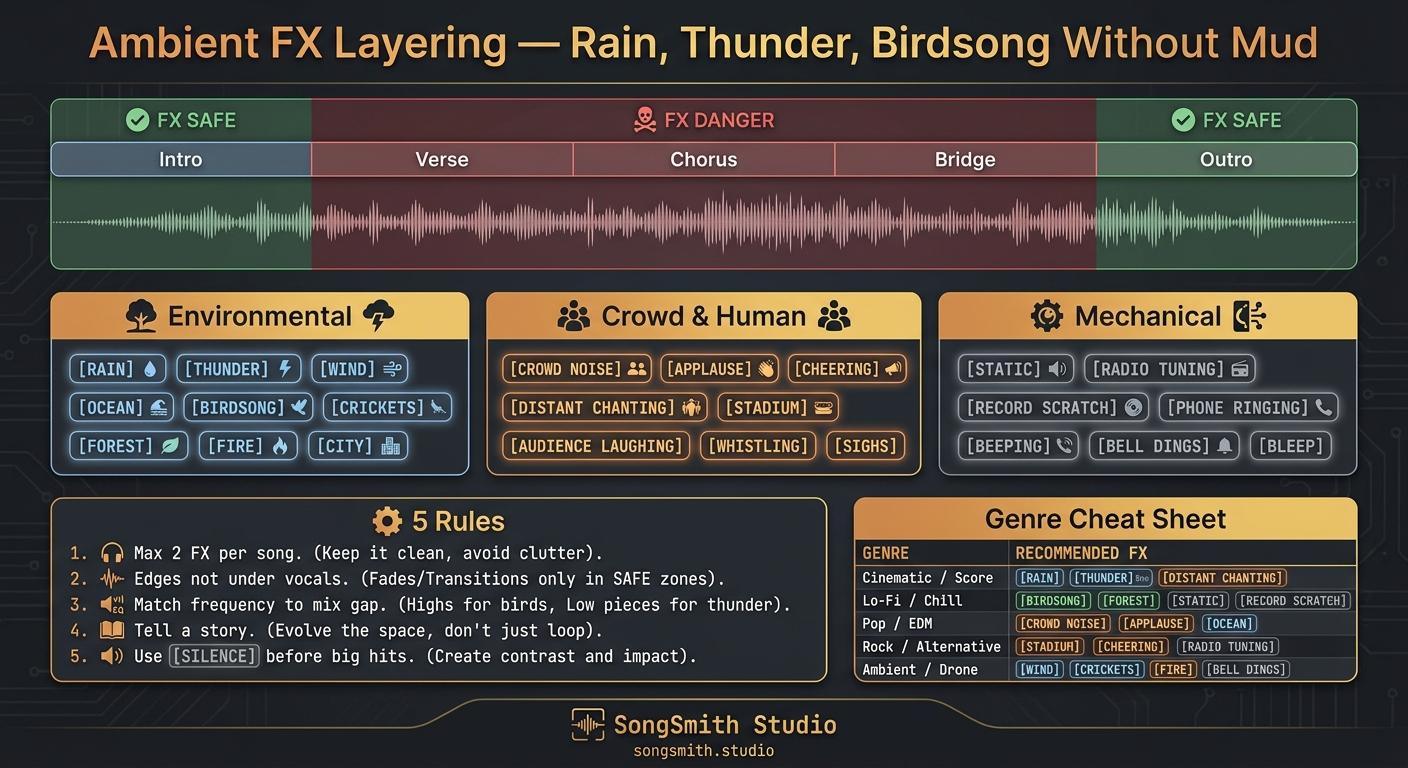
Ambient FX Layering on Suno: How to Add Rain, Thunder, and Birdsong Without Muddying Your Mix
The full Suno FX library (environmental, crowd, mechanical) and 5 placement rules: max 2 per song, edges not under vocals, frequency-mask awareness, FX tells a story, [Silence] before big hits.
3 min read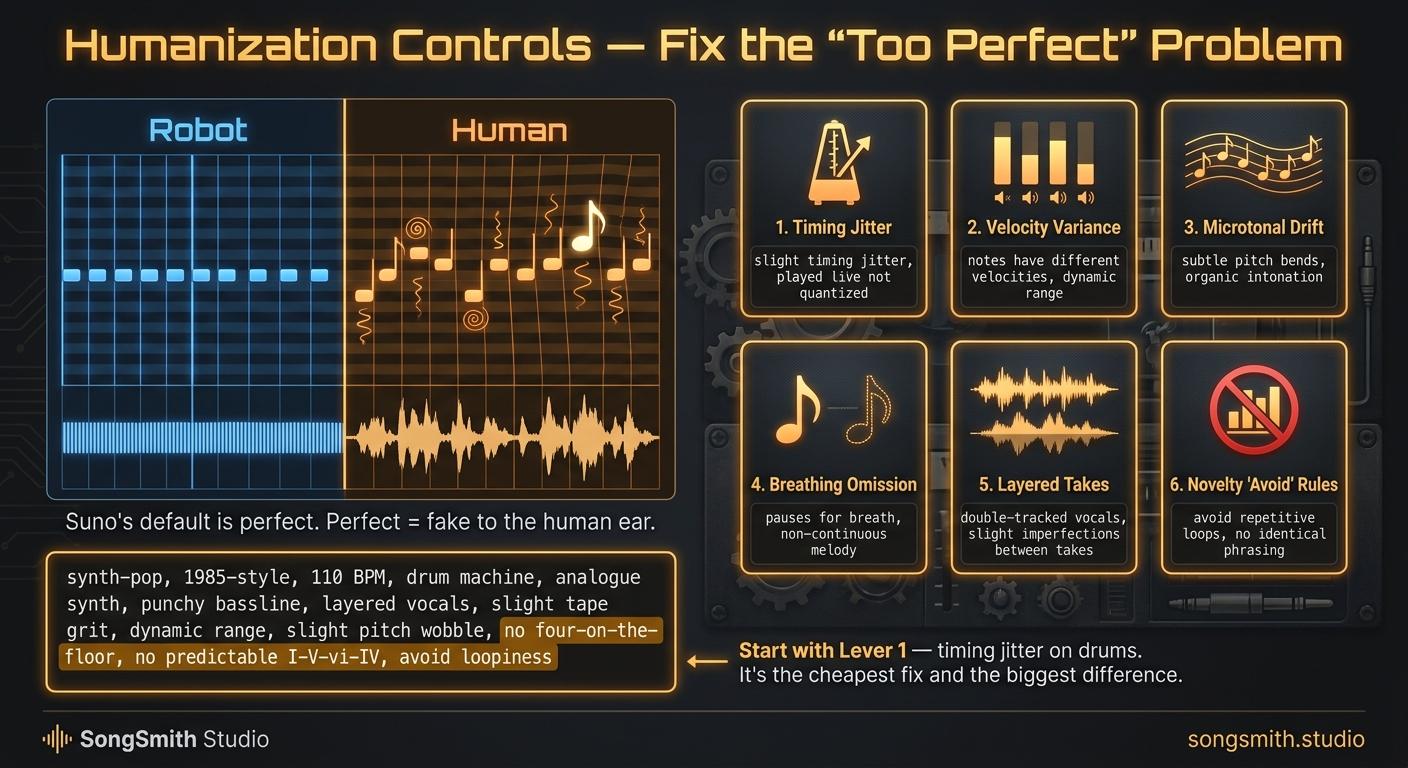
Humanization Controls: Why Your Suno Songs Sound Too Perfect (and 6 Fixes That Make Them Feel Human)
AI music fails because it's too clean. 6 humanization levers (timing jitter, velocity variance, microtonal drift, breathing omission, layered takes, novelty avoid rules) that fix it.
3 min read