Maximize Your Suno Credits: 7 Proven Ways to Get More Music Per Dollar
Suno credits aren't unlimited, but most creators burn through them unnecessarily. After tracking patterns across thousands of users, I've identified the biggest credit wasters and the exact behaviors that separate efficient creators from wasteful ones. Here are seven concrete tips that'll stretch your credits far further.
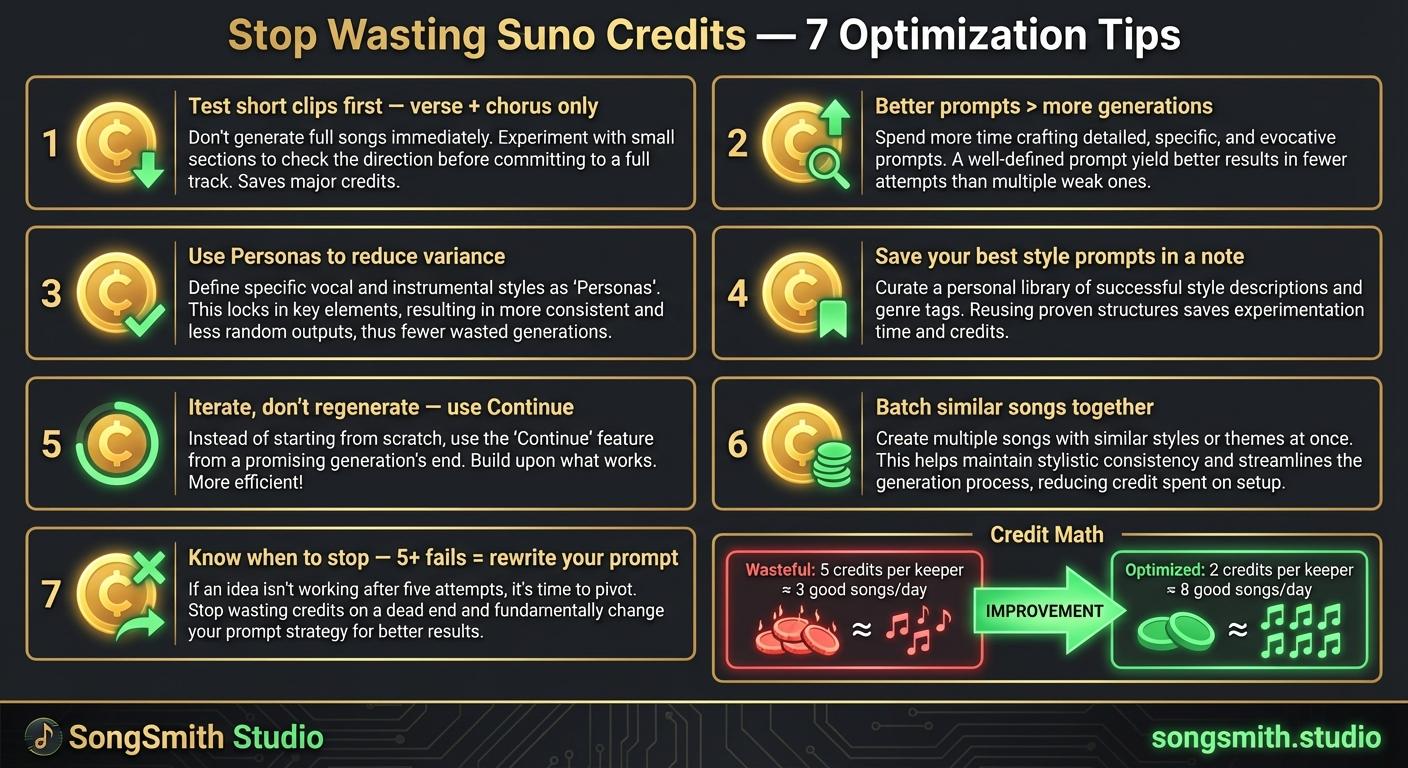
Tip 1: Test with Short Clips First
Don't write full lyrics and burn a credit on a 3-minute song that might sound terrible. Write just the first verse + chorus, generate, and evaluate. If the vibe is right, then use "Continue from this song" to extend it.
This is the single biggest credit-saving hack. A verse + chorus tells you 80% of what you need to know about whether the song will work. No need to generate the full track and risk hating the bridge or outro.
Pro tip: Keep your test clips to 60-90 seconds. That's enough material for Suno to establish the vocal, energy, and tone, which is all you need to decide if you want to continue.
Tip 2: Write Better Prompts BEFORE Generating
Every regeneration costs credits. Spend 5 extra minutes writing your style prompt and lyrics before hitting generate, rather than generating 10 mediocre versions hoping one works.
Most creators do the opposite: they generate, hate it, tweak the prompt, generate again. Repeat 5-10 times. That's wasteful. Invest upfront in clarity, and you'll need far fewer attempts.
- Write your style prompt with specific production details (BPM, instrumentation, vocal tone)
- Flesh out at least the first verse before generating. Vague lyrics = vague results = regenerations
- Read your style prompt out loud: does it make sense? Would a music producer understand it?
Tip 3: Use Personas to Reduce Variance
Without a Persona, each generation sounds like a different singer. With one, you have a consistent starting point. Fewer surprises = fewer wasted generations.
When you're building an album or a series, Personas are non-negotiable. They keep your sound coherent, which means you'll regenerate less often because songs actually feel intentional rather than random.
Tip 4: Save Your Best Style Prompts
Keep a note (Notion, Google Docs, even a text file) with style prompts that consistently give good results. Stop rewriting from scratch every time.
Treat these prompts as templates. You can modify them per song, but you're not starting from zero. This saves enormous amounts of credit-wasting trial and error.
Example saved prompts:

"Lo-fi hip-hop, 85 BPM, vinyl crackle, mellow keys, lazy jazz chords, no vocals, focus music"

"Dark synthwave, 130 BPM, pulsing bass, retro synths, male vocals, moody, cyberpunk vibe"

"Acoustic folk, fingerpicked guitar, soft female vocals, intimate, storytelling, minimal production"
Tip 5: Don't Regenerate, Iterate
If a song is 80% there, use "Continue" or adjust just the lyrics rather than starting over. You'll lose that great melody if you regenerate completely.
Regenerating is the credit killer. You're throwing away the work Suno already did and starting from scratch. Iteration (using Continue, adjusting section lyrics, tweaking the style) preserves what's working and refines only what isn't.
Tip 6: Batch Similar Songs Together
If you're making an album, keep the same Persona and similar style prompts. Switching between wildly different genres between songs wastes credits on finding the right sound each time.
Instead: decide on a Persona + style template, then create 10-15 variations using different lyrics and minor prompt tweaks. This is way cheaper than hopping between genres.
Tip 7: Know When to Stop (And Rewrite Instead)
If you've generated 5+ versions and none are working, the problem is your prompt or lyrics, not bad luck. Step back, rewrite the prompt or lyrics, then try again.
Keep a tally. If you hit 5 failed generations on a single song, pause and diagnose: Is your Persona the problem? Are your lyrics too vague? Is your style prompt contradictory? Fix the root cause instead of generating your way out.
Credit Math: The Real Numbers
Let's put this in perspective. Suno Pro is typically 500 credits/month = roughly 500 generations. Here's the difference between wasteful and optimized workflows:
Wasteful workflow:
- Generate full 3-minute songs every time: 1 credit per attempt
- Average of 5 failed attempts before getting a keeper: 5 credits wasted
- 500 credits / 5 per keeper = only 100 "keeper" songs per month
- Output: ~3 good songs per day (100 ÷ 30 days)
Optimized workflow:
- Test with short clips first: ~0.5 credits per test
- Average of 2 attempts before committing to Continue: 1 credit per keeper
- Use saved prompts + personas = fewer failed attempts
- 500 credits / 2 per keeper = 250 keeper songs per month
- Output: ~8 good songs per day (250 ÷ 30 days)
The difference: same Pro plan, 2.5x more output. This isn't magic. It's just not wasting credits on full generations that won't work, using templates instead of guessing, and iterating instead of regenerating.
Start Tracking Your Ratio
Here's your homework: count how many credits you spend per "keeper" song (a song you'd actually upload or share). For me, it's about 2:1 now (was 5:1 when I started).
If your ratio is high (4+ credits per keeper), you're in the wasteful zone. Implement these 7 tips, and you should see improvement within a week. Small changes in behavior compound over a month's subscription.
Automate your Suno workflow
SongSmith handles the entire pipeline — AI lyrics, Suno generation, album art, and 1080p video — so you can focus on the music.
Get started freeKeep reading
![Vertical layout showing 4 numbered methods with icons: Repeat icon for Continue feature, Document icon for Longer lyrics, Flag icon for [Outro] tag, Speedometer icon for BPM control. Each shows a brief explanation and benefit. Bottom includes a pro tip about fixing style drift during extensions.](/_next/image?url=%2Fblog%2F04-how-to-make-full-length-songs-on-suno.jpeg&w=3840&q=75)
Four Methods to Extend Your Suno Tracks to 3–5 Minutes
Stop getting 1-minute clips. Learn 4 proven methods to make full-length Suno songs: Continue feature, longer lyrics, [Outro] tags, and BPM control. Plus a bonus tip for style drift.
3 min read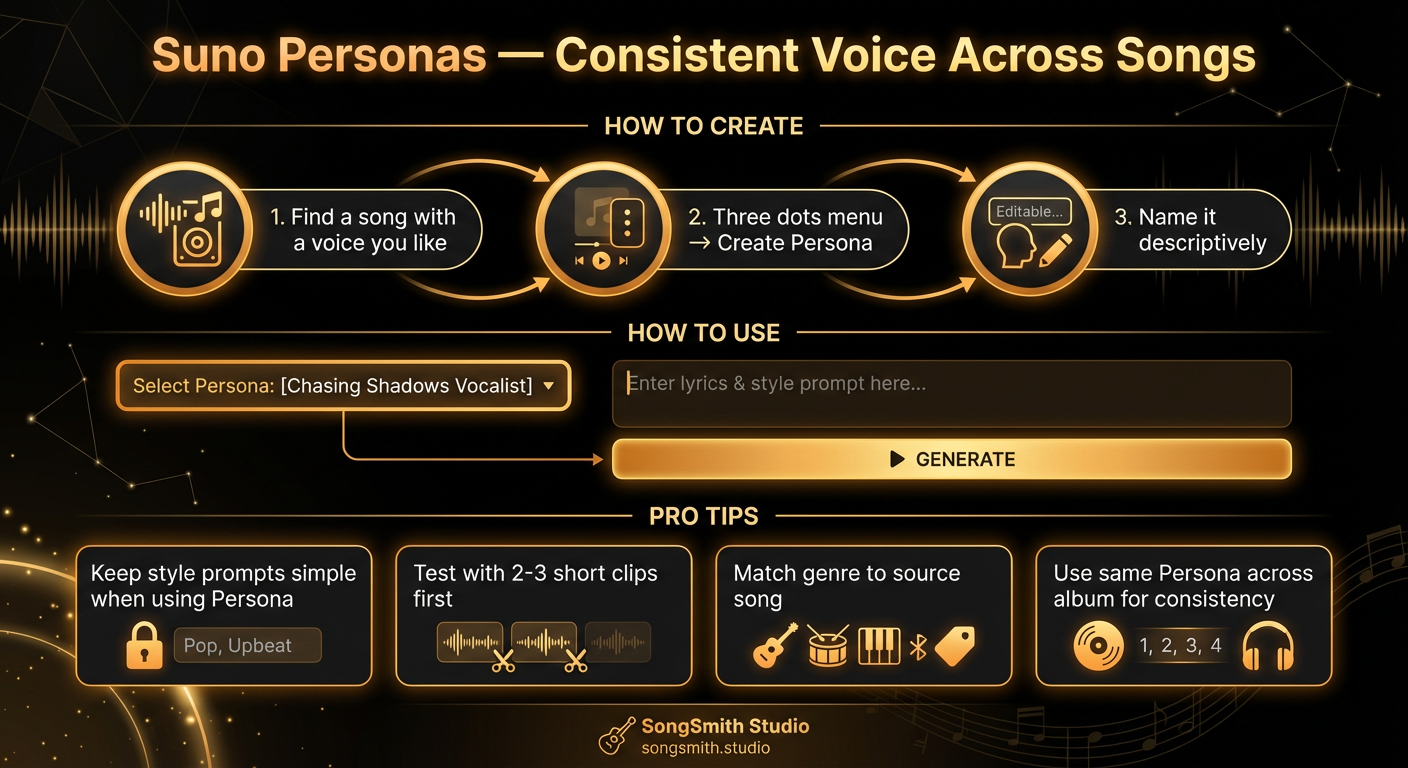
Use Suno Personas to Lock In a Consistent Vocal Identity
Master Suno Personas to get the same voice across all your songs. Learn how to create, use, and combine Personas for albums with consistent vocal identity.
4 min read