Three-Location Duet Anchoring: How to Stop Your Suno Duets From Drifting Into One Voice
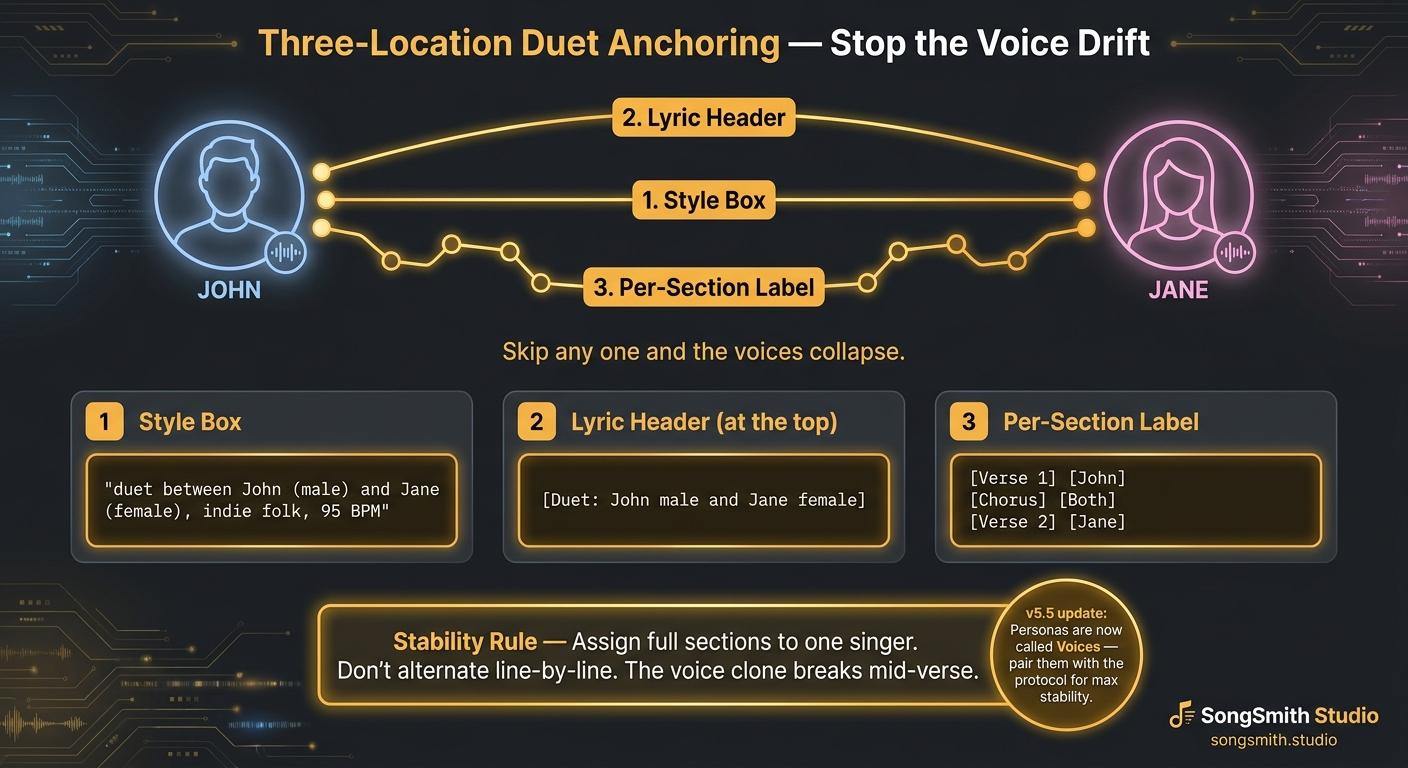
If you've tried Suno duets, you've hit this: you write [Male and Female Duet] at the top, generate, and within 30 seconds one voice has eaten the other. The "Jane" verse comes out in John's voice. The chorus is just one singer doubled.
The cause: Suno doesn't track speaker identity across sections from a single tag. It needs the assignment reinforced in three different places. Community guides call this "Three-Place Reinforcement", same idea.
The Three-Location Duet Anchoring protocol:
Step 1 - In the Style Prompt box:
Say it explicitly, with names and genders:
This is a duet between John (male) and Jane (female), indie folk, warm acoustic, 95 BPM, intimate
Don't just say "male and female duet." Suno responds much better to named singers because names give the model a token to track.
Step 2 - At the very top of the Lyrics field, before any section:
[Duet: John male and Jane female]
This header tag tells the model "for this whole lyric body, two voices exist." It's a different signal from the style box because it lives in the lyrics-side context.
Step 3 - Above every section, label the singer:
[Verse 1] [John] Walking down that road alone Headlights cutting through the cold
[Chorus] [Both] We were fire and rain Two halves of the same name
[Verse 2] [Jane] I never thought you'd stay I never thought I'd want you to
[Bridge] [John] If I could go back I'd hold your hand a little tighter
Every section needs [John], [Jane], or [Both] above the lyrics. No exceptions.
The stability rule that breaks most people's duets:
Don't alternate line-by-line. If you write:
[John] First line [Jane] Second line [John] Third line [Jane] Fourth line
Suno's voice clone breaks mid-section. Inside a single verse, the model doesn't have enough runway to swap voices cleanly. Assign full sections to one singer. Save the back-and-forth for the chorus only, and use [Both] instead of alternating.
Why this works:
Style box = "set up the scene" Top header = "remember two singers exist" Per-section labels = "tell me who's singing this exact part right now"
Suno needs all three. Skip any one and the voices start collapsing.
Pro tips:
- Pick a male name and a female name even if the song is fictional. "John and Jane" outperforms "Singer 1 and Singer 2."
- If the duet is two of the same gender, still use names but specify register: "Sarah (alto) and Maya (soprano)."
- Keep verses short (4–8 lines) when duetting. Long verses give Suno time to drift back to one voice.
- If a section still drifts, use Suno's "Replace Section" feature on just that part, preserves everything else.
- The Voices feature in v5.5 (formerly Personas) can lock one of the two singers permanently. Apply a saved Voice to the male part, then anchor the female part with the protocol above. Best of both worlds.
Save this for your next duet. Who's making duets? Drop yours below. I'll listen and tell you which anchor is missing if it sounds shaky.
Create your first Suno album on SongSmith
From a single idea to a complete, YouTube-ready album. AI lyrics, Suno automation, album art, and video rendering — all in one workflow.
Get started freeKeep reading
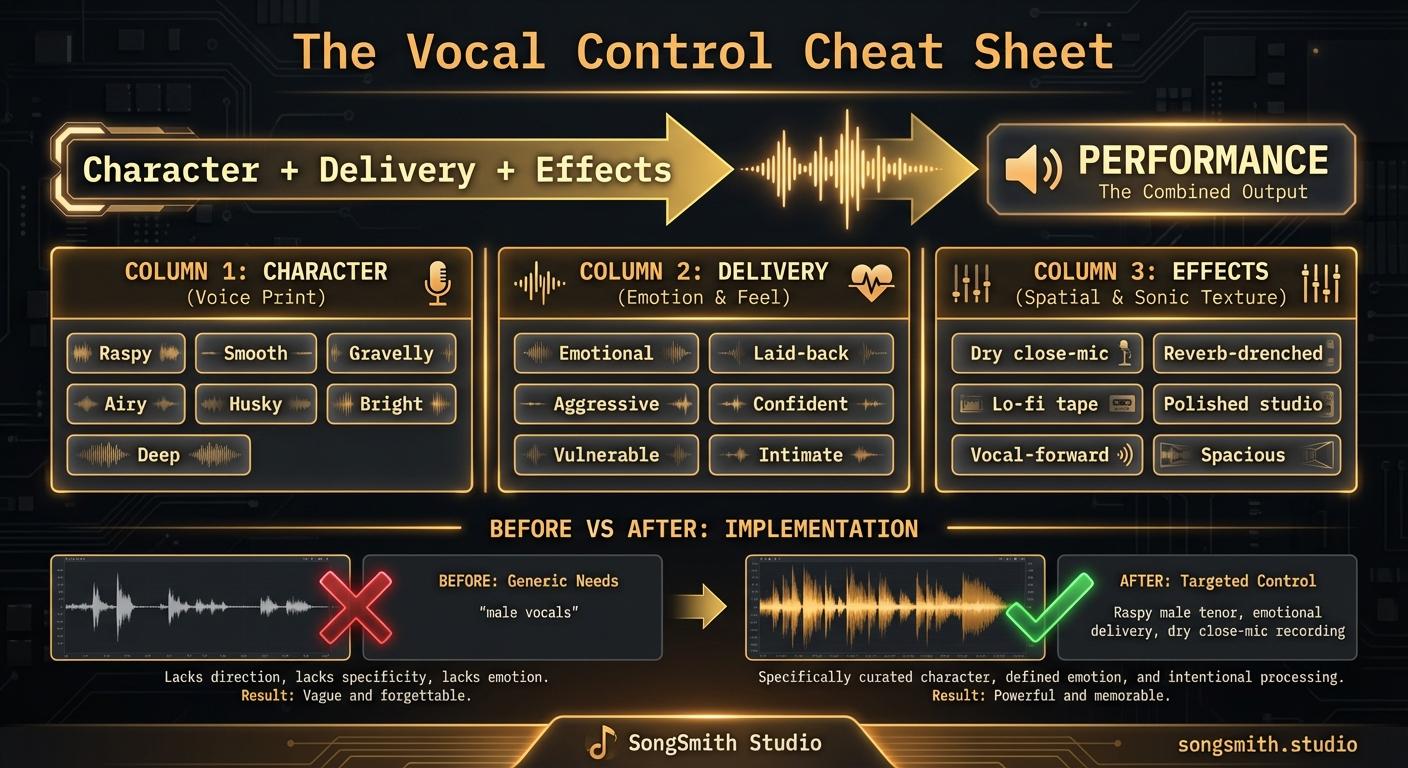
The Vocal Control Cheat Sheet: Master the 3-Layer Formula
Control Suno vocals with the Character + Delivery + Effects formula. Master male, female, and unique vocal descriptions for professional-sounding AI music.
3 min read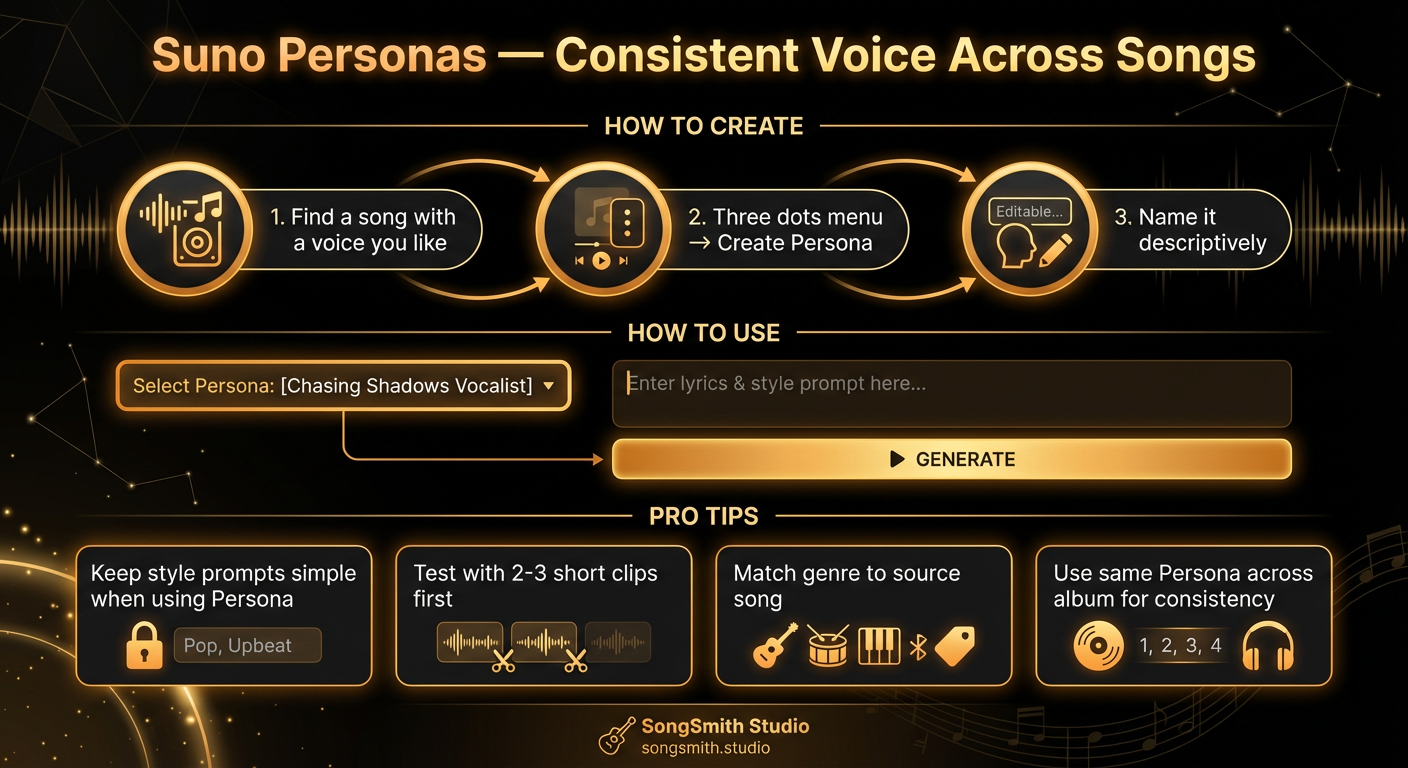
Use Suno Personas to Lock In a Consistent Vocal Identity
Master Suno Personas to get the same voice across all your songs. Learn how to create, use, and combine Personas for albums with consistent vocal identity.
4 min read![Dark-themed cheat sheet with two columns. Stacking & Layering on the left (6 tags) and Effects on the right (6 tags), totaling 12 numbered rows. Each row shows the tag name in bold and a one-line description. Stacking tags: double-tracked, octave stack, layered harmonies, gang vocals, call-and-response, ad-libs. Effect tags: autotuned, vocoder, talkbox, reverb-drenched, slapback delay, whisper layer. Each column has a colored left accent bar. Bottom banner: Dry verse + stacked chorus = dynamic contrast. Below that, a code example of a [Chorus] section with stack tags.](/_next/image?url=%2Fblog%2F34-suno-vocal-stack-cheat-sheet.png&w=3840&q=75)
The Vocal Stack Cheat Sheet: 12 Tags That Make Suno Vocals Sound Pro
Pro-sounding choruses are never one voice. Use these 12 vocal-stacking and effect tags: doubles, harmonies, ad-libs, vocoder, reverb, to lift any Suno generation.
3 min read