Making Pro Instrumentals on Suno: Beats, Lo-Fi & Background Music That Sells
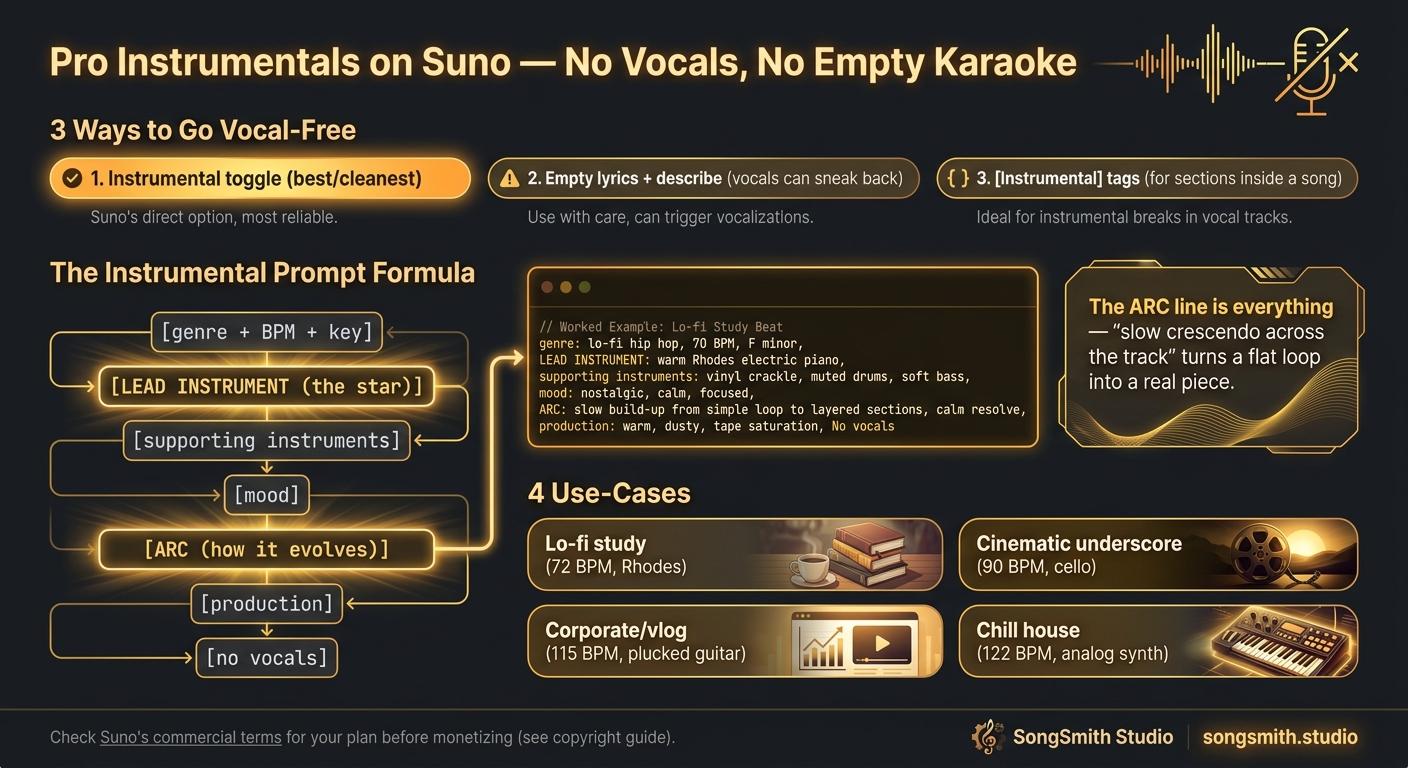
First, the mechanics - there are three ways to go vocal-free, and they're not equal:
- The Instrumental toggle: Suno's built-in "Instrumental" switch. Cleanest method. It tells the model "no vocals at all," so it composes a real instrumental rather than a song with the singing muted out. Use this one.
- Empty lyrics + describe it: leave the lyrics field blank and put everything in the style box. Works, but Suno sometimes sneaks vocal textures back in.
- `[Instrumental]` section tags: useful for making part of a track vocal-free (an intro, an interlude, a solo break) inside a song that otherwise has vocals.
The mistake that makes instrumentals sound empty:
People write a vocal-song prompt, flip Instrumental on, and wonder why it sounds like a backing track waiting for a singer. An instrumental has no voice to carry the melody, so something else has to be the lead. Your prompt's job is to name that lead and give the track an arc.
The instrumental prompt formula:
[genre/subgenre], [BPM], [musical key],
LEAD INSTRUMENT carrying the melody,
2-3 supporting instruments,
[mood], [arc: how it evolves],
[production style], no vocals
Worked examples by use-case:
Lo-fi study beat
lo-fi hip hop, 72 BPM, in F major,
mellow Rhodes piano carrying the melody,
dusty boom-bap drums, warm upright bass, soft vinyl crackle,
calm and nostalgic, loops seamlessly, no dynamic spikes,
tape-saturated, no vocals
(Pairs with the full lo-fi breakdown in Lo-Fi Study Music on Suno: Complete Guide.)
Cinematic underscore / trailer bed
cinematic orchestral, 90 BPM, in D minor,
solo cello carrying the theme,
swelling strings, low brass, timpani, sparse piano,
tense building to triumphant, slow crescendo across the track,
epic film-score production, no vocals
Upbeat corporate / vlog background
indie pop instrumental, 115 BPM, in C major,
bright plucked electric guitar lead,
claps, shaker, warm synth bass, light piano,
optimistic and clean, steady energy, no big drops,
polished and radio-clean, no vocals
Chill house / focus
deep house, 122 BPM, in A minor,
warm analog synth lead,
rolling sub bass, four-on-the-floor kick, airy pads,
hypnotic and steady, subtle build every 16 bars,
clean modern production, no vocals
The "arc" line is what separates pro instrumentals from loops:
A vocal song gets its shape from verse/chorus. An instrumental needs you to describe its journey: "slow crescendo across the track," "subtle build every 16 bars," "stays calm with no spikes," "drops to just piano at the midpoint, then returns full." Without an arc instruction Suno makes a flat 2-minute loop. With one, it composes a piece that goes somewhere. Add [Build], [Breakdown], [Drop], [Outro] section tags in the lyrics field to control where the changes happen.
Layer in atmosphere with FX (the ambient layering toolkit from Suno Ambient FX: Rain, Thunder and Birdsong Tags): vinyl crackle, rain, room tone, tape hiss. A few seconds of texture makes a sterile instrumental feel human and intentional.
The monetization angle (why this is worth your credits):
- Faceless YouTube: 1-3 hour lo-fi/study/sleep compilations (loop your instrumentals). Background music is the bread and butter of the faceless model (YouTube Music Channel with Suno: What Works and Faceless YouTube Music Channel with Suno (2026)).
- Content beds: vloggers, podcasters, and creators constantly need cheap, clear-licensed background music.
- Reusability: one good 2-minute instrumental → extend to 10 minutes, loop to an hour, slice into stings. Far more mileage than a one-off song.
- Heads up on licensing: know Suno's commercial-use terms for your plan tier before you sell or monetize, and read the copyright/monetization breakdown in Can You Make Money with Suno Music? 2026 Guide first. Don't skip this part.
Pro tips:
- Name the lead instrument explicitly. "Instrumental, chill, 90 BPM" gives Suno nothing to put out front. "Solo electric piano carrying the melody" gives it a star.
- Set the key (see Suno Key Cheat Sheet: Set the Emotion of a Song): with no vocal to anchor emotion, the key is doing even more of the mood work on an instrumental.
- For seamless loops, end the prompt with "loops seamlessly, no hard ending" and then Crop the tail clean (see Suno Edit Tools: Fix One Section, Not the Song).
- Use
[Instrumental]tags to carve solo/interlude sections inside vocal songs too: an 8-bar instrumental break makes a full song breathe. - I run batches of these through SongSmith when I need a consistent set for a video or an album interlude: same key, same BPM, same production line, so they sit together (the cohesion idea from Suno Album Cohesion Cheat Sheet: 5 Levers). Free to try if you're making background music at any volume.
Save this for your next session. What are you making instrumentals for: study channel, video beds, an album interlude? Drop your use-case and I'll suggest a starting BPM and lead instrument.
From Suno to YouTube in minutes
SongSmith renders 1080p YouTube-ready album videos with your album art and track titles. No editing software needed.
Get started freeFree Suno tools
Keep reading
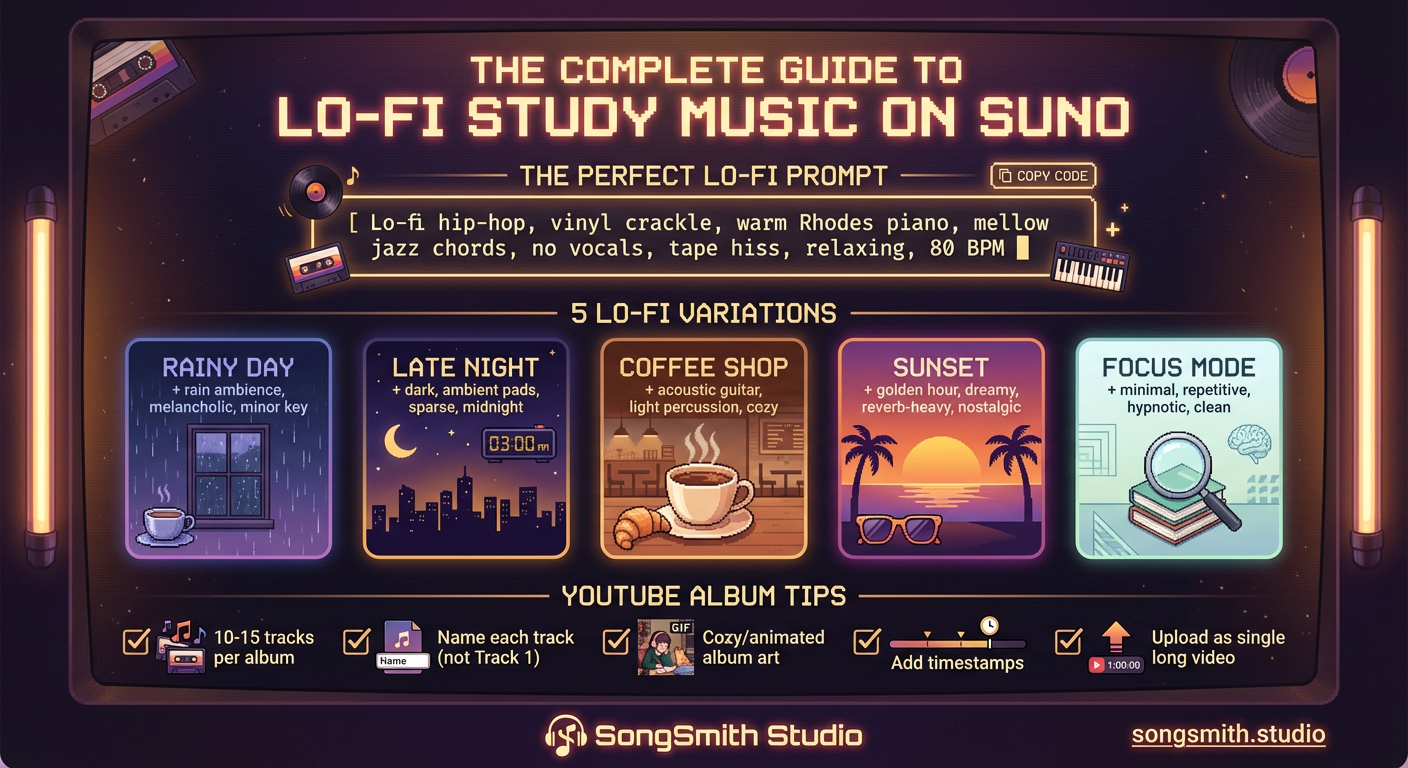
The Complete Guide to Making Lo-Fi Study Music on Suno
Master lo-fi study music on Suno: perfect prompt formula, 5 vibe variations, YouTube album strategy, and batch creation tips for monetizable music.
3 min read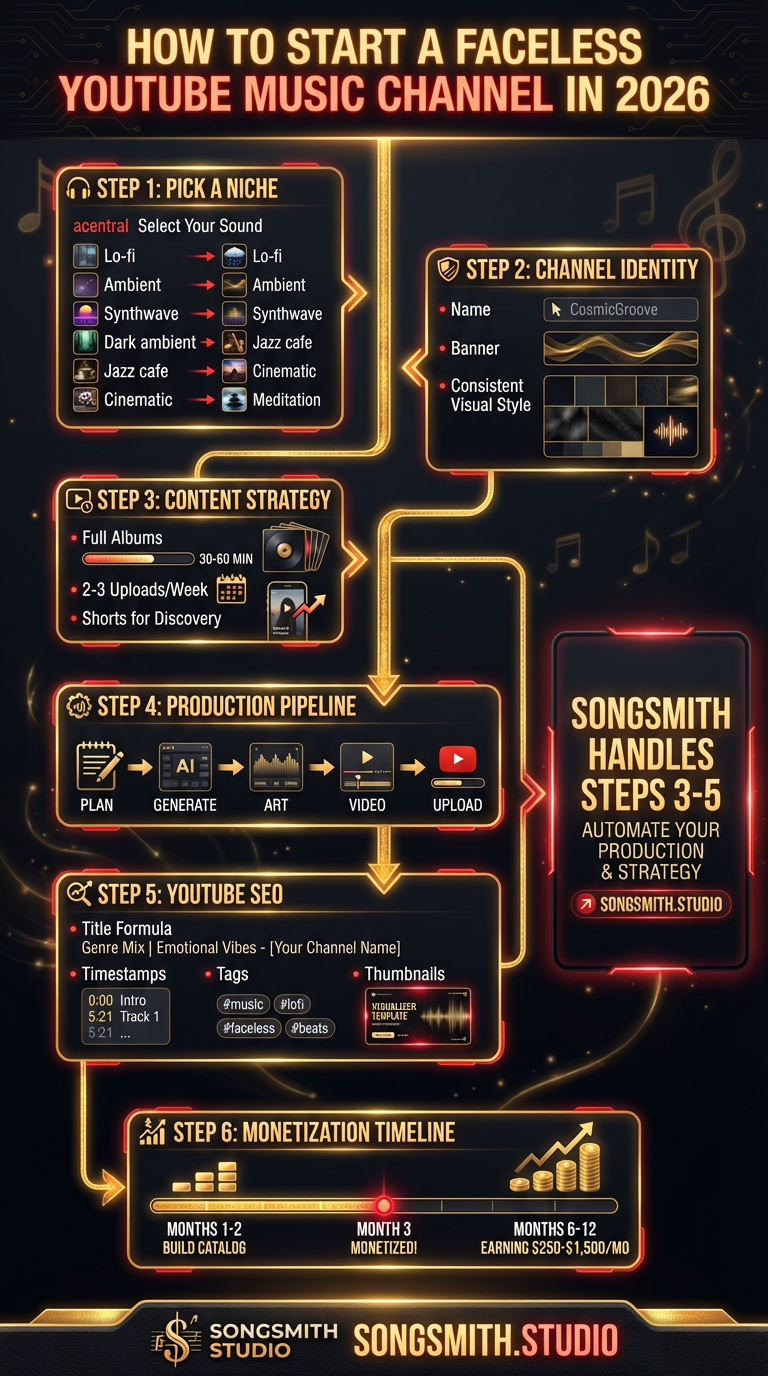
How to Build a Monetized Faceless Music Channel on YouTube with AI
Step-by-step playbook for starting a faceless YouTube music channel using Suno in 2026. From niche selection to monetization within 6 months.
4 min read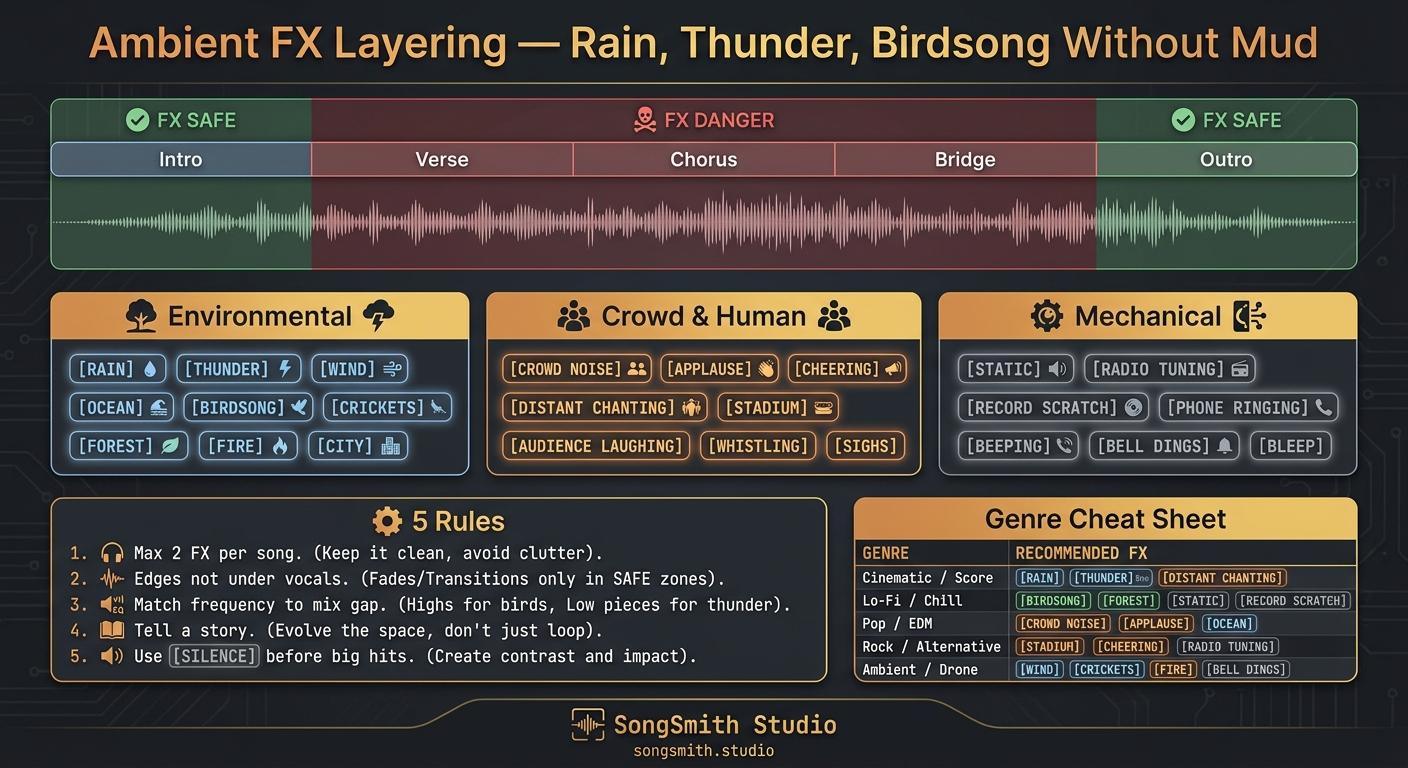
Ambient FX Layering on Suno: How to Add Rain, Thunder, and Birdsong Without Muddying Your Mix
Suno's FX tags (environmental, crowd, mechanical) and 5 placement rules that keep rain, thunder and birdsong from burying your vocals.
3 min read