The Quiet→Loud Trick: How to Build Real Dynamics in a Suno Song
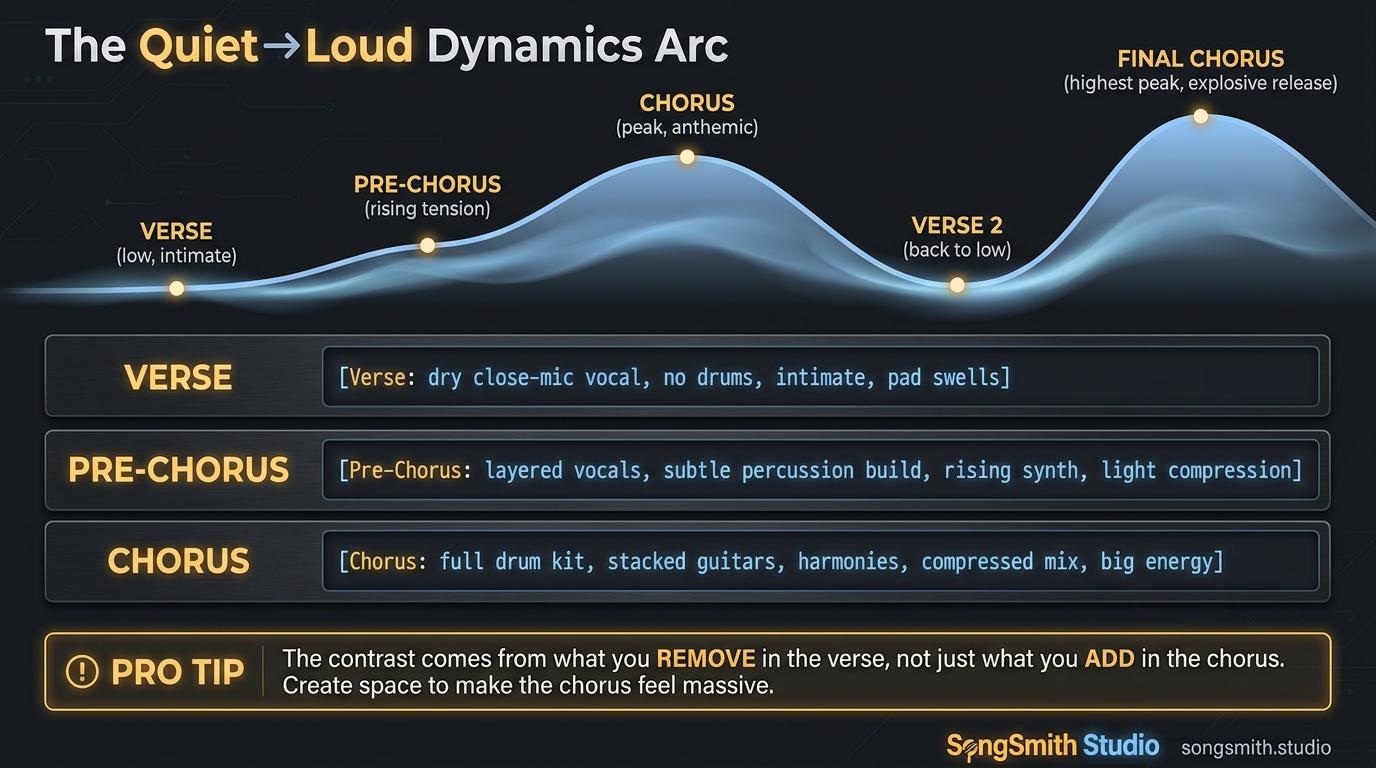
The most common note from people who've outgrown their first 50 Suno generations is some version of: "the song sounds *flat*." It's not a mix problem. It's a dynamics problem. Suno defaults to "everything loud the whole time" unless you tell it otherwise. Real songs have *shape*: verse pulls you in, pre-chorus winds you up, chorus pays you off, then the next verse drops you back down so the next chorus hits even harder. Suno will absolutely do this, but you have to stage the production *per section* using inline tags.
Why Suno Defaults to Flat Dynamics
Your style prompt sets the *baseline* sound for the whole song. Without per-section instruction, Suno applies that baseline uniformly, same vocal stack on the verse and chorus, same reverb, same drum density. The result: technically correct, dynamically dead. The fix is per-section tags that override the baseline for specific moments.
The 3-Stage Dynamics Arc
Stage 1: Verse (Intimate, Sparse)
[Verse: dry close-mic vocal, fingerpicked acoustic only, no drums, no reverb, intimate]- Single vocal, no doubles
- One or two instruments max
- No reverb, no wash
- This is the trough, the song's quietest moment
Stage 2: Pre-Chorus (Build)
[Pre-Chorus: vocal doubles enter, soft snare brushes, synth pad swells, building tension]- Add the second vocal layer
- Drums enter quietly (brushes, soft hats, kick on 1)
- One pad layer rises in volume
- This is the ramp, the bridge between trough and peak
Stage 3: Chorus (Release)
[Chorus: full band, vocal stack with octave harmonies, stadium reverb, gated snare, soaring]- Vocal stack: 3 layers max (lead + double + harmony)
- Full drum kit
- Stadium reverb on the snare for depth
- This is the peak. What every prior section was setting up
Always Drop Back Down
The biggest mistake: people stage Stage 3 and then never come back down. The peak is only a peak if you return to the trough. After the first chorus, drop back to verse-level dynamics for verse 2, then climb again. The contrast on the second chorus will hit twice as hard.
The Optional Stage 4: Final Chorus
For longer songs, add a Stage 4 that re-states Stage 3 *plus* additional release: a key change, full vocal stack including ad-libs, nothing held back.
[Final Chorus: key change up, full vocal stack with ad-libs, no held back]This is the moment everything you've been holding back gets released. Used once per song, never twice.
Pro Tips for Staged Dynamics
- The contrast comes from what you remove, not what you add. Stripping the verse is more powerful than maxing the chorus.
- Stadium reverb on the snare in the chorus only: verse should be dry. The reverb shift alone tells the listener "you've arrived."
- Vocal stacks are the cheapest dynamic move. One layer in the verse, three in the chorus, and the song will feel twice as big without changing anything else.
- Don't apply this to lo-fi or ambient genres. Those *want* to stay flat. This is for pop, rock, R&B, anything that lives or dies on the chorus.
- Keep your base style prompt the same across all sections. Only the per-section tags change. Style drift kills cohesion.
How to Use the Quiet→Loud Trick
Here's a complete 3-section block you can paste into Suno on your next song. Same style prompt the whole way through. The *section tags* do the dynamic work.
Style Prompt
alt-rock, anthemic, jangly clean guitars, male lead vocal, warm analog production, 112 BPMLyrics
[Verse: dry close-mic vocal, fingerpicked clean guitar only, no drums, intimate]
The kitchen light is on at 4am
The radio is talking to itself again

[Pre-Chorus: vocal doubles enter, soft brushed snare, pad swells, building]
And I keep waiting for the part of me
That used to know what waiting even means

[Chorus: full band, vocal stack with octave harmony, stadium reverb on snare, soaring]
Wake the whole street up
Wake the whole sky up
I forgot how loud I used to be
Wake me: wake me up
Generate, then listen for the contrast between sections. If the verse and chorus feel the same volume, your tags weren't strong enough. Push the verse *quieter*, not the chorus louder.
Dynamics Are What Make Songs Memorable
A song with no dynamics is a song with no shape, and shapeless songs don't stick. The good news: this is one of the cheapest fixes in your toolbox. You're not adding instruments or rewriting lyrics. You're just telling Suno *which* sections deserve the full production and which deserve restraint. Once you internalize the verse/pre/chorus stage pattern, every song you generate will feel professionally arranged.
Create your first Suno album on SongSmith
From a single idea to a complete, YouTube-ready album. AI lyrics, Suno automation, album art, and video rendering — all in one workflow.
Get started freeKeep reading
![Dark-themed cheat sheet with two columns. Stacking & Layering on the left (6 tags) and Effects on the right (6 tags), totaling 12 numbered rows. Each row shows the tag name in bold and a one-line description. Stacking tags: double-tracked, octave stack, layered harmonies, gang vocals, call-and-response, ad-libs. Effect tags: autotuned, vocoder, talkbox, reverb-drenched, slapback delay, whisper layer. Each column has a colored left accent bar. Bottom banner: Dry verse + stacked chorus = dynamic contrast. Below that, a code example of a [Chorus] section with stack tags.](/_next/image?url=%2Fblog%2F34-suno-vocal-stack-cheat-sheet.png&w=3840&q=75)
The Vocal Stack Cheat Sheet: 12 Tags That Make Suno Vocals Sound Pro
Pro-sounding choruses are never one voice. Use these 12 vocal-stacking and effect tags: doubles, harmonies, ad-libs, vocoder, reverb, to lift any Suno generation.
3 min read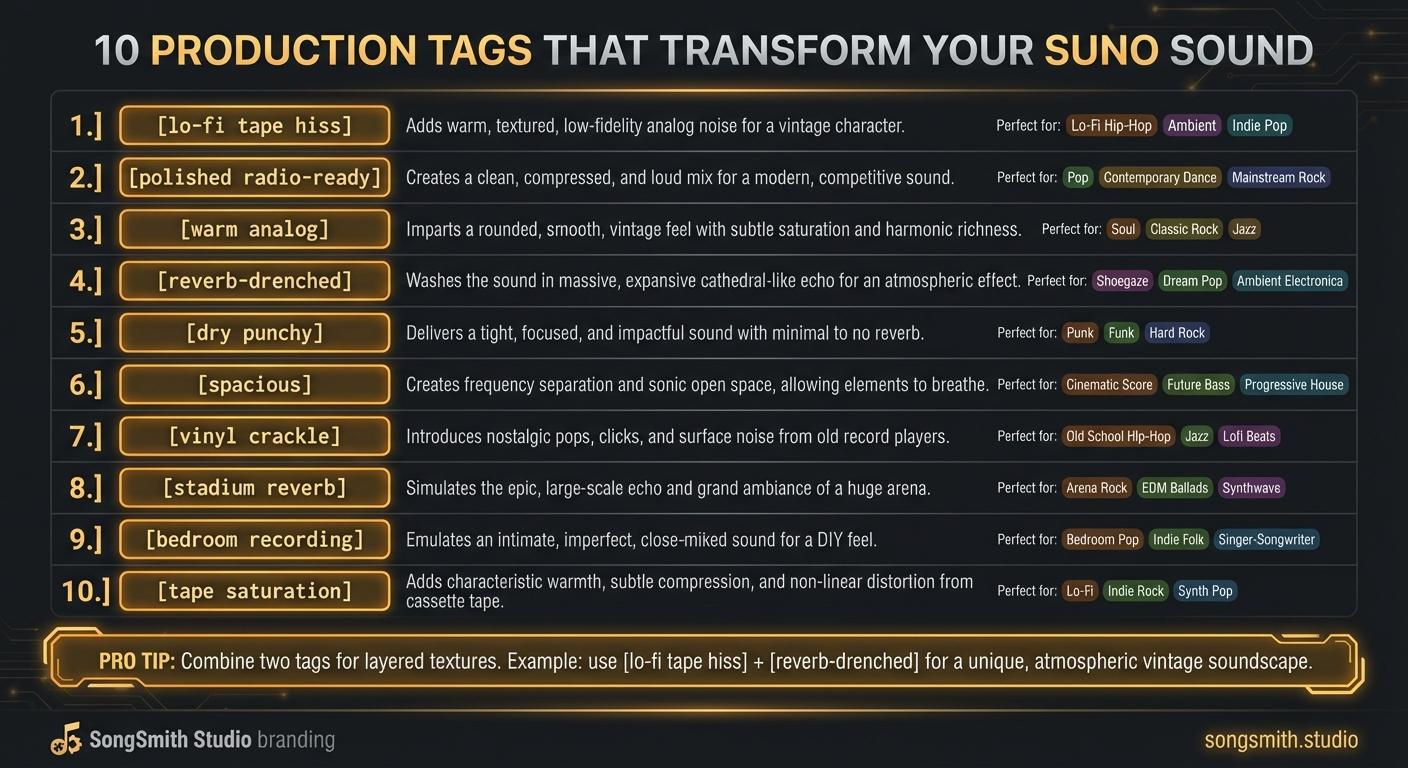
10 Production Tags That Transform Your Suno Sound
Master production tags to control texture, space, and vibe in Suno. Learn lo-fi, polished, analog, reverb, and more, transform your track's sonic character.
4 min read![Three-column cheat sheet showing all Suno structure tags: Structure column with [Intro], [Verse], [Chorus], [Bridge], [Outro], [Break], [Interlude]. Vocal Delivery column with [Whispered], [Spoken Word], [Belted], [Falsetto], [Harmonized], [Ad-lib]. Instrumental column with [Instrumental], [Guitar Solo], [Piano Solo], [Drop]. Bottom shows a perfect song template flowchart.](/_next/image?url=%2Fblog%2F03-suno-structure-tags-cheat-sheet.jpeg&w=3840&q=75)
Master Every Suno Structure Tag for Professional Song Organization
Complete reference of Suno structure tags: [Verse], [Chorus], [Bridge], [Intro], [Outro], vocal delivery tags, and instrumental tags. Save this cheat sheet for every session.
3 min read