Proven Techniques for Professional-Sounding Suno Audio Output
Sound quality is one of the most common concerns from Suno users. The good news: Suno's output has improved dramatically, and there are specific, actionable techniques that consistently push quality higher. After analyzing hundreds of tracks, seven techniques stand out as the biggest quality multipliers.
The 7 Quality Techniques
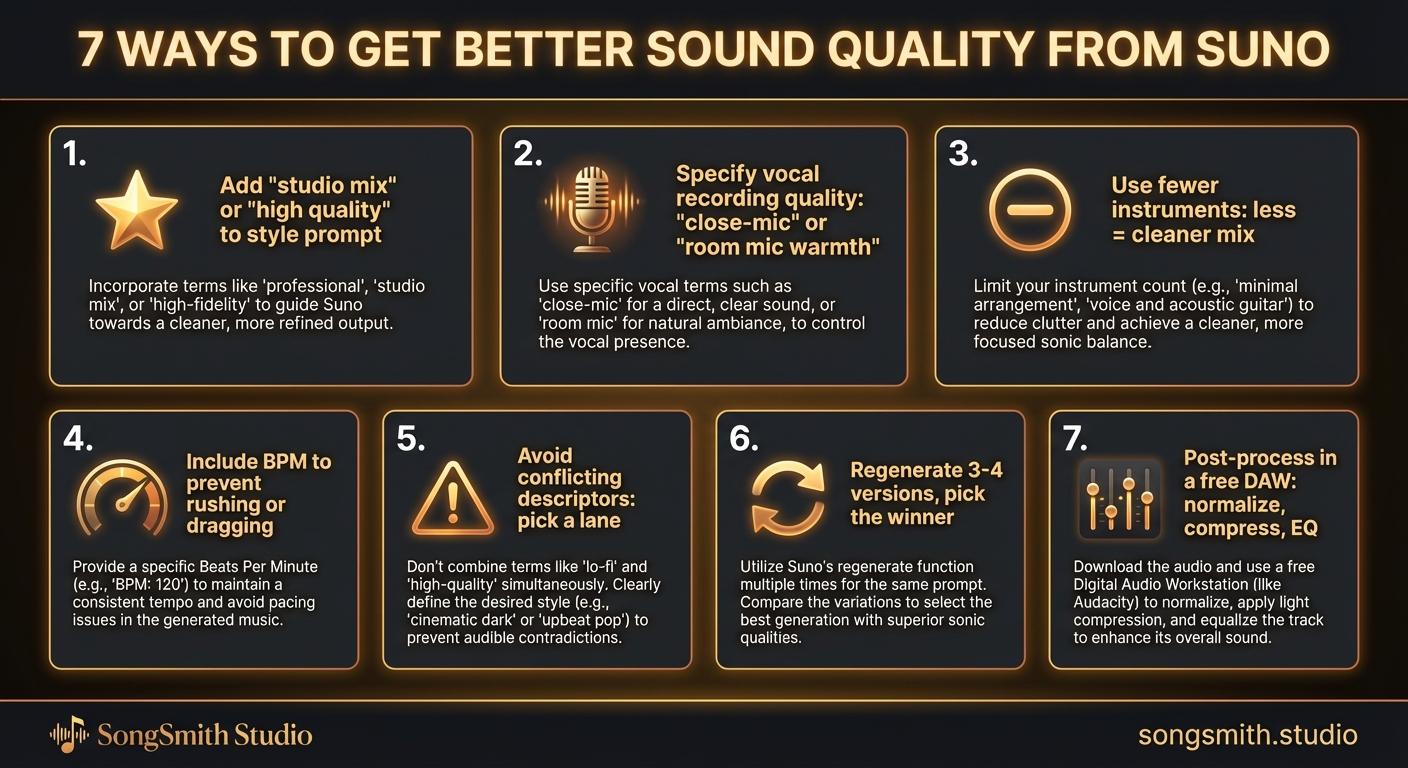
1. Add Production Quality Descriptors
It sounds too simple, but explicitly mentioning production quality in your style prompt noticeably affects the output. Production descriptors guide Suno toward cleaner, more polished mixes.
Polished studio recording, crystal clear production, professional mix, high fidelityAdding these phrases, especially early in the prompt, pulls the output toward professional territory.
2. Specify Vocal Recording Quality
How the vocals sit in the mix matters. Phrases like "intimate close-mic vocals" or "room mic warmth" give Suno specific guidance about recording technique.
- "Intimate close-mic vocals": makes vocals feel near and detailed
- "Room mic warmth": adds natural reverb and space
- "Dry isolated vocals": puts vocals front and center
- "Layered vocal harmonies": adds depth and richness
3. Use Fewer Instruments
More instruments doesn't mean better. In fact, more instruments often lead to muddy, competing audio. A track with guitar, bass, and drums will sound cleaner than one with 8 instruments fighting for space.
Constraint breeds clarity. Each instrument added increases the chance of sonic overlap and muddiness. Quality over quantity.
4. Include Specific BPM
Giving Suno a specific tempo in BPM prevents it from rushing or dragging, which often makes songs sound sloppy or unprofessional. A steady, intentional pace sounds tighter.
Indie folk, fingerpicked acoustic guitar, soft male vocals, campfire warmth, 95 BPMThe BPM anchors the entire groove and prevents the model from guessing about pacing.
5. Avoid Conflicting Descriptors
Contradictory style directions confuse the model. Don't pair "heavy distorted guitars" with "soft delicate vocals" in the same prompt unless you specifically want that contrast. Pick a lane and commit.
Conflicting descriptors force Suno to guess which direction matters more. The output often becomes a confused compromise rather than a coherent song.
6. Regenerate and Compare Multiple Versions
Your first generation is rarely the best. Generate 3-4 versions of the same song and pick the winner. Suno has high variance. The same prompt can produce a masterpiece or a mediocre track.
The quality delta between attempt #1 and attempt #3 can be enormous. Always give yourself multiple shots to find the best version.
Pro tip: If you hear one version that's 90% there but has one weak section, consider using the "Continue from this song" feature rather than regenerating from scratch. This preserves the good parts while extending the track.
7. Post-Process in a DAW
If you want truly professional quality, export from Suno and do basic mastering in a free DAW like Audacity, BandLab, or GarageBand. Three steps make a huge difference:
- Normalize volume: brings the overall level up consistently
- Light compression: tightens the dynamic range, makes everything punch
- Subtle EQ: remove harsh frequencies, add warmth or brightness as needed
Quality Checklist
Before you settle on a track, run through this quick quality checklist:
- Does the mix sound clear and balanced (not muddy)?
- Are there 3-5 instruments max (not competing for space)?
- Do the vocals sit naturally in the mix (not too loud or buried)?
- Is the pace steady and intentional (not rushing or dragging)?
- Did you generate at least 2-3 versions and pick the best one?
Conclusion
Professional sound quality on Suno isn't magic. It's the result of intentional prompt design, instrument restraint, tempo control, and strategic regeneration. Apply these seven techniques, and your tracks will stand out immediately. The difference between a mediocre Suno song and a professional one is these details.
Automate your Suno workflow
SongSmith handles the entire pipeline — AI lyrics, Suno generation, album art, and 1080p video — so you can focus on the music.
Get started freeKeep reading
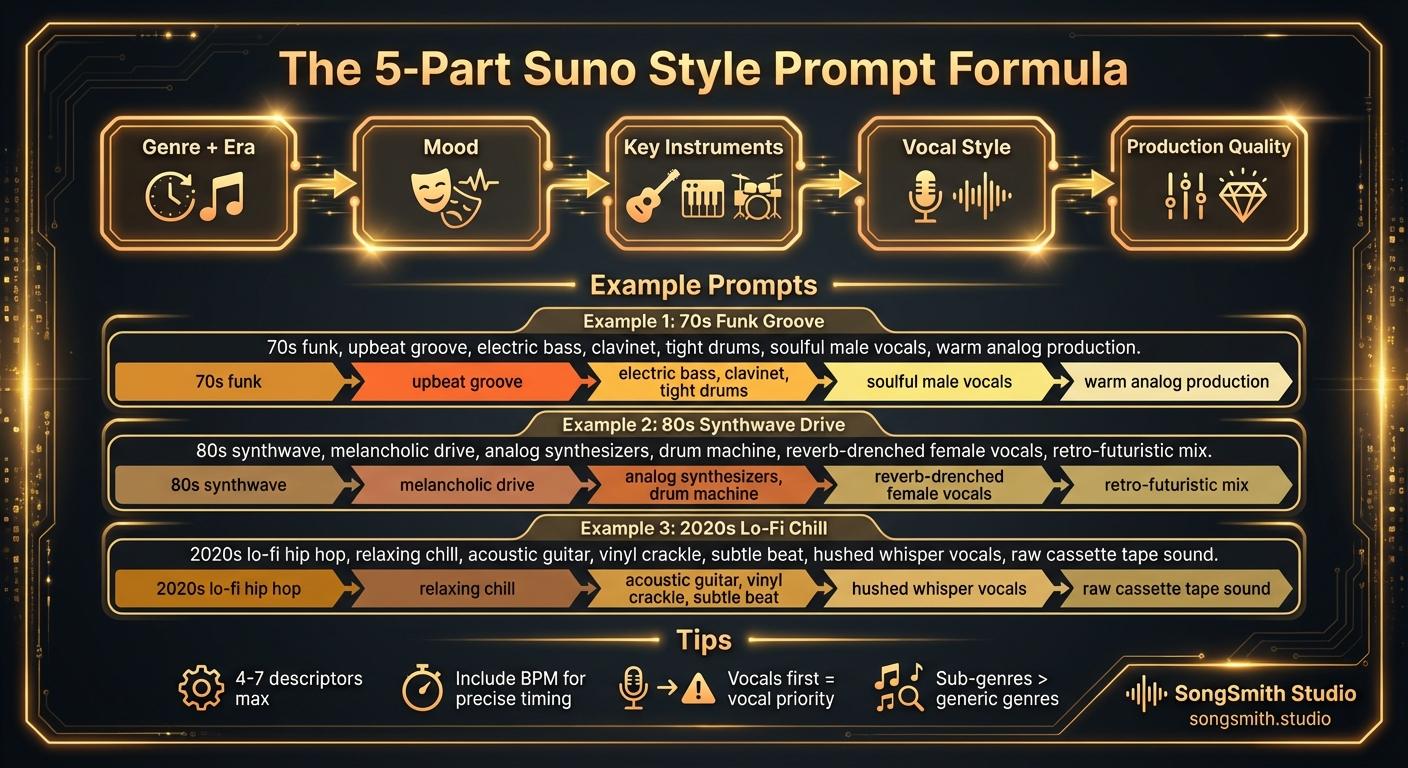
Craft Precise Style Prompts Using This Battle-Tested Formula
Master the 5-part formula for Suno style prompts: Genre + Era, Mood, Instruments, Vocal Style, Production. Learn tips for better results and example prompts that work.
2 min read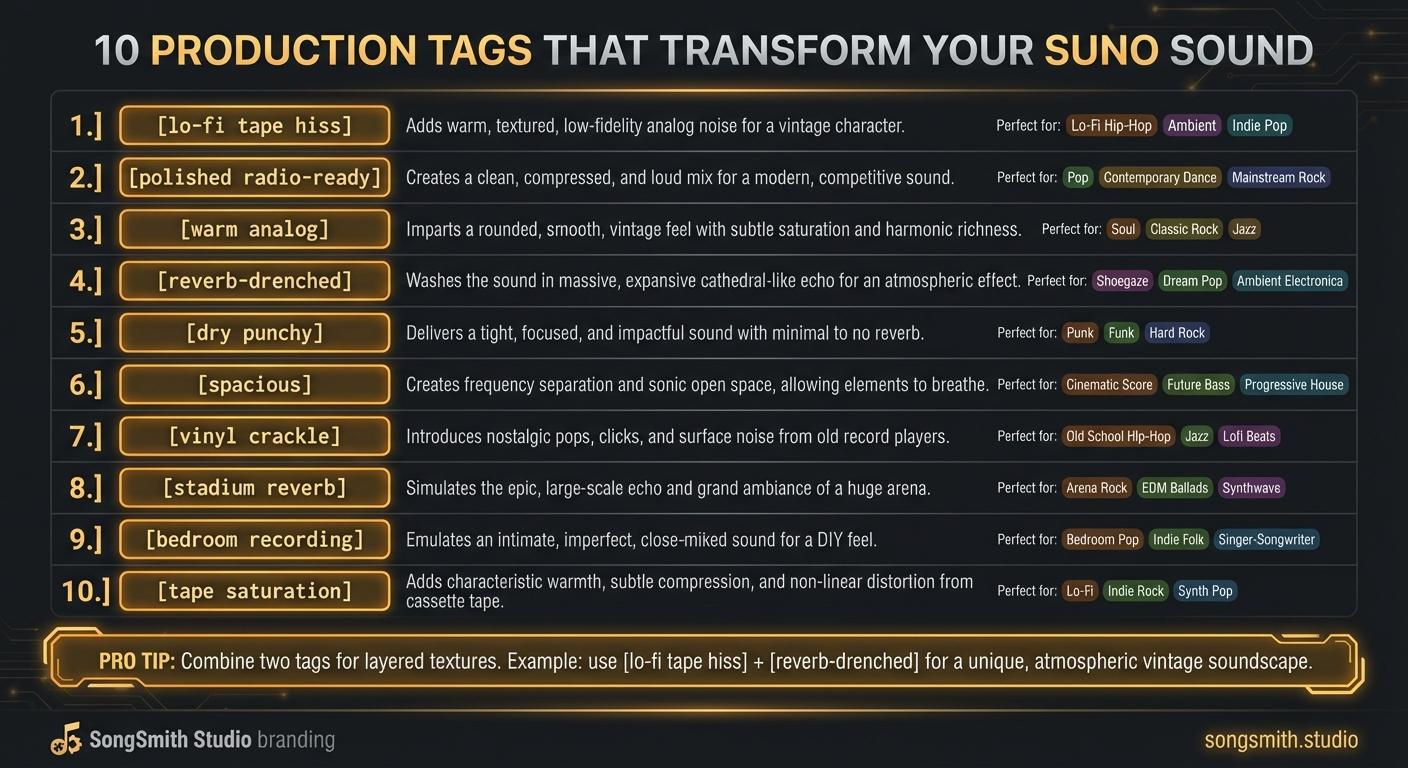
10 Production Tags That Transform Your Suno Sound
Master production tags to control texture, space, and vibe in Suno. Learn lo-fi, polished, analog, reverb, and more, transform your track's sonic character.
4 min read