Why Your Extended Songs Sound Wrong (and How to Fix Style Drift)
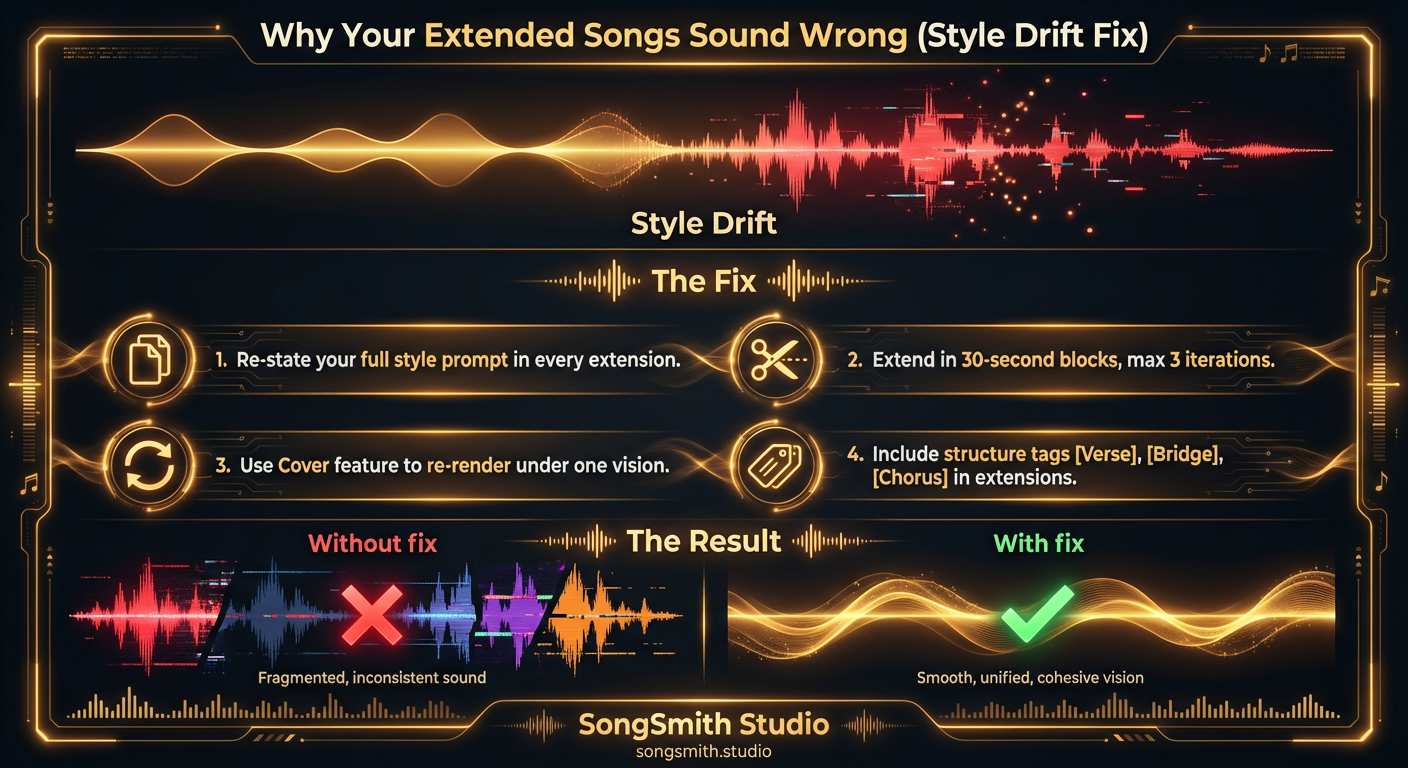
You've got a perfect first minute. You hit "Extend." And suddenly the song sounds like a completely different track. The genre shifts, the vocals change, the energy goes sideways. This is called style drift, and it happens on roughly 6 out of 10 extensions. Understanding why it happens and applying the right fixes will transform your ability to create full-length songs.
Why Style Drift Happens
When you extend a song, Suno doesn't automatically remember your original style prompt. If you leave the extension prompt blank, the AI fills in the gaps based on what it hears in the last few seconds of audio, not your original vision. This causes the AI to "drift" toward a different interpretation of the vibe, sometimes dramatically.
Think of it like a game of telephone: Suno reads the ending of your first generation and tries to guess where you wanted to go next. If you don't tell it explicitly, it guesses wrong.
The Primary Fix: Re-State Your Full Style Prompt
Here's the most important rule: paste your exact original style prompt into every single extension. Don't summarize it. Don't shorten it. Copy-paste the whole thing.
Original Style Prompt
90s alternative rock, melancholic, distorted guitars and cello, raspy male vocals, lo-fi recording, 128 BPMExtension Prompt (Paste the Exact Same Style)
90s alternative rock, melancholic, distorted guitars and cello, raspy male vocals, lo-fi recording, 128 BPM

[Verse 2]
New lyrics here...
By repeating the style prompt, you remind Suno of your original vision. It now knows to stay consistent with distorted guitars, cello textures, and that raspy vocal character.
Four Additional Techniques That Work
1. Extend in 30-Second Blocks (Max 3 Iterations)
Short extensions catch drift early. If the first extension goes off-track, you only lose 30 seconds instead of 2 minutes. After 3 extensions from the same generation, quality degradation becomes visible. If drift is severe, start fresh from a different generation rather than chaining extensions infinitely.
2. Use the Cover Feature to Re-Master
After building a song with multiple extends, use Suno's Cover feature with your exact original style/genre tags. This re-renders the entire track under a single unified vision, smoothing out the seams between sections. A cover of your own song, recorded under the same parameters, glues everything together into one cohesive track.
3. Include Structure Tags in Every Extension
Don't just add lyrics to the extension. Add the appropriate structure tags too:
[Verse 2]
Your new verse lyrics...

[Chorus]
Chorus lyrics...

[Bridge]
Bridge lyrics...
Structure tags tell Suno what role the new section plays in the song's architecture. Without them, Suno treats new lyrics as continuation rather than intentional structure, leading to generic pacing.
4. Match the Energy Direction Explicitly
Tell Suno where the song is headed, not just what the current moment should sound like.
- If building toward a climax: "building intensity, powerful chorus, layered production"
- If winding down: "stripped back, intimate outro, minimal instrumentation"
- If maintaining energy: "consistent high-energy groove, driving rhythm"
Suno reads energy cues in your extension prompt. Give it a direction, and it follows.
Pro Tips for Extension Mastery
- Save your style prompt in a text file before you start: you'll need to paste it multiple times
- Never extend more than 3 times from the same generation. If drift is severe, start fresh rather than compounding errors
- The Cover-the-Cover technique: Cover a cover iteratively. Each pass highlights the best aspects of the track and reduces generation artifacts
- If you use SongSmith or any concept generator, your style prompt is already saved: copy it back into every extension
Real-World Workflow
Here's a proven workflow for building a full-length song without drift:
- Generate verse 1 + chorus with full style prompt
- Extend with same style prompt + new lyrics for verse 2
- Extend with same style prompt + lyrics for second chorus (or variation)
- Use Cover feature with original style prompt to re-render entire track as one cohesive unit
- Small tweaks via final extensions if needed (but drift resistance now very high)
Eliminate Extended Song Inconsistency
Style drift is frustrating, but it's entirely preventable. By re-stating your style prompt, extending in small blocks, using the Cover feature strategically, and including structure tags, you gain control over your song's consistency. Full-length songs no longer need to sound like compilations of different takes. They can sound intentional, unified, and professionally crafted from start to finish.
Create your first Suno album on SongSmith
From a single idea to a complete, YouTube-ready album. AI lyrics, Suno automation, album art, and video rendering — all in one workflow.
Get started freeKeep reading
![Vertical layout showing 4 numbered methods with icons: Repeat icon for Continue feature, Document icon for Longer lyrics, Flag icon for [Outro] tag, Speedometer icon for BPM control. Each shows a brief explanation and benefit. Bottom includes a pro tip about fixing style drift during extensions.](/_next/image?url=%2Fblog%2F04-how-to-make-full-length-songs-on-suno.jpeg&w=3840&q=75)
Four Methods to Extend Your Suno Tracks to 3–5 Minutes
Stop getting 1-minute clips. Learn 4 proven methods to make full-length Suno songs: Continue feature, longer lyrics, [Outro] tags, and BPM control. Plus a bonus tip for style drift.
3 min read![Three-column cheat sheet showing all Suno structure tags: Structure column with [Intro], [Verse], [Chorus], [Bridge], [Outro], [Break], [Interlude]. Vocal Delivery column with [Whispered], [Spoken Word], [Belted], [Falsetto], [Harmonized], [Ad-lib]. Instrumental column with [Instrumental], [Guitar Solo], [Piano Solo], [Drop]. Bottom shows a perfect song template flowchart.](/_next/image?url=%2Fblog%2F03-suno-structure-tags-cheat-sheet.jpeg&w=3840&q=75)
Master Every Suno Structure Tag for Professional Song Organization
Complete reference of Suno structure tags: [Verse], [Chorus], [Bridge], [Intro], [Outro], vocal delivery tags, and instrumental tags. Save this cheat sheet for every session.
3 min read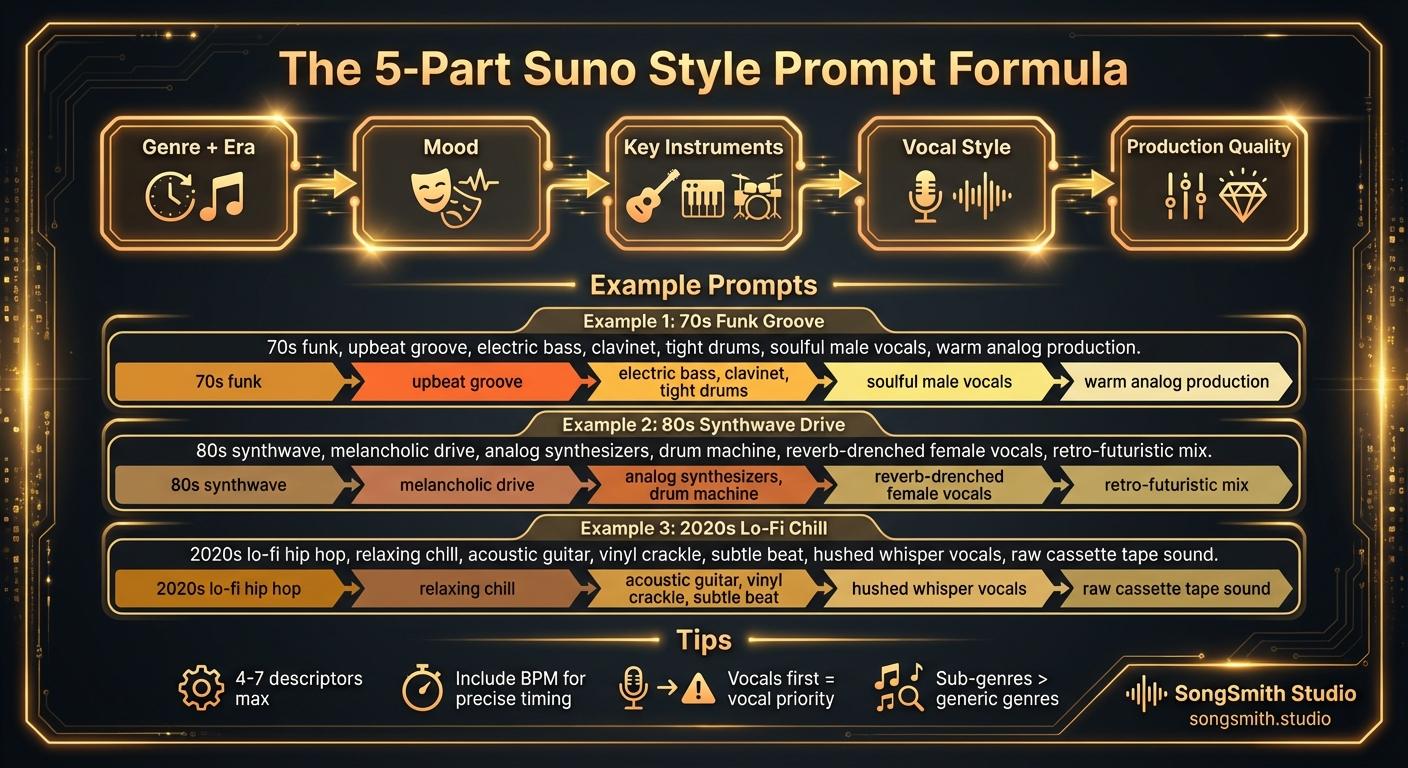
Craft Precise Style Prompts Using This Battle-Tested Formula
Master the 5-part formula for Suno style prompts: Genre + Era, Mood, Instruments, Vocal Style, Production. Learn tips for better results and example prompts that work.
2 min read