Your First 5 Suno Credits: A Beginner's Quickstart (Don't Waste Them)
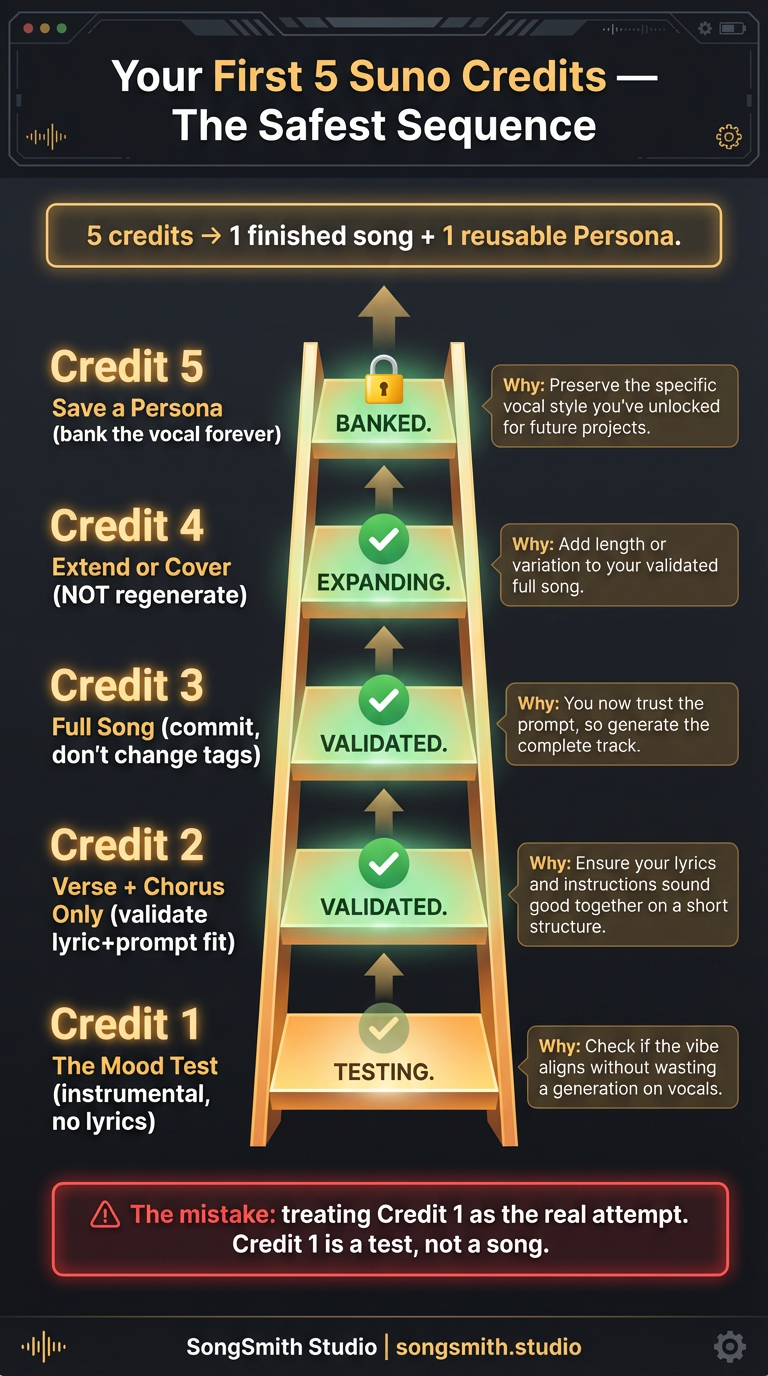
If you've just signed up for Suno (or just reactivated), the worst thing you can do is type a vague style prompt and hit generate on a full song. You'll burn 5 credits in 4 minutes and have nothing usable. The most painful Suno DM I get from new SongSmith users is some version of: "I burned my first 50 credits on bad songs and now I'm scared to spend more." It's avoidable. The problem is that everyone treats credit #1 like a real attempt, when credit #1 should always be a *test*.
The Safer 5-Credit Ladder
Five credits is enough for one finished song *and* a reusable Persona, if you spend them in the right order. Here's the exact sequence I recommend to brand-new users.
Credit 1: The Mood Test (No Lyrics Yet)
Open Custom Mode. Style prompt only, no lyrics. Generate an instrumental snippet to lock the *feel* of the song before you commit to words.
Style prompt only:
"warm indie folk, melancholic, fingerpicked nylon guitar, soft brushed snare, intimate, 88 BPM, instrumental"

Lyrics: [leave blank or paste: "[Instrumental, verse and chorus only]"]
Why: you're testing whether your style prompt produces the *feeling* you want before you spend a single line of lyrics on it.
Credit 2: The Verse + Chorus Test
Now add lyrics, but only one verse and one chorus, no bridge. This costs the same as a full generation but tests whether your lyrics fit the mood.
[Verse]
The kitchen light is on at 4am
The radio is talking to itself again

[Chorus]
Wake the whole street up
Wake the whole sky up
I forgot how loud I used to be
Wake me: wake me up
Why: if the test sounds right, you've validated the prompt + lyric pairing. If it sounds wrong, you've only spent 2 credits. Go back to credit 1's prompt and adjust.
Credit 3: The Full Song (Now You Commit)
Add a second verse, a bridge, and an outro. Use the same style prompt that worked in credit 2. Don't change tags between credit 2 and credit 3. You've already validated the sound, lock it in.
[Verse 2]
The neighbors don't know who I'm calling
The neighbors don't know there's no one there
[Bridge]
Maybe the loud was the only thing real
[Outro: gradual fade, vocal repeats "wake me"]
Why: you're now committing to a full song with prior validation that the prompt and lyrics work together. This is the only "real" attempt in the sequence.
Credit 4: Extend or Cover (NOT Regenerate)
If credit 3 cut off early, use Extend. If credit 3 had one section that felt off, use Cover on the same lyrics with a tweaked style prompt. Both cost a full credit, but neither requires you to throw away the parts that *did* work.
This is where 80% of credit waste happens. Most beginners regenerate from scratch when one section is wrong. Don't. Use Extend or Cover and you'll keep the parts that already worked.
Credit 5: Save a Persona (If You Got a Vocal You Love)
Generate a Persona from your favorite take. This banks the vocal identity for every future song. One credit, infinite reuse. Every song you make from now on can have the same vocalist.
Why This Sequence Works
- Credits 1–2 are diagnostic, not aspirational. You're learning Suno's response, not making art yet.
- Credit 3 is the only "real" attempt, but it's an informed one, not a wild guess.
- Credit 4 fixes instead of regenerating, which is where 80% of credit waste happens.
- Credit 5 banks reusable assets so credit #6 is cheaper than credit #1 was.
The Mistake Everyone Makes
Treating credit 1 as the real attempt. They write a 12-tag style prompt, write 3 verses, hit generate, and get something disappointing, then "fix" it by changing 8 things at once and burning 4 more credits chasing a moving target. Five credits in, they have nothing they like and no idea what changed it for the worse.
How to Use the 5-Credit Sequence
Run the exact sequence on your next song. Here's the copy-paste prompt set. Just swap the lyrics for your own.
CREDIT 1 (instrumental test):
Style: "warm indie folk, melancholic, fingerpicked nylon guitar, soft brushed snare, intimate, 88 BPM, instrumental"
Lyrics: [Instrumental, verse and chorus only]

CREDIT 2 (verse + chorus test, same style prompt):
Style: [same as credit 1, remove "instrumental"]
Lyrics: [Verse] ...your lyric... [Chorus] ...your lyric...

CREDIT 3 (full song, same style prompt, DO NOT change tags):
Lyrics: [Verse] [Chorus] [Verse 2] [Bridge] [Outro: gradual fade]

CREDIT 4 (only if needed, Extend or Cover, NOT regenerate):
Use Suno's Extend button (if cut off) or Cover (if one section felt off).

CREDIT 5 (Persona save, if you got a vocal you love):
Click "Create Persona" on the take you want to bank. Use forever.
5 credits, 1 finished song you actually like, plus a reusable Persona. That's the goal.
Building Beyond Your First 5 Credits
If you keep building on Suno regularly, the SongSmith app handles this whole sequence automatically, runs the test snippets first, locks in the working prompt, and uses Cover/Extend instead of regenerating. Saves credits, especially while you're still learning what Suno actually responds to. But the sequence works manually too. The discipline of treating early credits as tests rather than attempts is what separates beginners who quit after 50 credits from creators who build full albums.
Create your first Suno album on SongSmith
From a single idea to a complete, YouTube-ready album. AI lyrics, Suno automation, album art, and video rendering — all in one workflow.
Get started freeKeep reading
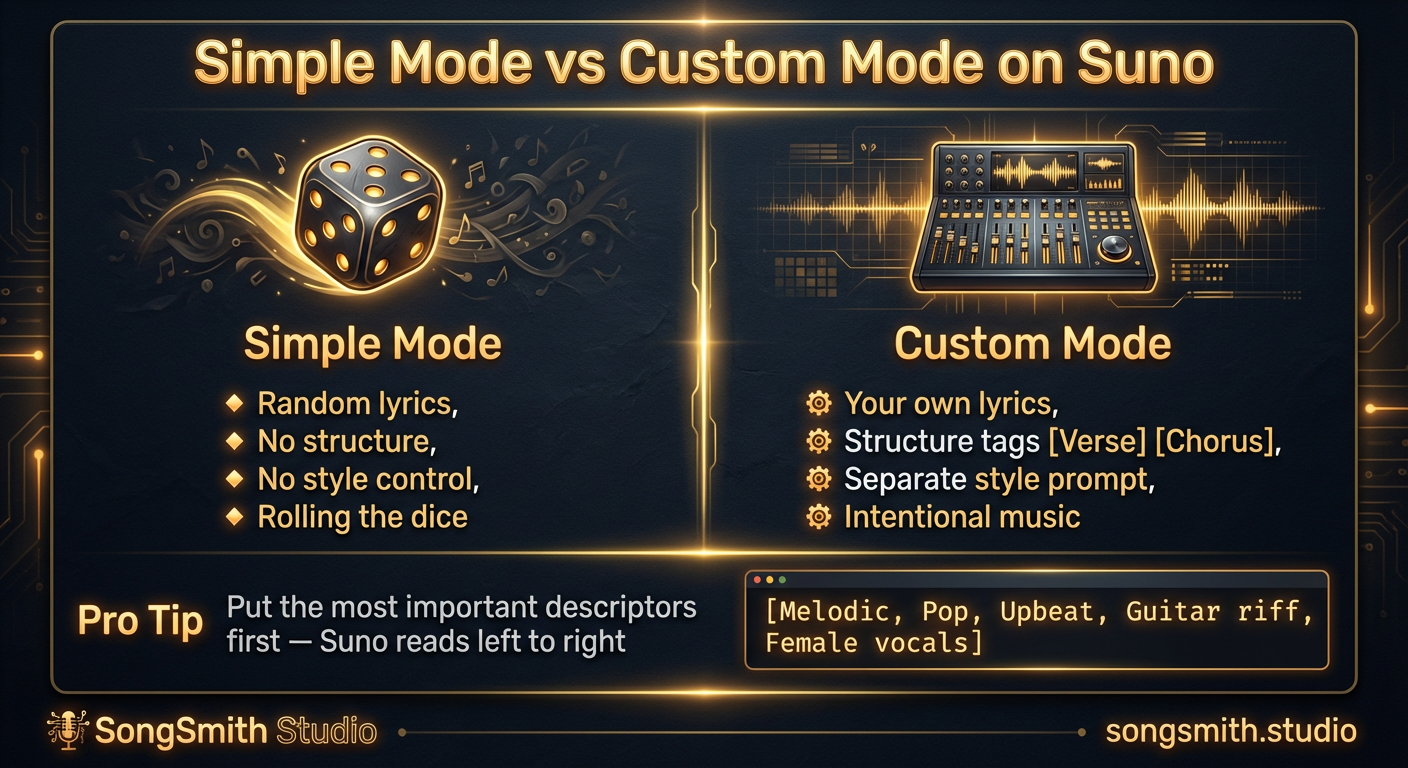
Why Custom Mode Gives You Total Control Over Your Suno Songs
Learn why Simple Mode limits your Suno songs. Switch to Custom Mode to write your own lyrics, control structure, and get intentional music instead of random results.
2 min read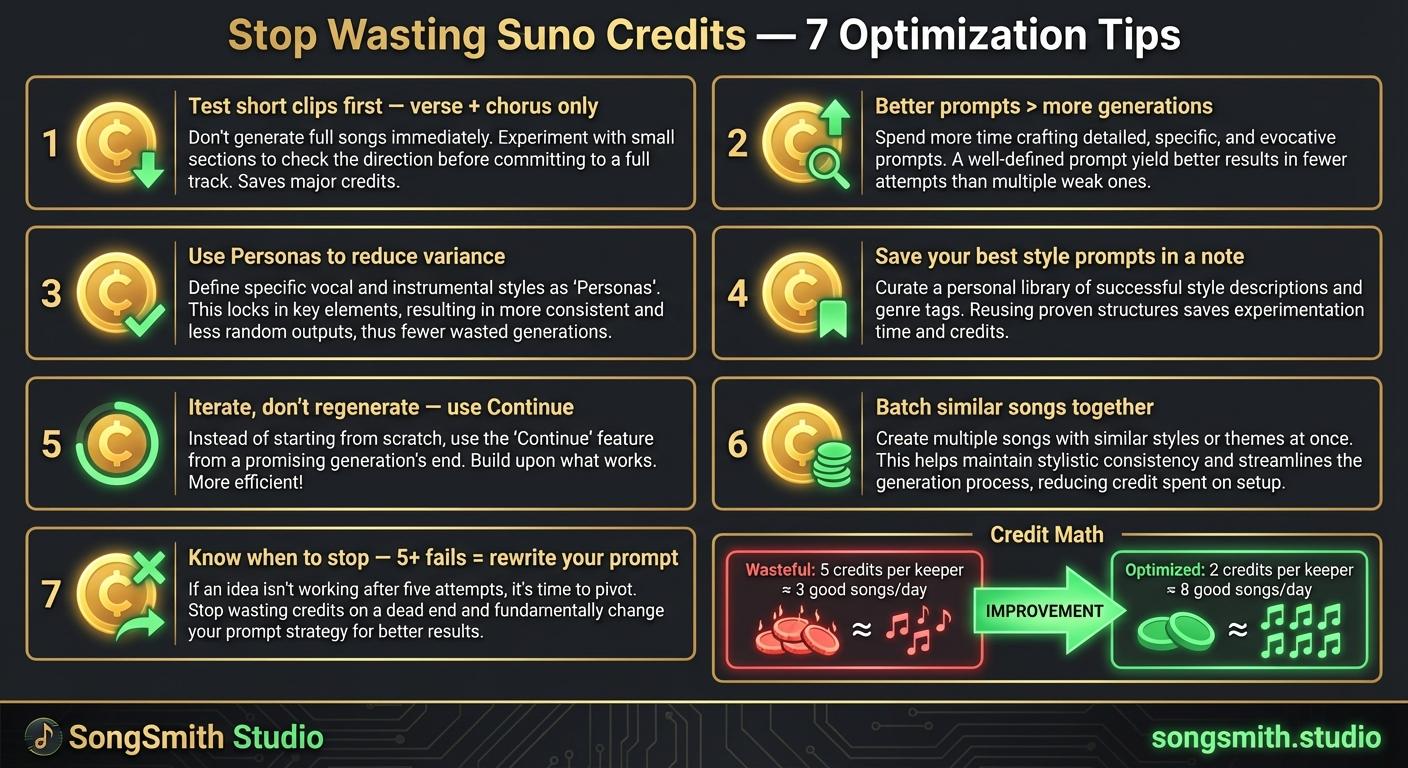
Maximize Your Suno Credits: 7 Proven Ways to Get More Music Per Dollar
7 practical tips to stop wasting Suno credits. Optimize prompts, use personas, iterate instead of regenerate, and double your output per credit.
4 min read![Dark-themed infographic with 5 error/fix rows. Left side has red X icon and mistake. Right side has green checkmark and fix: 1. X Vague prompts → Check Use 4-7 specific descriptors, 2. X No structure tags → Check Use [Verse], [Chorus], [Bridge], 3. X Too many words in style prompt → Check Comma-separated descriptors only, 4. X Regenerating from scratch → Check Use Continue from this song, 5. X Settling on first generation → Check Generate 2-3 versions pick best. Bonus: Ignoring Personas → Use them for consistent vocals.](/_next/image?url=%2Fblog%2F10-five-common-suno-mistakes.jpeg&w=3840&q=75)
Avoid These 5 Mistakes That Most Suno Users Make Repeatedly
Stop making common Suno mistakes: vague prompts, missing structure tags, bloated style prompts, regenerating from scratch, settling on first attempts. Learn the fixes.
3 min read