Stop Regenerating: When to Use Suno's Cover Feature Instead (Saves Credits)
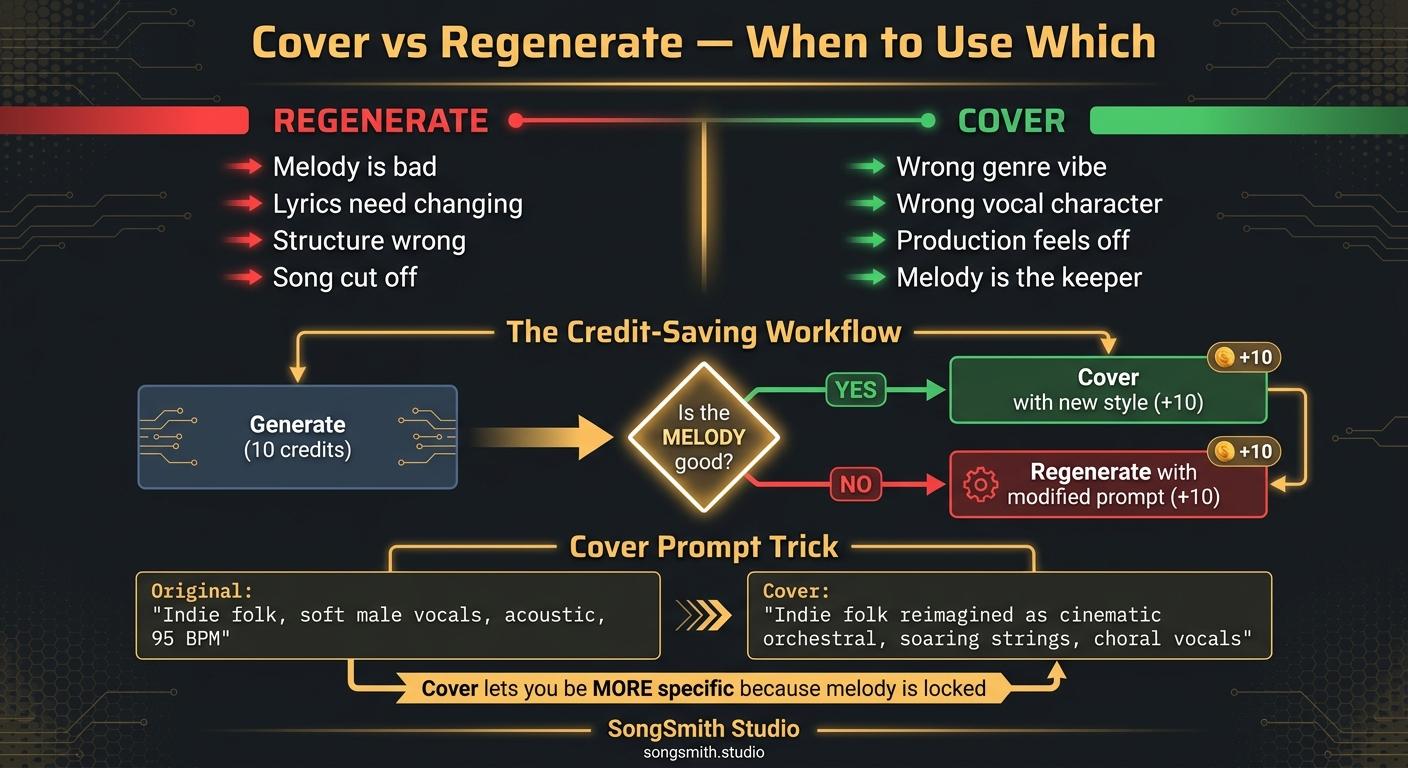
Suno's "Cover" feature is the most underrated button in the app. It lets you re-record an existing song with the same melody but a new style. The price tag: same as a generation, but with way more predictability. Here's the decision tree.
What Cover actually does
Cover takes any audio (your previous Suno song, a voice memo, even a piano demo) and re-renders it in a new style, same melody, same lyrics, new vibe. It does NOT change the song structure or melody. It DOES change:
- Vocal character (raspy → smooth, etc.)
- Instrumentation
- Genre
- Mood
- Production
When to use Cover instead of regenerating
- Wrong genre vibe: your song is in your prompt's genre but feels generic. Cover with a more specific sub-genre.
- Wrong vocal: voice is right gender but wrong character. Cover with new vocal description.
- Production feels off: mix is muddy, vocals buried. Cover with cleaner production tags.
- Energy mismatch: song is too aggressive or too soft for the lyrics. Cover with corrected mood.
- You love the melody: the melody is the keeper. Cover lets you preserve it while changing everything else.
When to regenerate (not cover)
- The melody itself is bad
- The structure is wrong (verse too long, missing bridge)
- The lyrics need to change
- The song cut off early
The Cover workflow that saves the most credits
- Generate 1 song (cost: 10 credits)
- Listen for the melody and lyric flow. Ignore everything else.
- If melody is good but production is wrong → Cover with new style (cost: 10 credits, total 20)
- If melody is bad → regenerate with a modified prompt (cost: 10 credits)
This means a "perfect" song costs 20-30 credits, not 100+ from blind-regenerating.
Cover-specific style prompt tricks
When you Cover, your style prompt has more power than during a fresh generation, because the melody is locked. So you can be more specific without confusing Suno:
- Original generation prompt: "Indie folk, soft male vocals, acoustic, 95 BPM"
- Cover prompt: "Indie folk reimagined as cinematic orchestral, soaring strings, choral backing vocals, building from intimate to massive"
That second prompt would mostly fail in a fresh generation, too much going on. On Cover, it works because the melody is the anchor.
Pro tips
- Cover works with up to 4 minutes of input audio. You can cover even Extended songs.
- You can Cover a Cover. Stack stylistic transformations: original folk → orchestral → synthwave (3 covers, $30 worth, but each one gives you a usable variant).
- Upload a humming voice memo as a Cover input. Suno turns it into a real song. Game-changer for melody-first writers.
- Use Cover to test new vocal Personas without losing your favorite melody.
- We built SongSmith specifically because credit math is brutal. Cover-first workflow is the cheapest path to a song you actually love.
Save this. What's the most expensive Suno session you've ever had? Drop the credit count.
Create your first Suno album on SongSmith
From a single idea to a complete, YouTube-ready album. AI lyrics, Suno automation, album art, and video rendering — all in one workflow.
Get started freeKeep reading
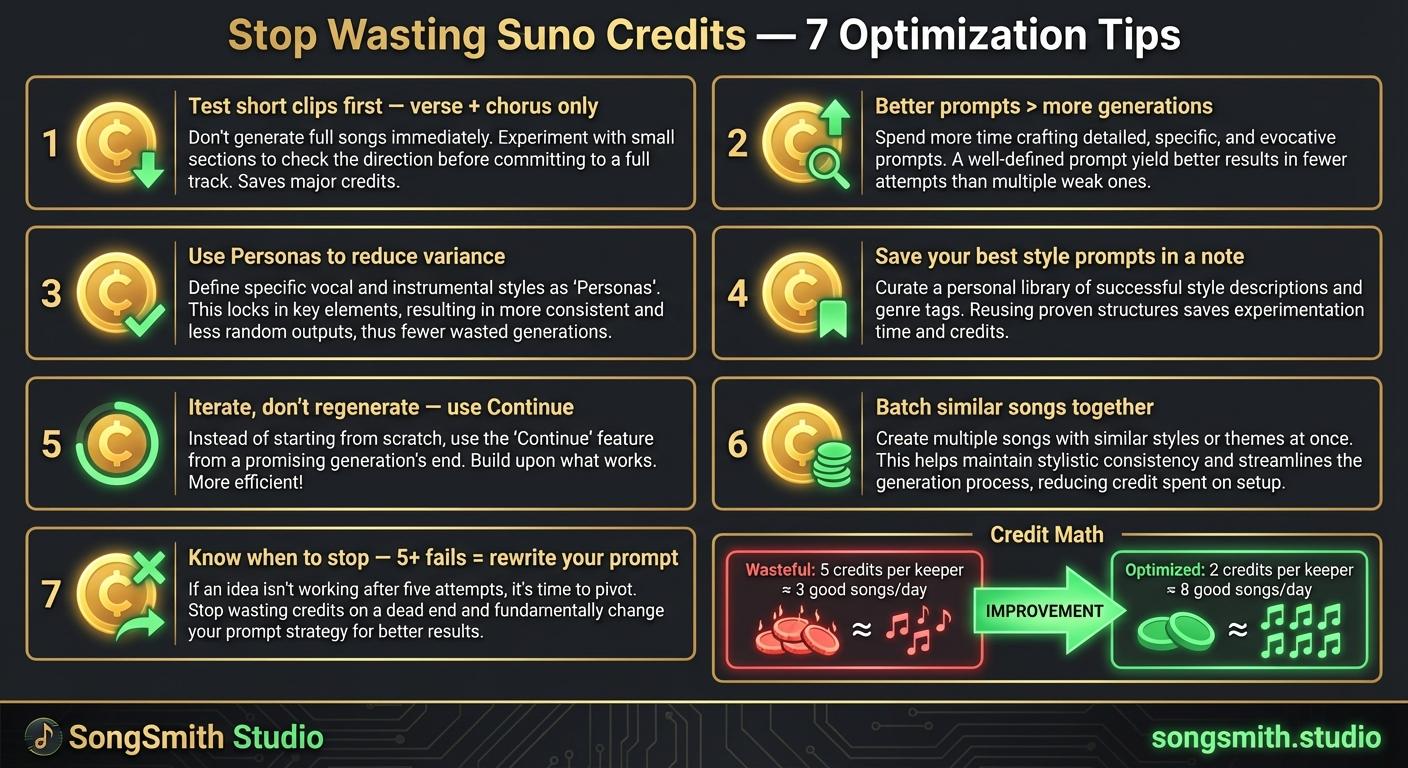
Maximize Your Suno Credits: 7 Proven Ways to Get More Music Per Dollar
7 practical tips to stop wasting Suno credits. Optimize prompts, use personas, iterate instead of regenerate, and double your output per credit.
4 min read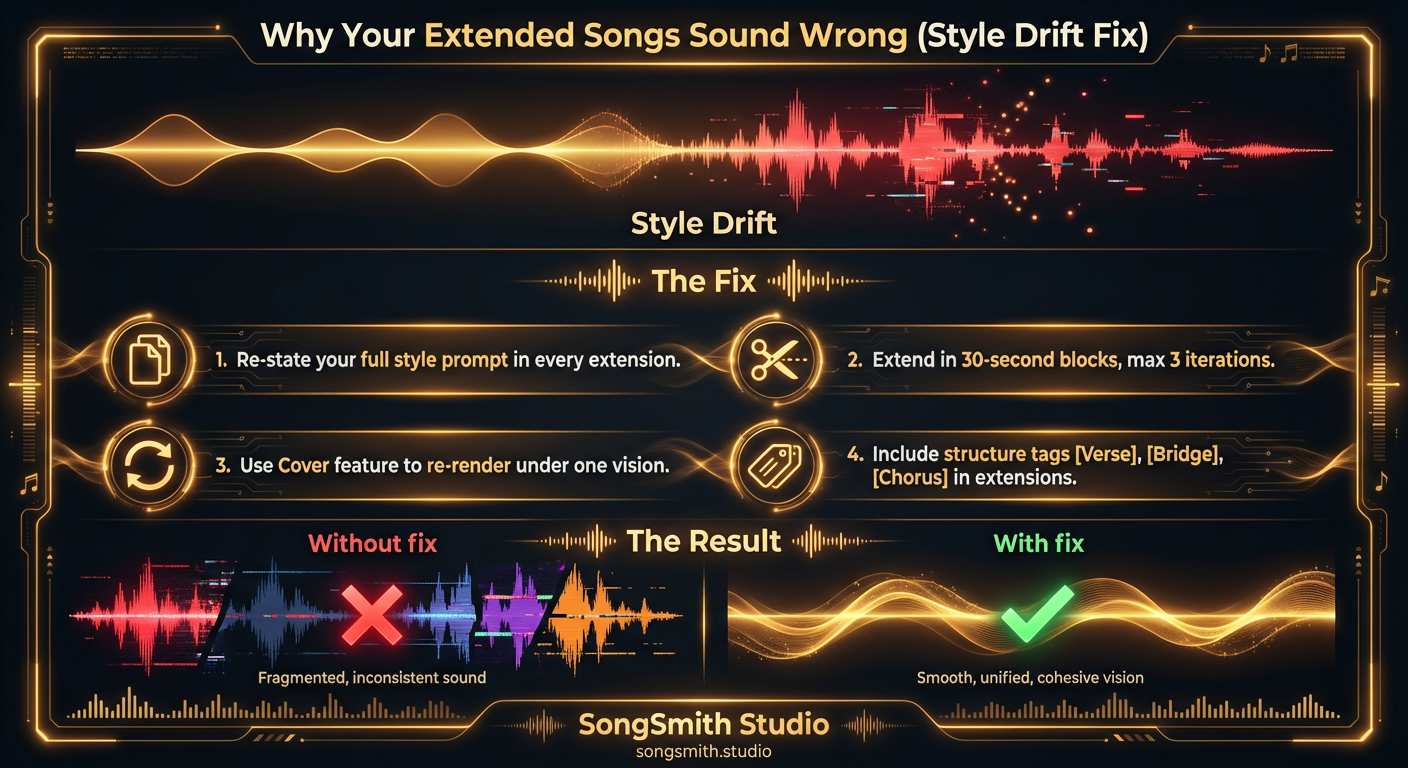
Why Your Extended Songs Sound Wrong (and How to Fix Style Drift)
Style drift ruins extended songs on Suno. Learn why extensions sound different and four proven fixes to maintain consistent sound across full-length tracks.
4 min read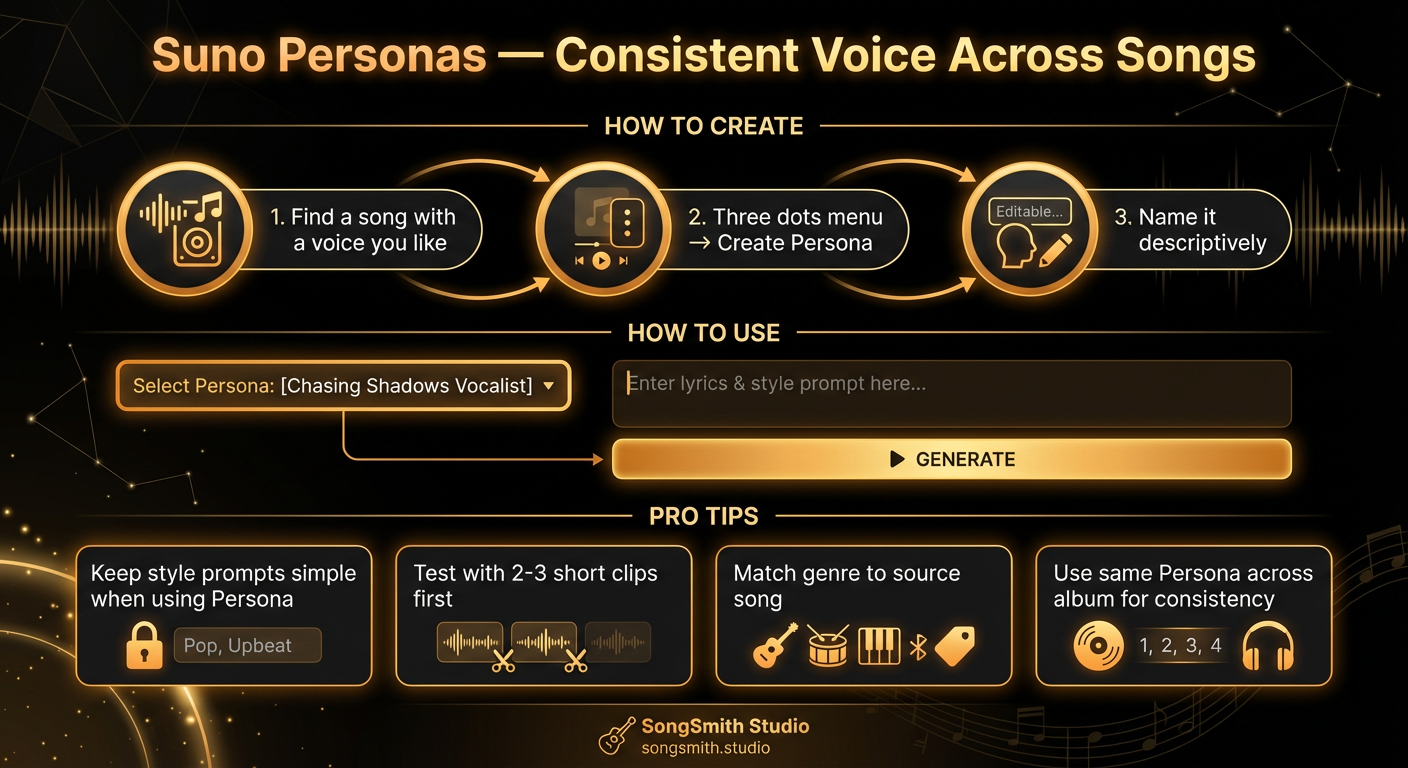
Use Suno Personas to Lock In a Consistent Vocal Identity
Master Suno Personas to get the same voice across all your songs. Learn how to create, use, and combine Personas for albums with consistent vocal identity.
4 min read