The Weirdness & Style Influence Sliders: Suno's Two Hidden Dials Nobody Touches
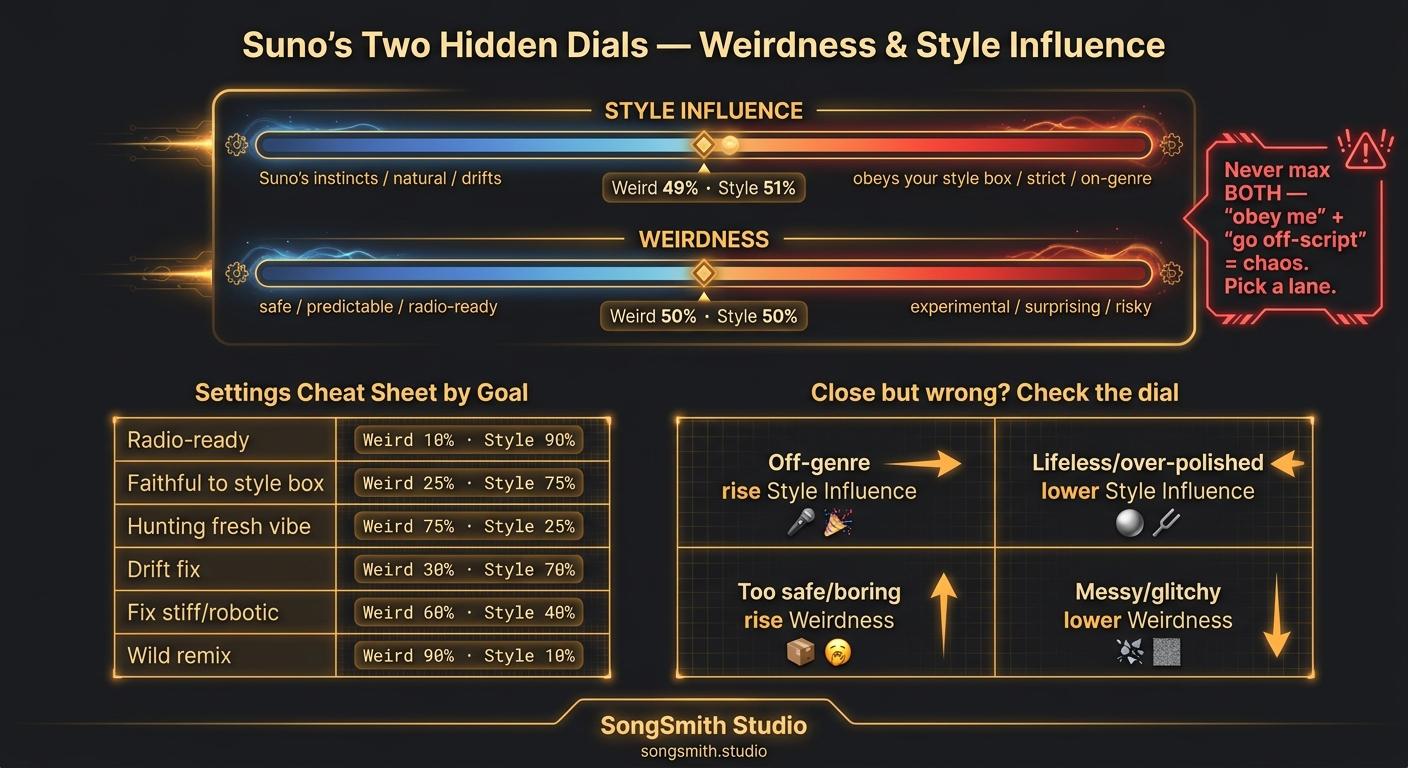
Open Custom mode, expand Advanced Options, and you'll find two sliders most people scroll right past:
- Weirdness (sometimes shown as "Weirdness Constraint")
- Style Influence (sometimes "Style Strength")
Both default to roughly the middle (~50%). Suno's defaults are deliberately safe averages, which is exactly why so many generations come out sounding generic. Once you understand what each dial actually does, you stop blaming your prompt for problems the sliders caused.
Style Influence: how literally Suno obeys your style box
- High (65-85%): Suno follows your genre, instruments, and mood tags strictly. Use this when your style box is precise and you want it honored.
- Low (20-40%): Suno treats your style box as a loose suggestion and leans on its own musical instincts. More natural feel, more drift.
If your song keeps wandering off-genre (you wrote "dark synthwave" and got generic pop), you don't need a better prompt. You need to raise Style Influence. (This is the real fix behind the style-drift problem in Suno Style Drift Fix: Why Extensions Sound Wrong.)
The flip side: crank Style Influence to max with a vague prompt and Suno will faithfully reproduce its own averages, hard. High influence only helps if the box is specific.
Weirdness: how far Suno is allowed to surprise you
- Low (15-35%): Predictable, on-genre, radio-safe. Fewer happy accidents, fewer disasters.
- High (65-85%): Experimental phrasing, unexpected chord and arrangement choices, more character, but also more artifacts, weird transitions, and the occasional total mess.
Weirdness is your creativity-vs-coherence dial. Low when you know exactly what you want. High when you're hunting for something fresh you couldn't have described.
The settings cheat sheet (by goal)
- Radio-ready, on-brand, safe → Weirdness 20-30% / Style Influence 70-80%
- Faithful to a very specific style box → Style Influence 75-85% / Weirdness 30%
- Hunting for a fresh, original vibe → Weirdness 70-80% / Style Influence 45-55%
- Song wanders off-genre (drift fix) → raise Style Influence to 70%+
- Song sounds stiff / over-compressed / robotic → lower Style Influence to ~40% (gives Suno musical breathing room, pairs with the humanization tricks in Why Suno Songs Sound Too Perfect: 6 Fixes)
- A wild Cover/remix reinterpretation → Weirdness 75%+
- No idea where to start → both at 50%, then move ONE at a time
The interaction that trips everyone up
These two dials fight each other. High Style Influence + High Weirdness = chaos. You're telling Suno "obey me exactly" and "go off-script" in the same breath, and you'll get an incoherent take. Pick a lane. If you want experimental, pull Style Influence down so Weirdness has room to work. If you want faithful, keep Weirdness low.
The diagnostic move
When a generation is close but wrong, don't rewrite the prompt and don't regenerate blind. Ask which dial is off first:
- Wrong genre / off-brief → Style Influence too low → raise it
- On-brief but lifeless / over-polished → Style Influence too high → lower it
- Too safe / boring / heard-it-before → Weirdness too low → raise it
- Cool ideas but messy / glitchy → Weirdness too high → lower it
One slider, one click, re-roll. That's a 5-credit fix instead of rewriting a prompt that was never the problem.
Pro tips
- Change one slider at a time. Move both and you'll never know which one did what.
- Sliders amplify prompt specificity: they don't replace it. High Style Influence on a thin prompt just locks in Suno's averages. Build the style box first (see Suno Style Prompt Formula: The 5-Part Method), then tune.
- For albums, lock your two slider values and reuse them across every track: it's a big lever for the consistent-sound problem (album cohesion, Suno Album Cohesion Cheat Sheet: 5 Levers).
- Weirdness is your friend on Cover and Extend, where the melody is already anchored: you can push it higher there without the song falling apart.
- Default-50/50 is the "I haven't decided what I want" setting. Deciding is the whole game.
Save this for your next session. Be honest. Had you ever touched these two sliders before? Drop where you usually leave them and I'll tell you what they're doing to your sound.
Create your first Suno album on SongSmith
From a single idea to a complete, YouTube-ready album. AI lyrics, Suno automation, album art, and video rendering — all in one workflow.
Get started freeFree Suno tools
Keep reading
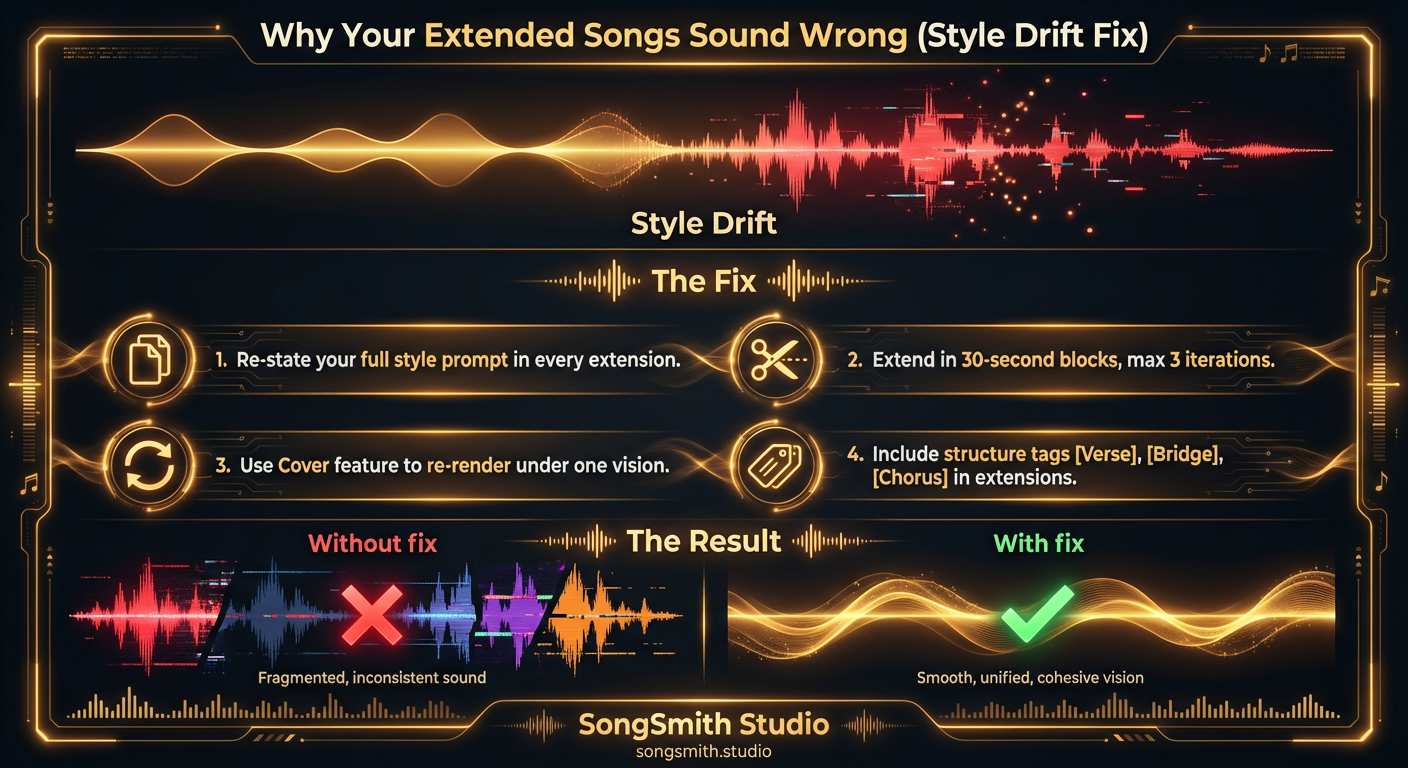
Why Your Extended Songs Sound Wrong (and How to Fix Style Drift)
Style drift ruins extended songs on Suno. Learn why extensions sound different and four proven fixes to maintain consistent sound across full-length tracks.
4 min read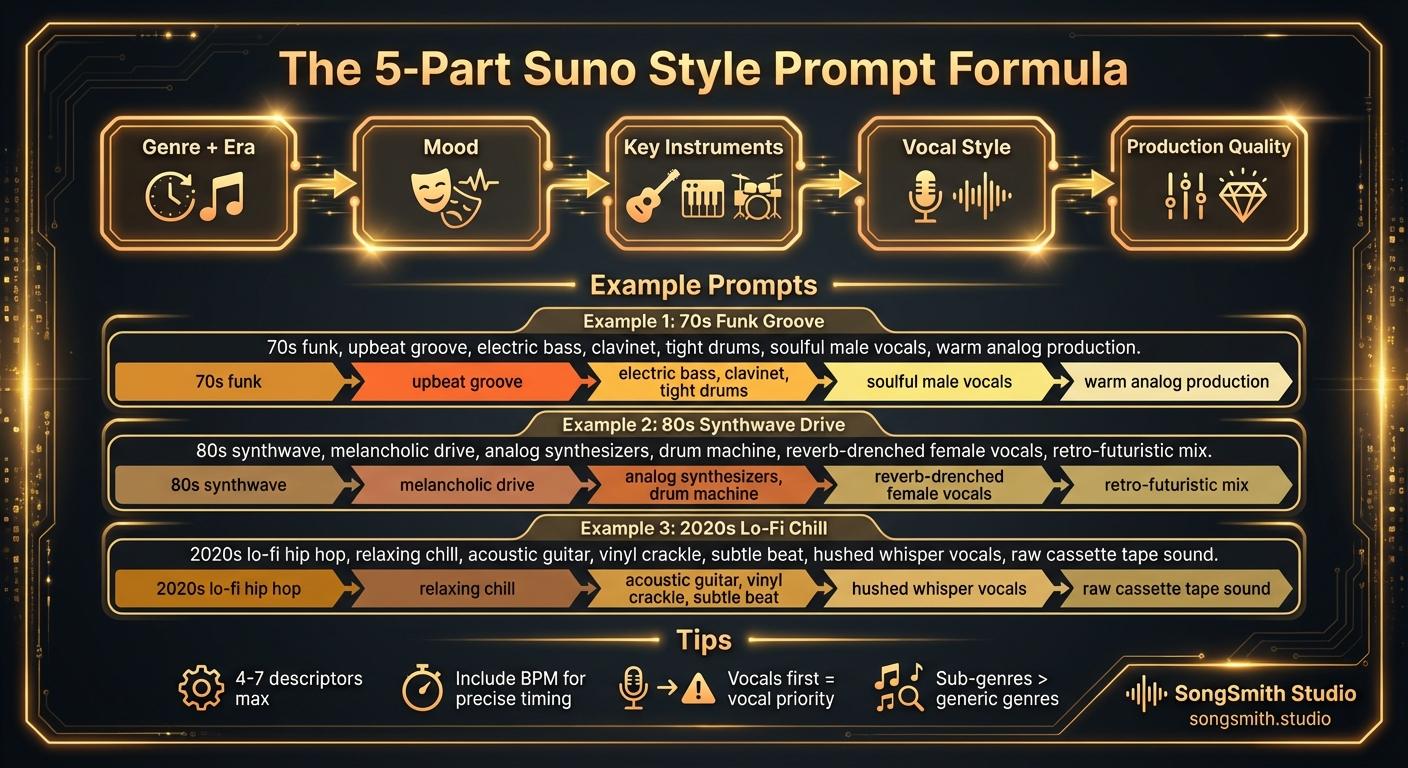
Craft Precise Style Prompts Using This Battle-Tested Formula
The 5-part Suno style prompt formula: genre and era, mood, instruments, vocal style, production. Tips and example prompts that get better results.
3 min read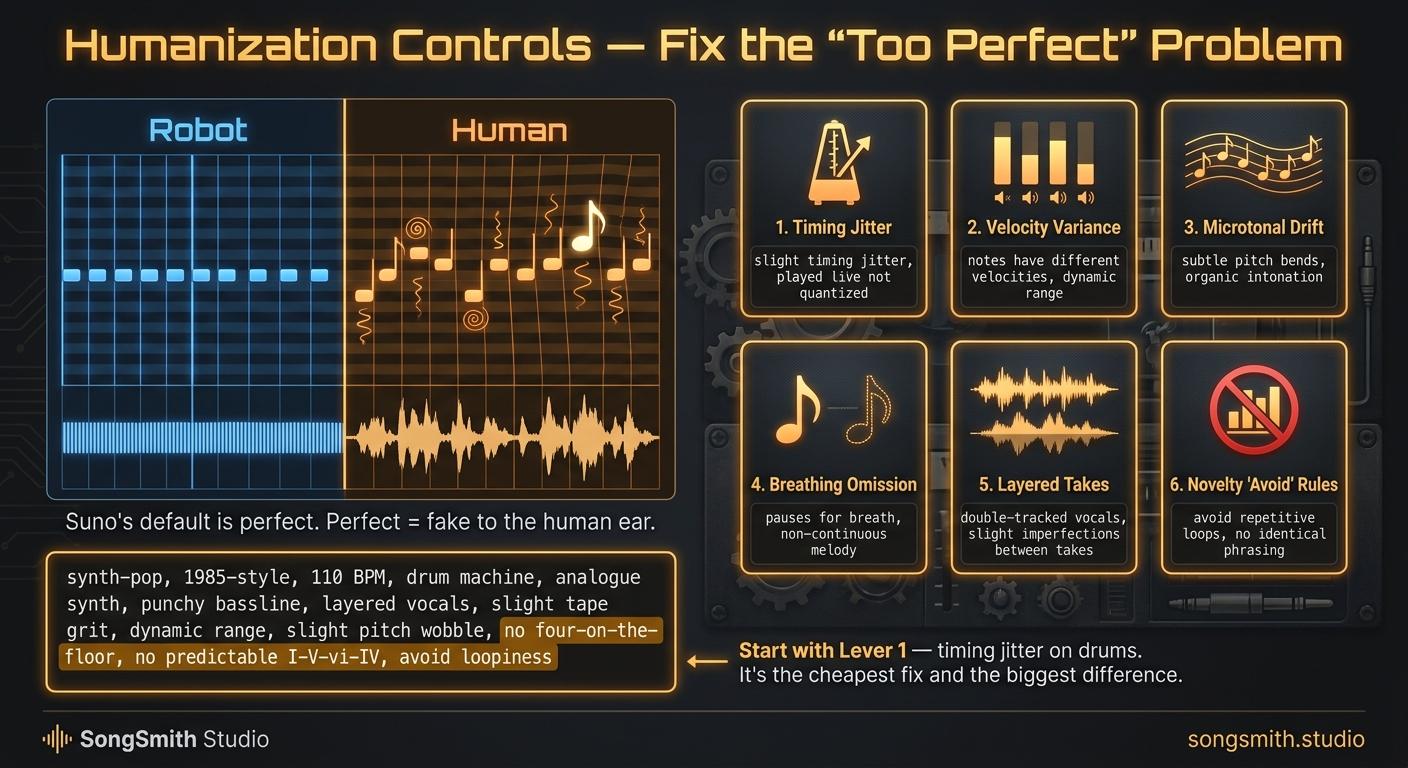
Humanization Controls: Why Your Suno Songs Sound Too Perfect (and 6 Fixes That Make Them Feel Human)
AI music fails because it's too clean. 6 Suno humanization levers, from timing jitter and velocity variance to pitch drift and avoid rules, that fix it.
3 min read